
How to Add Bins in OMS
Bins are critical components of warehouse management. They represent physical or logical sub-locations within a delivery center where inventory is stored and tracked. In BetterCommerce OMS, adding bins helps structure your warehouse, streamline picking and packing, and maintain precise inventory control.
What Are Bins?
A bin is a storage location inside a delivery center or warehouse, typically used to organize and identify where products are kept. For example, “1.F.0” might represent Aisle 1, Floor F, Section 0.
Why Add Bins?
- To organize your inventory by location
- To support barcode-based picking and packing
- To optimize space usage and stock retrieval time
- To improve accuracy in stock takes and audits
- To simplify inventory tracking across large warehouses
Steps to Add Bins in OMS
-
Navigate to Delivery Centers
Go to the Delivery Centers module in OMS.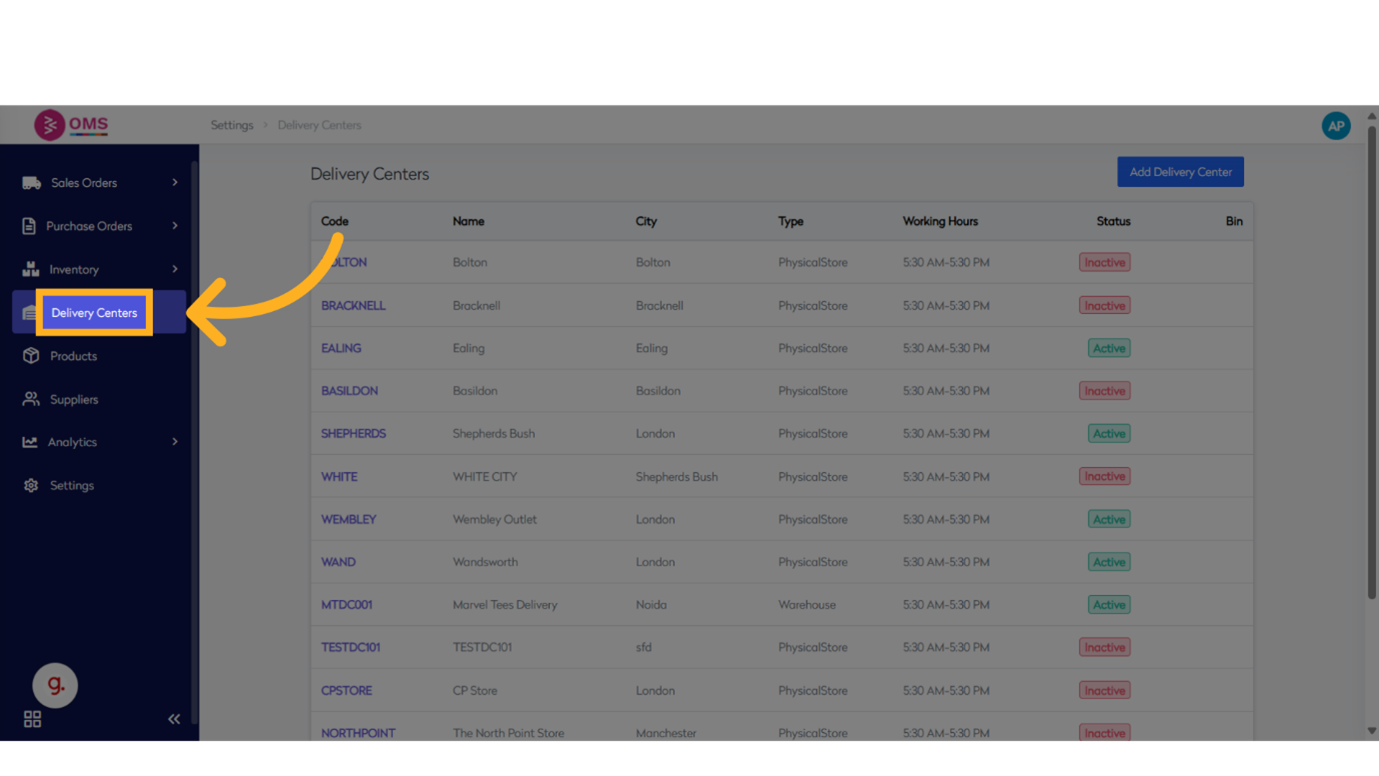
-
Select a Delivery Center
Choose the location (e.g., warehouse or store) where you want to create bins.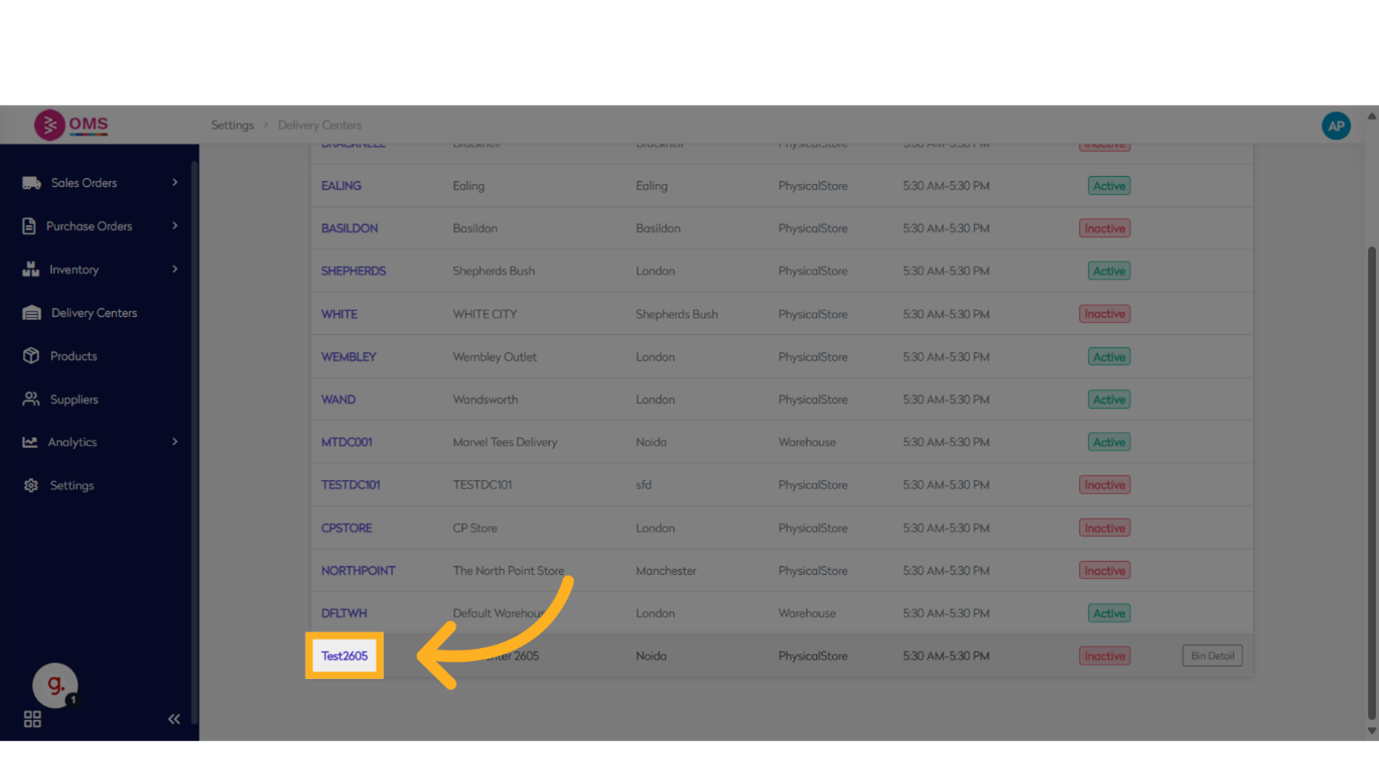
-
Click “View All Bins”
This will open the current list of bins under that delivery center.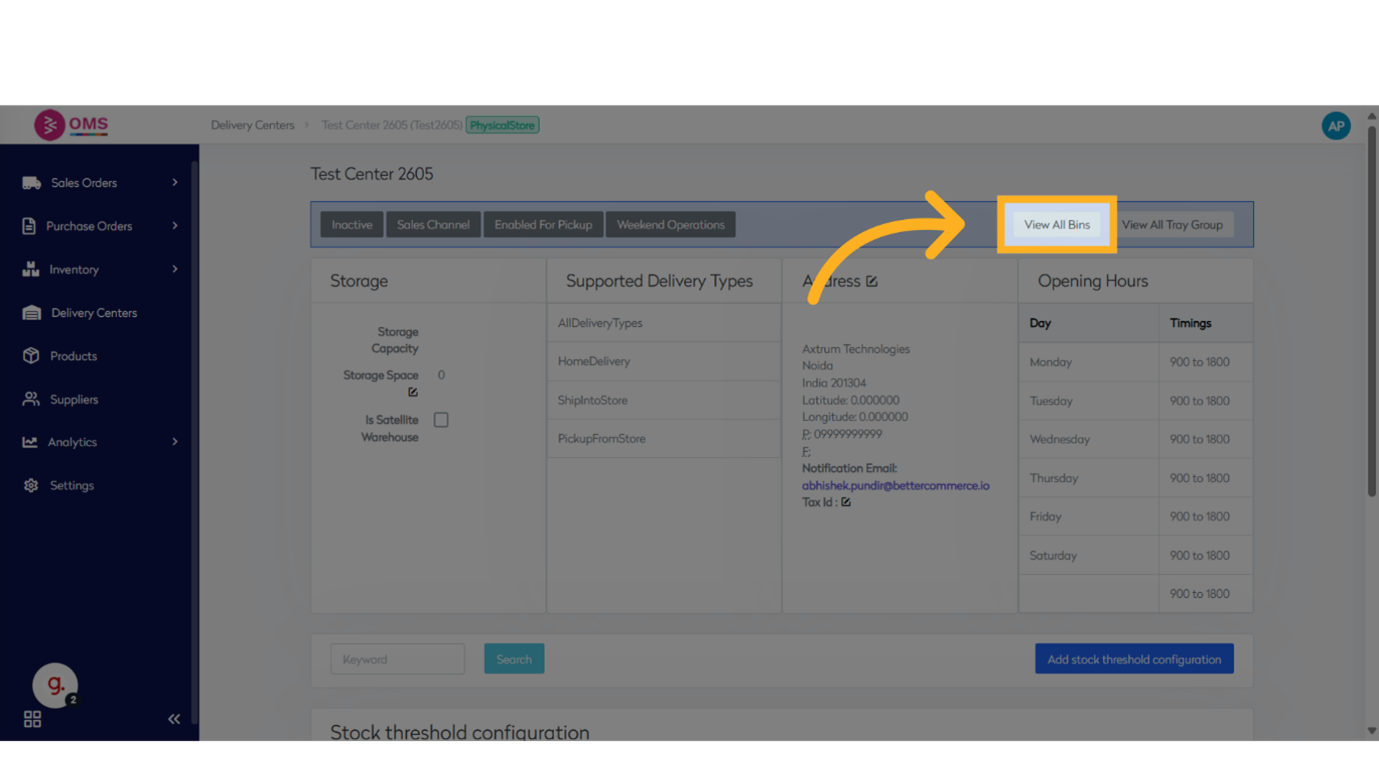
-
Click “Generate Bins”
Opens the bin creation tool.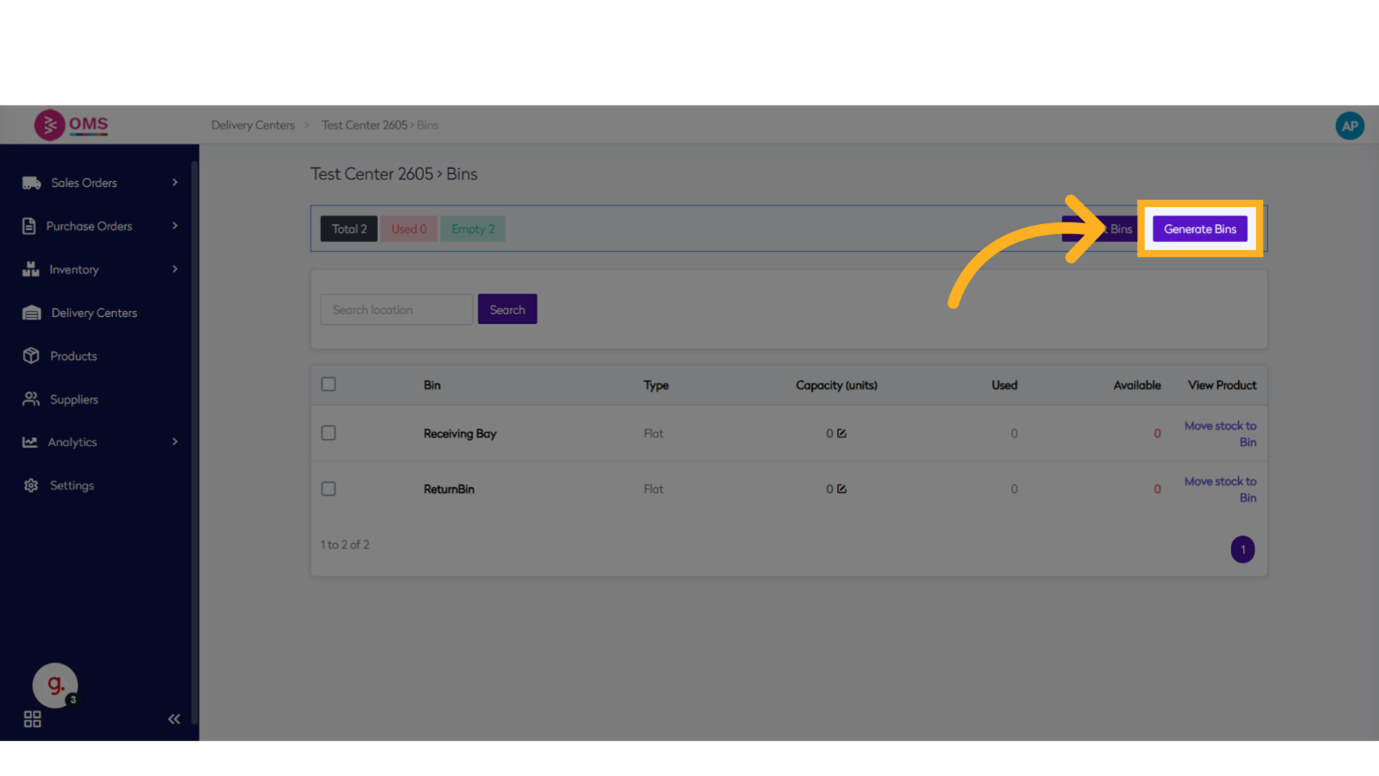
-
Enter Bin Structure
Provide a prefix such as1.F.0to define the base structure.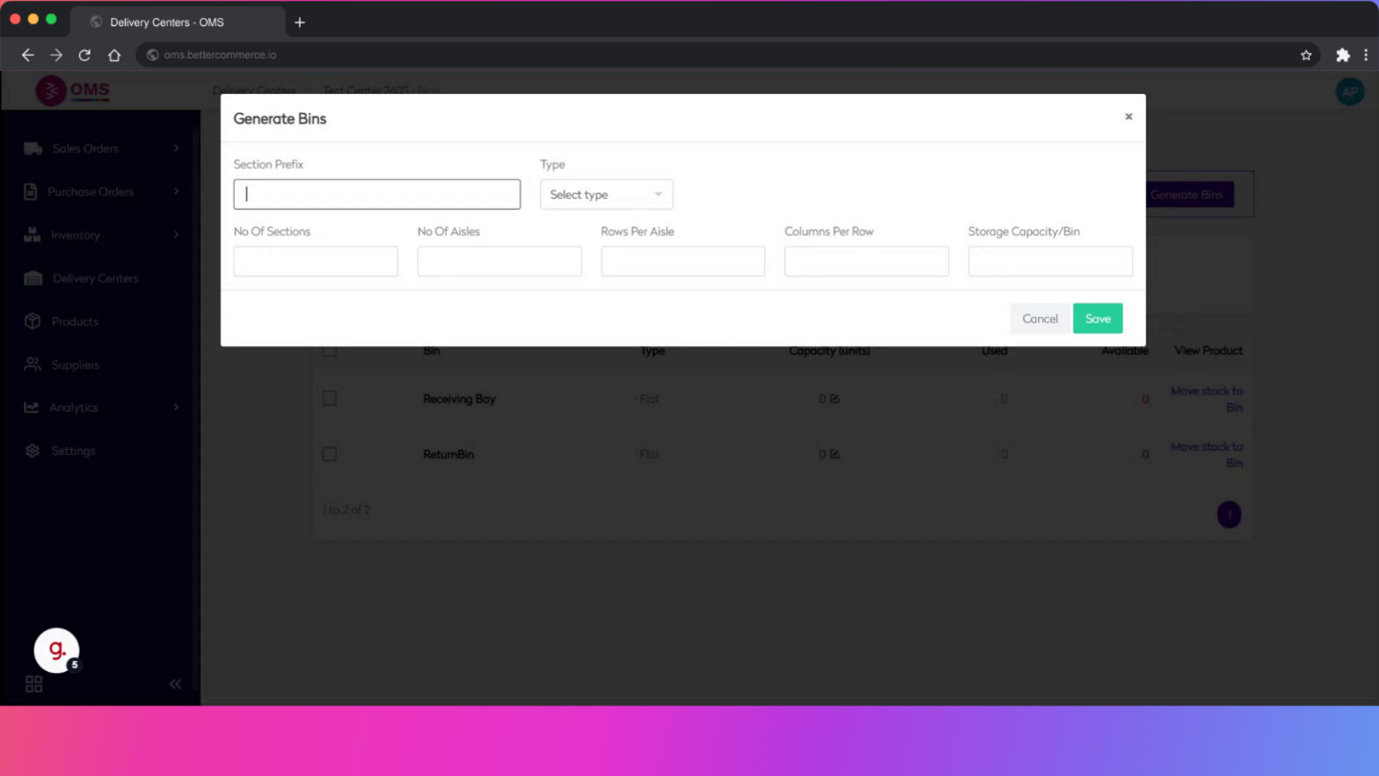
-
Set Bin Count
Specify how many bins to create starting from the given prefix (e.g., 10).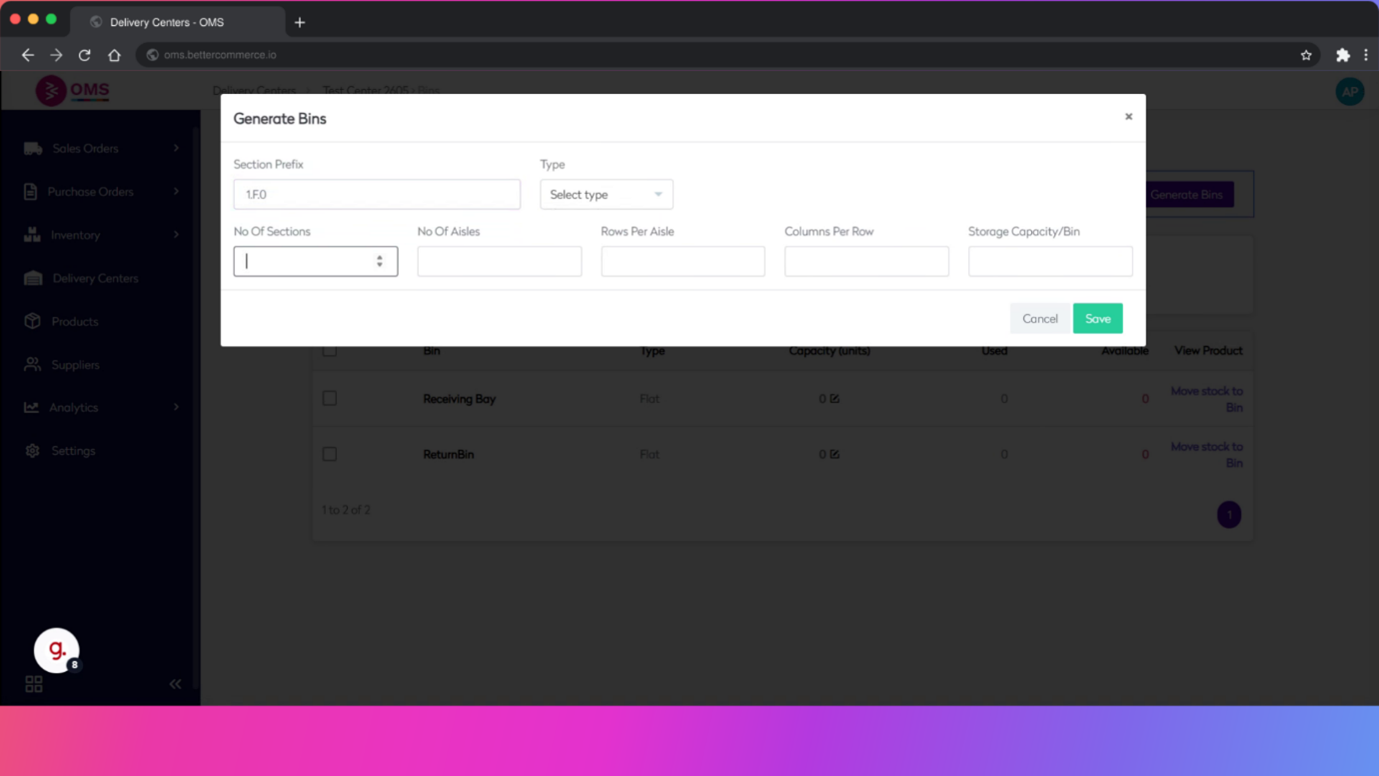
-
Choose Bin Type
- Flat: A simple linear list of bins
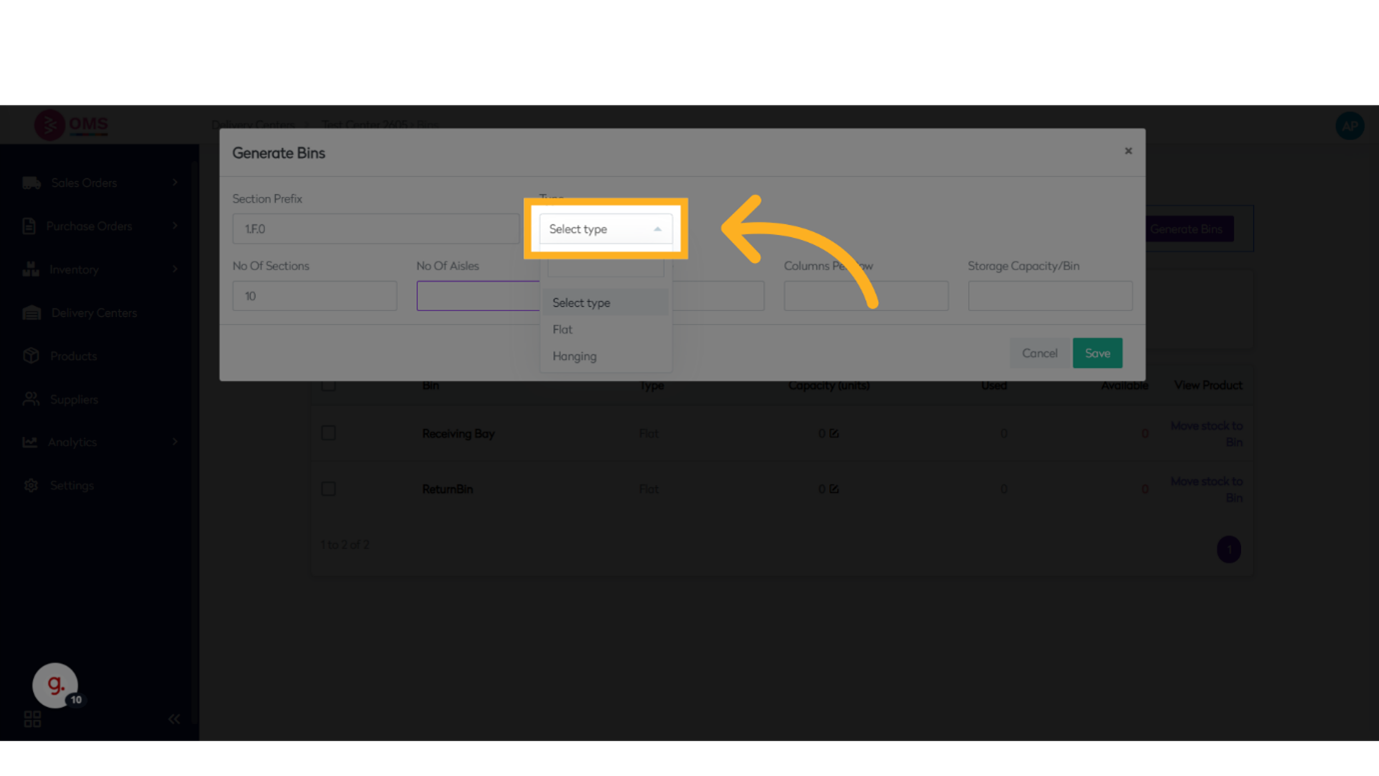
- Flat: A simple linear list of bins
-
**Define Rows and Columns **
If using a structured format, enter the number of rows, columns, or levels.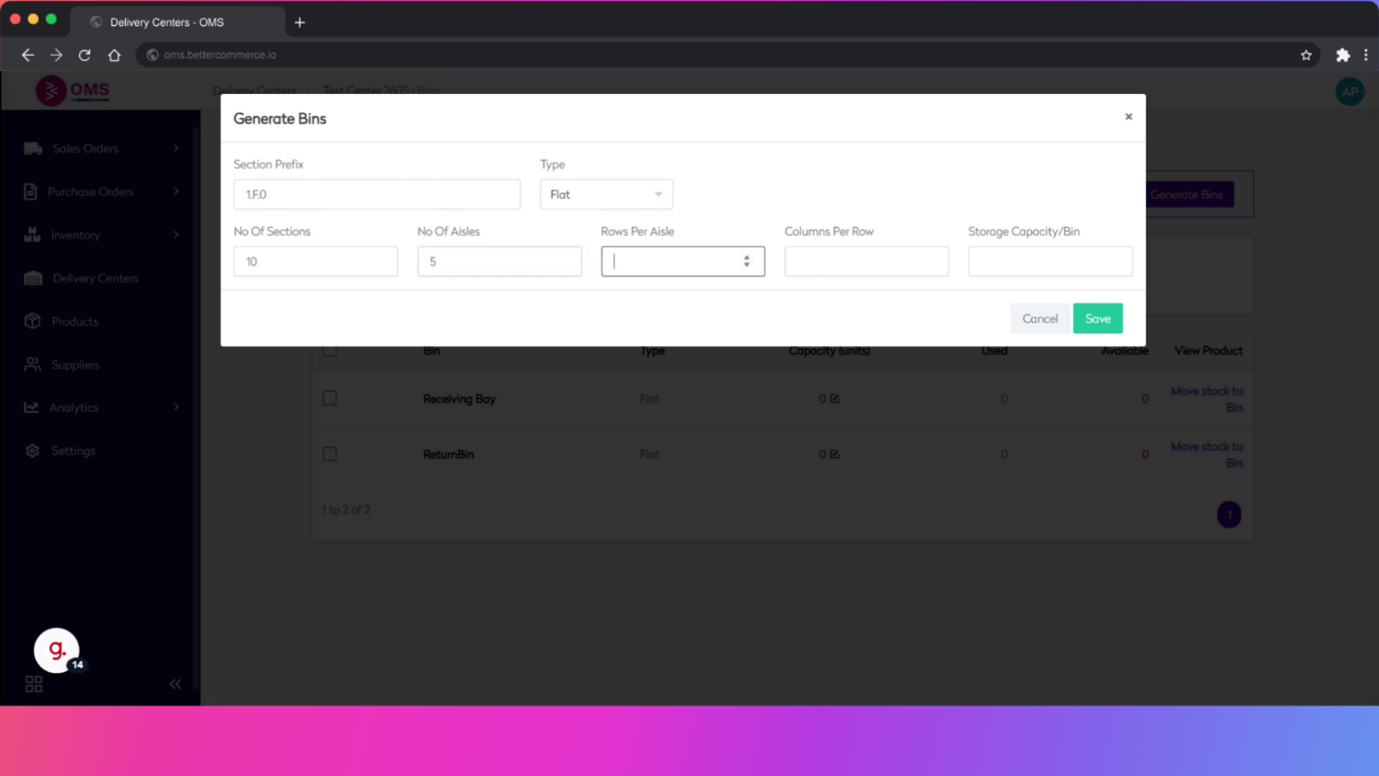
-
Set Capacity
Optionally define bin capacity or a unique label for identification.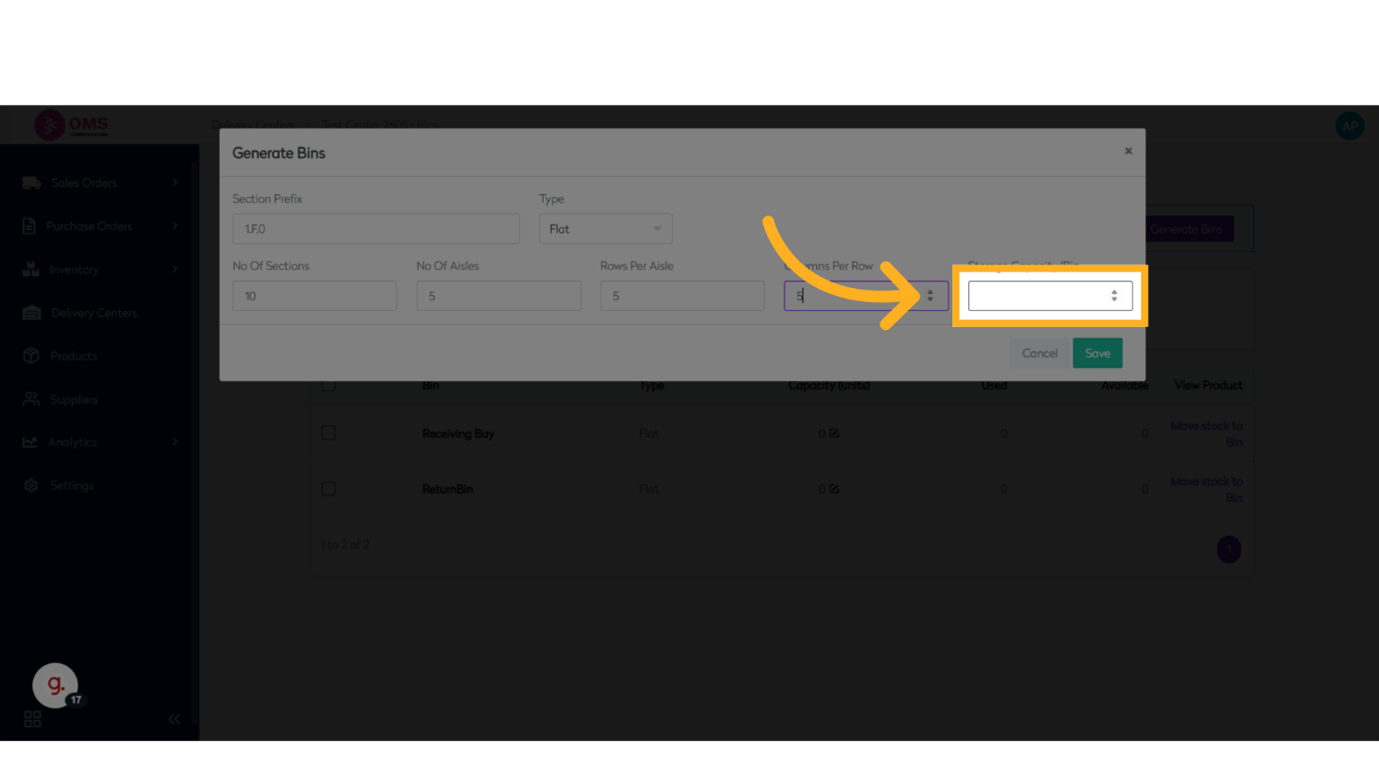
-
Click Save
Save the configuration to create bins under the selected delivery center.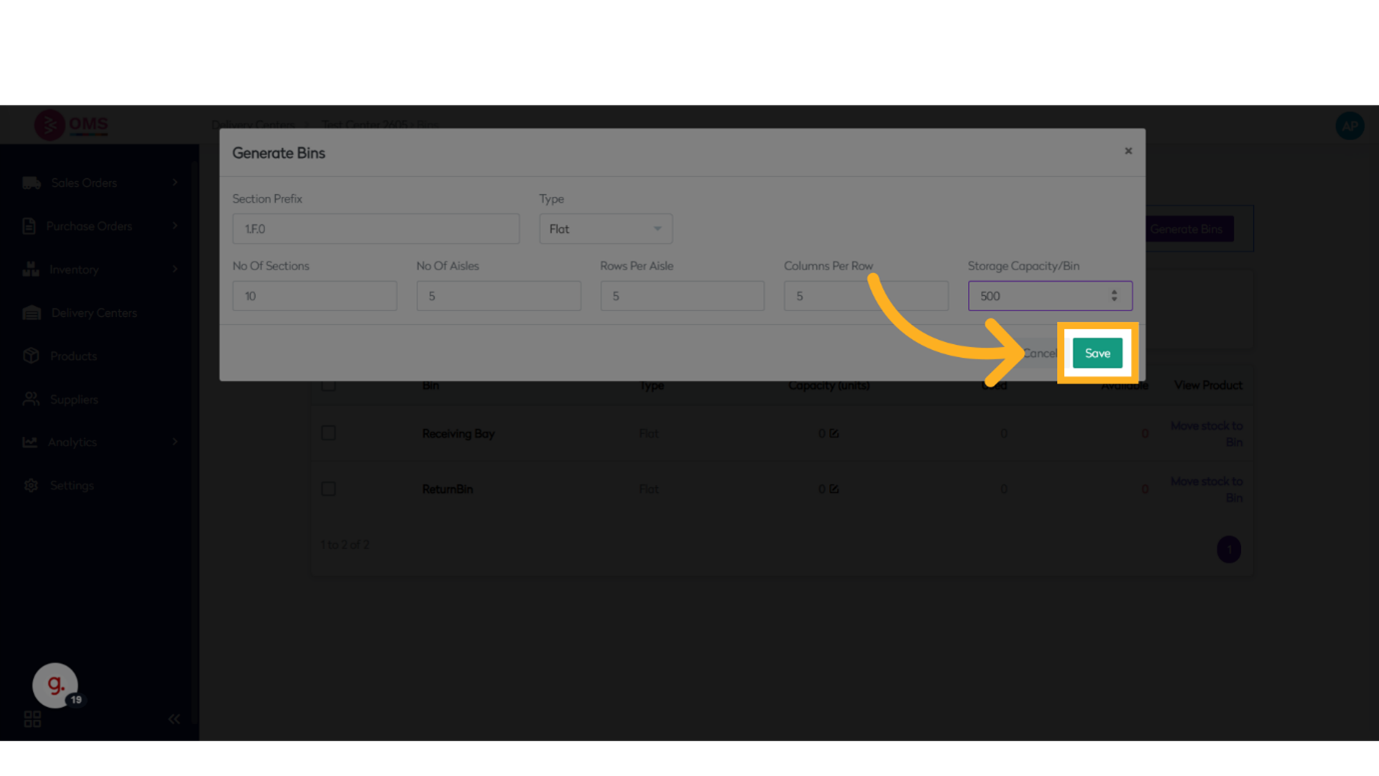
Best Practices
- Use clear, consistent bin naming conventions (e.g., aisle.floor.section)
- Group bins by zone or product category for faster picking
- Keep bin counts aligned with physical layout
- Train warehouse staff to scan bins during receiving, picking, and transfers
- Review bin usage regularly to reallocate space efficiently
Summary
Adding bins in BetterCommerce OMS provides structure to your warehouse operations. By breaking down your storage into traceable locations, you can speed up fulfillment, improve accuracy, and get better visibility into stock movement.
Build smarter warehouse logic — organize inventory with bins in OMS.