
Add a New Delivery Center in OMS
Adding a new Delivery Center in BetterCommerce OMS is essential when expanding your warehouse network, opening a new physical store, or configuring additional fulfillment points. A delivery center acts as a location from which inventory is stored, picked, packed, and dispatched to customers.
What Is a Delivery Center?
A Delivery Center is any physical or virtual location used to store and dispatch goods. It could represent a warehouse, a retail store, a pop-up location, or a third-party logistics partner.
Steps to Add a New Delivery Center in OMS
-
Navigate to Delivery Centers
Go to the Delivery Centers section from the OMS navigation menu.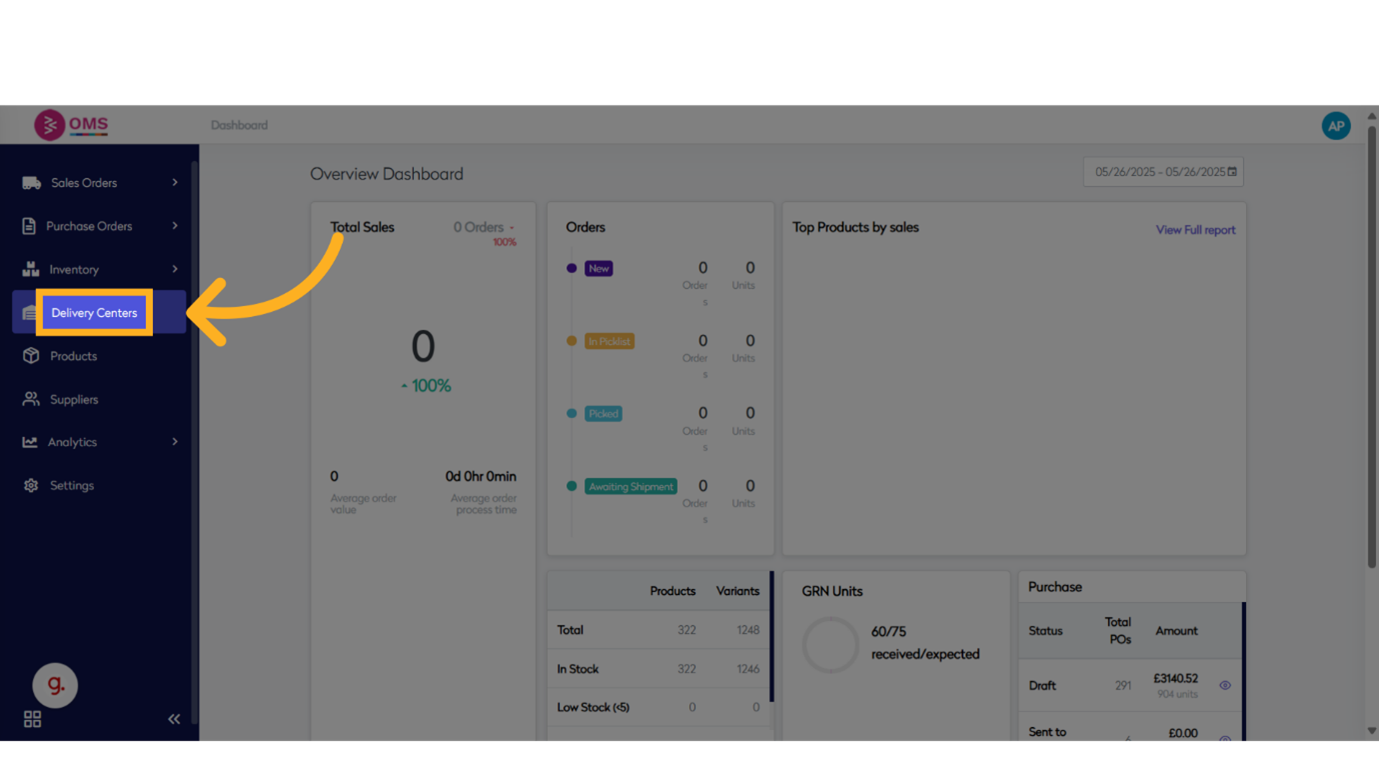
-
Click “Add Delivery Center”
Initiate a new record by clicking the Add Delivery Center button.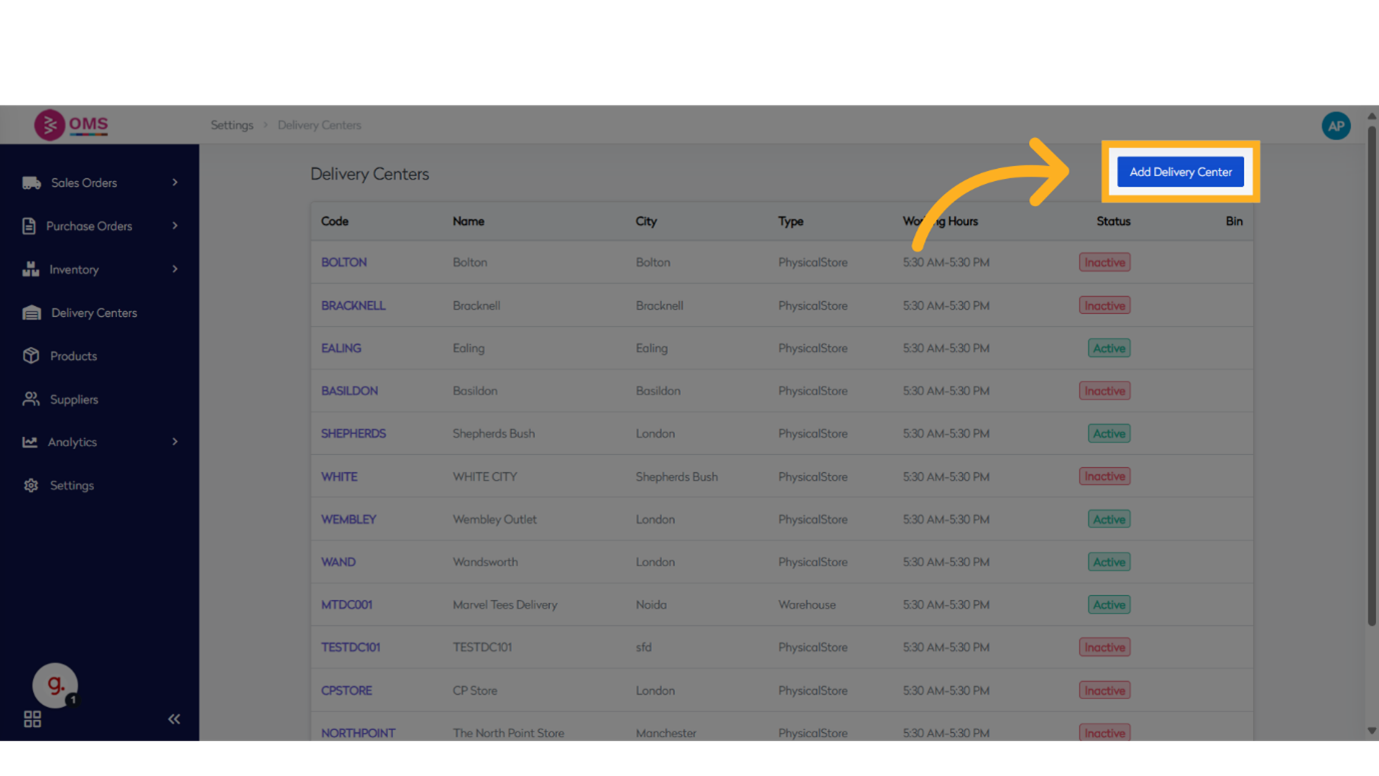
-
Enter Delivery Center Name
Provide a name to easily identify the center.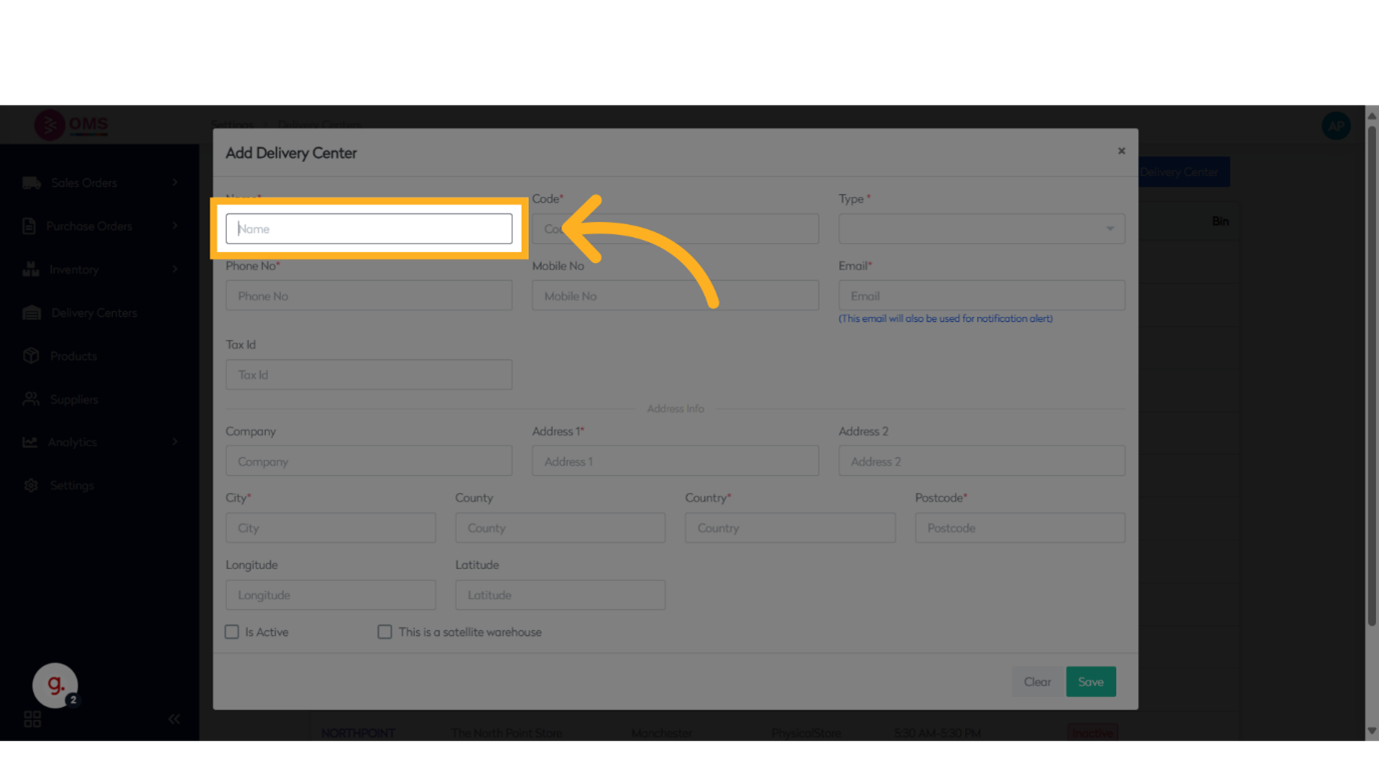
-
Enter Delivery Center Code
Input a unique code. This is used for referencing the center in orders and stock transfers.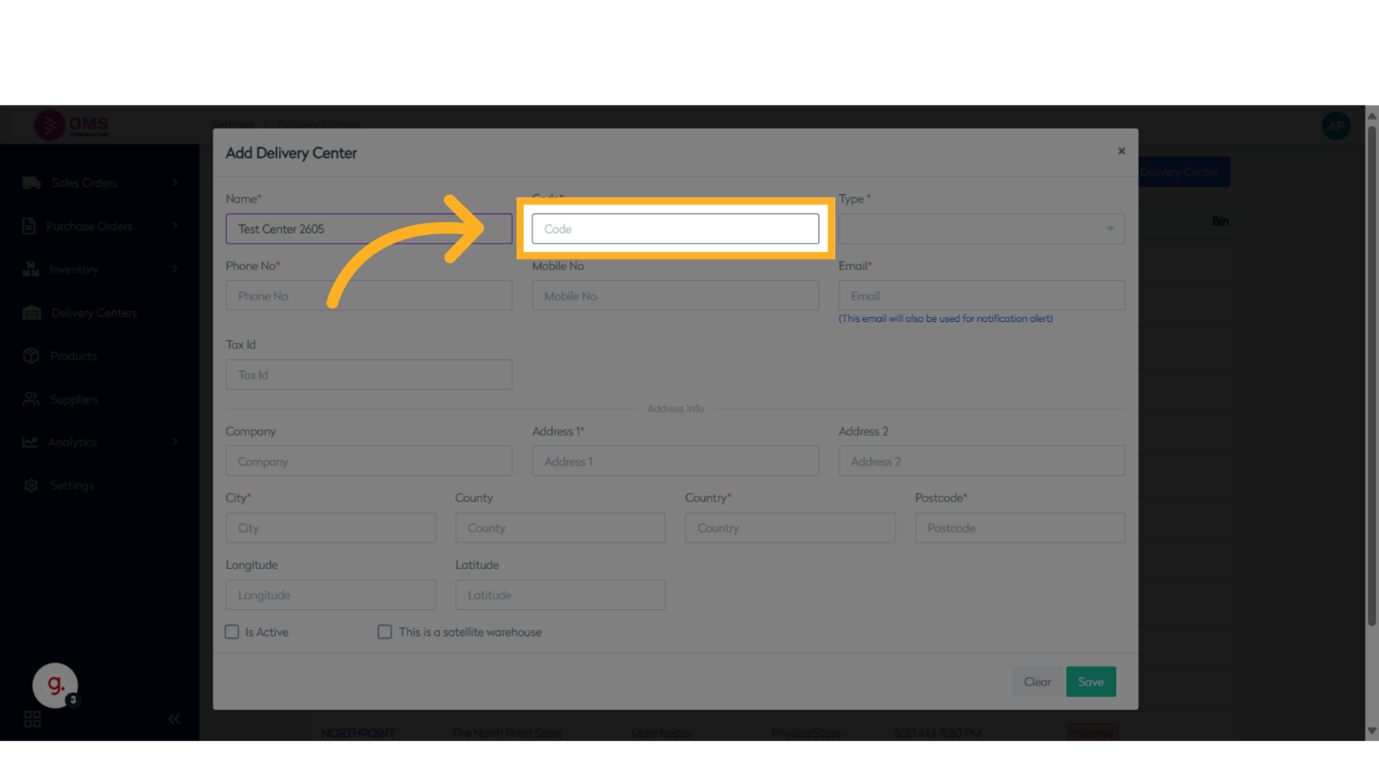
-
Select Type of Delivery Center
Choose the warehouse this delivery center will be linked to for stock management.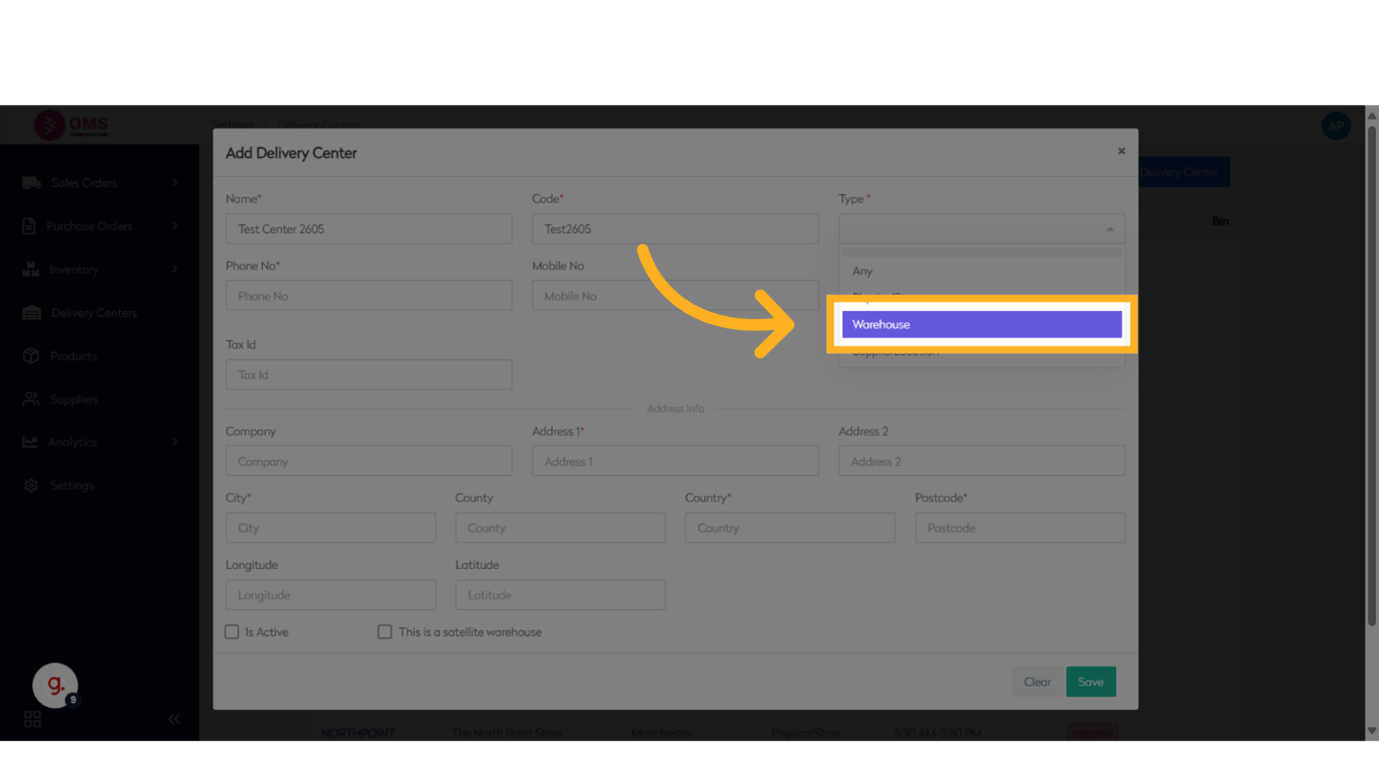
-
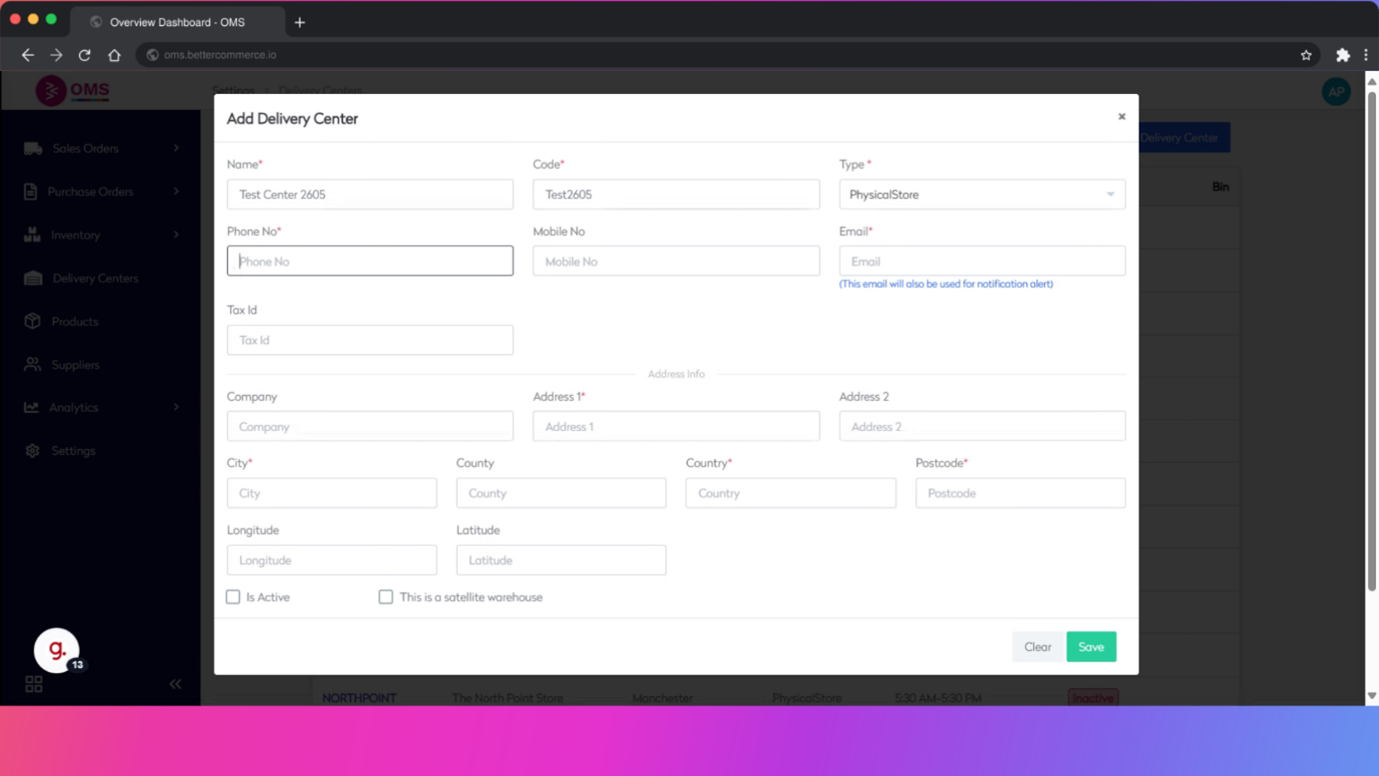
Enter Contact Details
- Phone number
- Email address
-
Enter Tax ID
Add the tax identification number, useful for legal and invoicing purposes.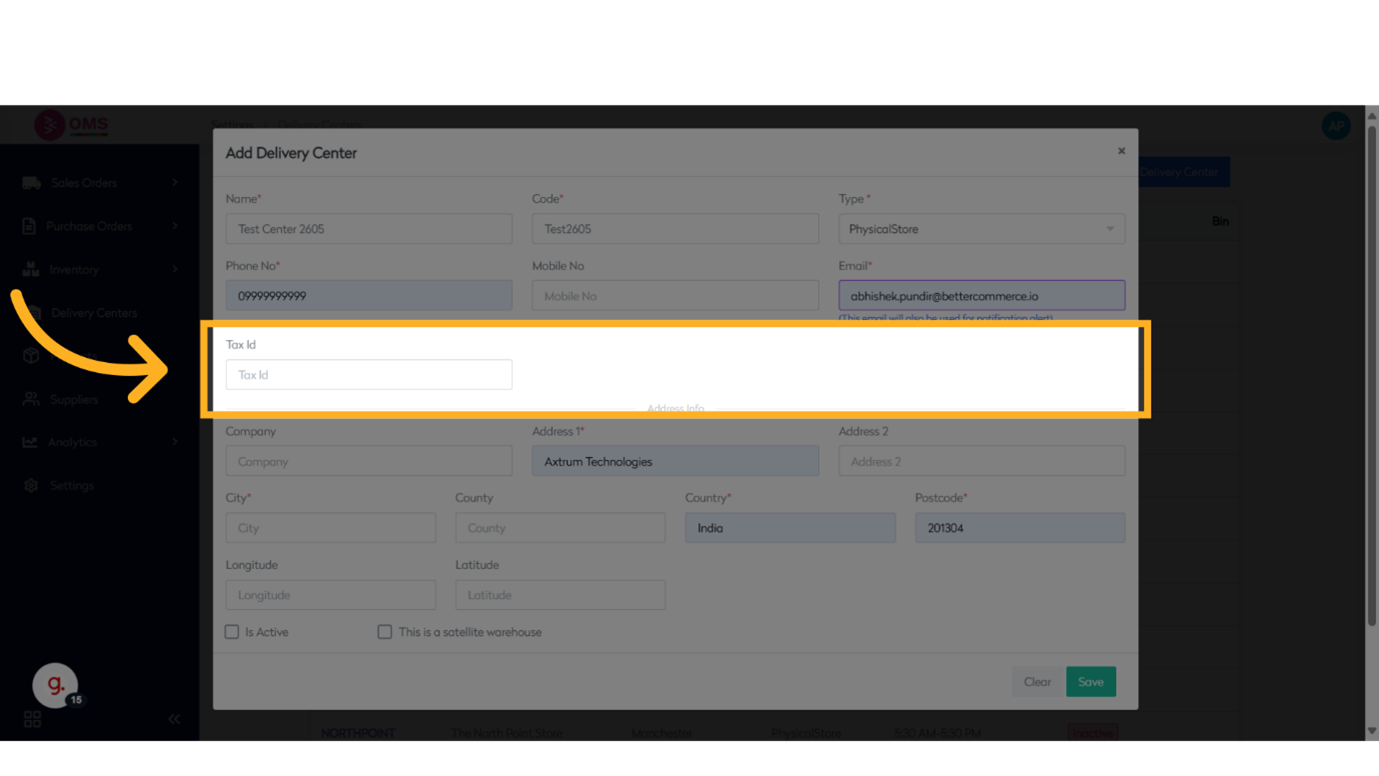
-
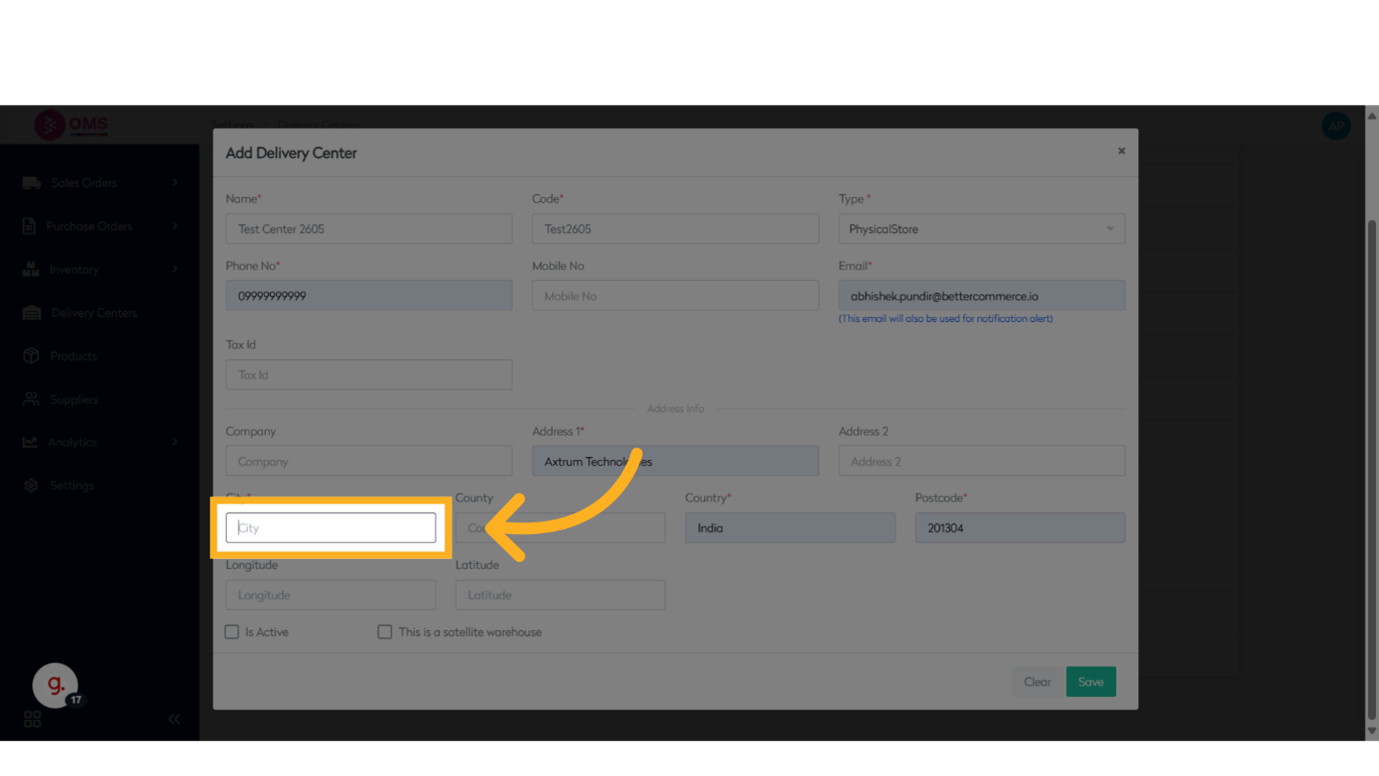
Enter Address Details
- City
- Other address fields if required
-
Set Active Status
Choose whether to activate the delivery center immediately.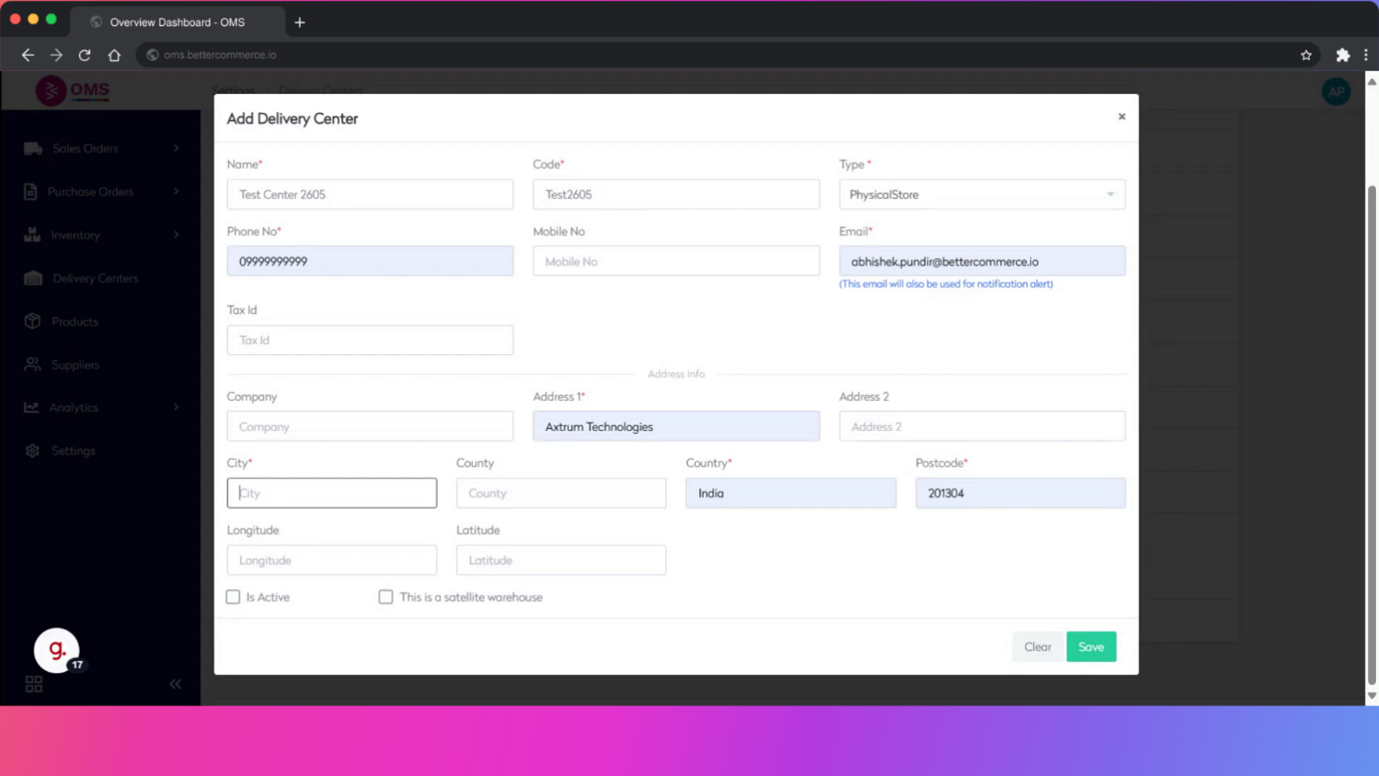
-
Click Save
Finalize the configuration by clicking the Save button.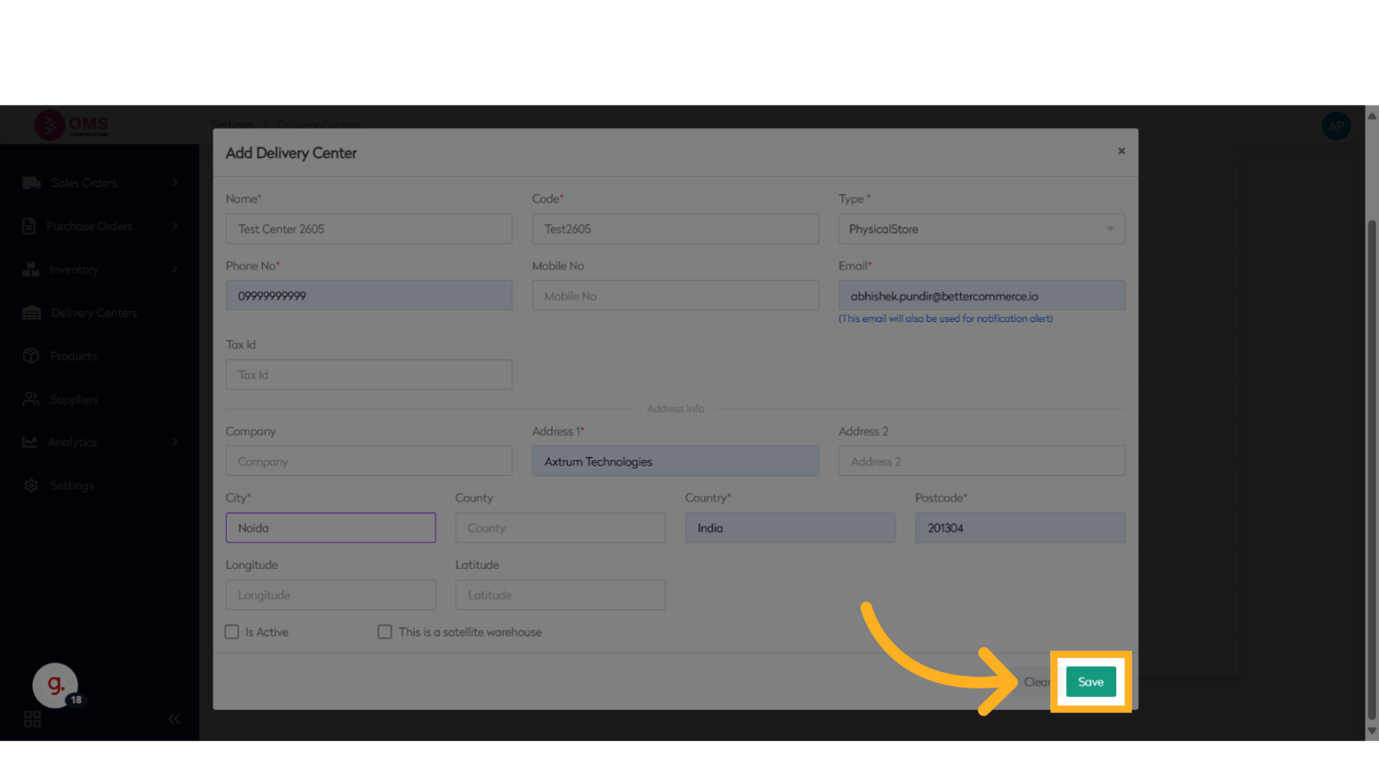
Benefits of Adding Delivery Centers
- Scales your fulfillment capabilities across regions
- Enables multi-location inventory and routing
- Facilitates better delivery timelines for local orders
- Improves stock visibility and management
- Supports warehouse-specific reporting and analytics
Summary
Creating delivery centers in BetterCommerce OMS allows you to grow your logistics network and support more efficient order fulfillment. With the ability to define location-specific details and link warehouses or stores, your operations team can manage inventory, transfers, and shipping more effectively.
Expand your reach—add delivery centers confidently in OMS.