
Creating a Picklist in OMS
A picklist is a document or digital task list that tells warehouse staff which items need to be picked to fulfill customer orders. In BetterCommerce OMS, creating a picklist is a simple but essential step in the fulfillment workflow.
To create a picklist:
- Go to the Sales Orders section in the OMS.
- Filter or select the orders you want to fulfill.
- Click Create Picklist to generate a list of items grouped by location, delivery center, or order type.
- Optionally, assign the picklist to a picker to begin the picking process.
Steps
-
Click Sales Orders
Navigate to the Sales Orders section to begin managing open orders.
-
Click View
Open the list of sales orders available for picking and packing.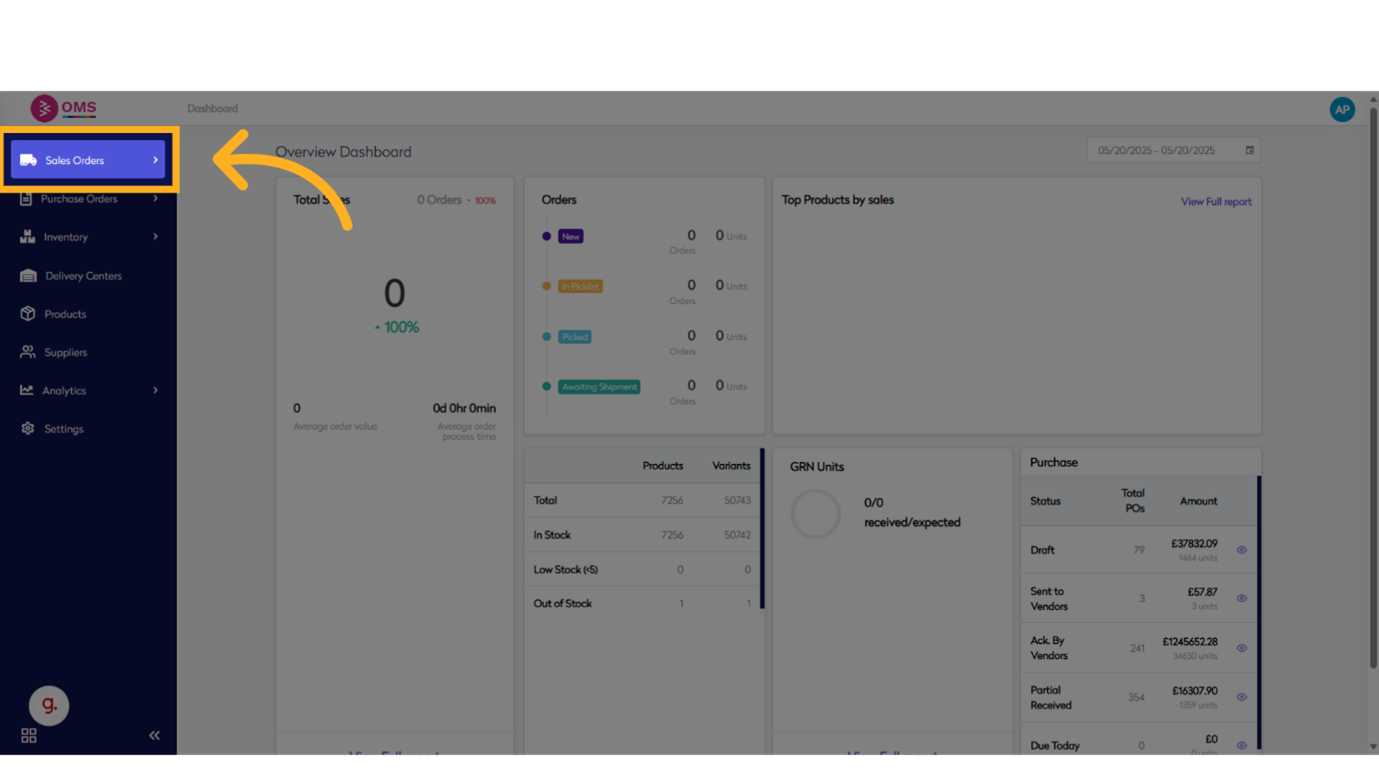
-
Click here
Navigate to the order group or section that contains the relevant orders.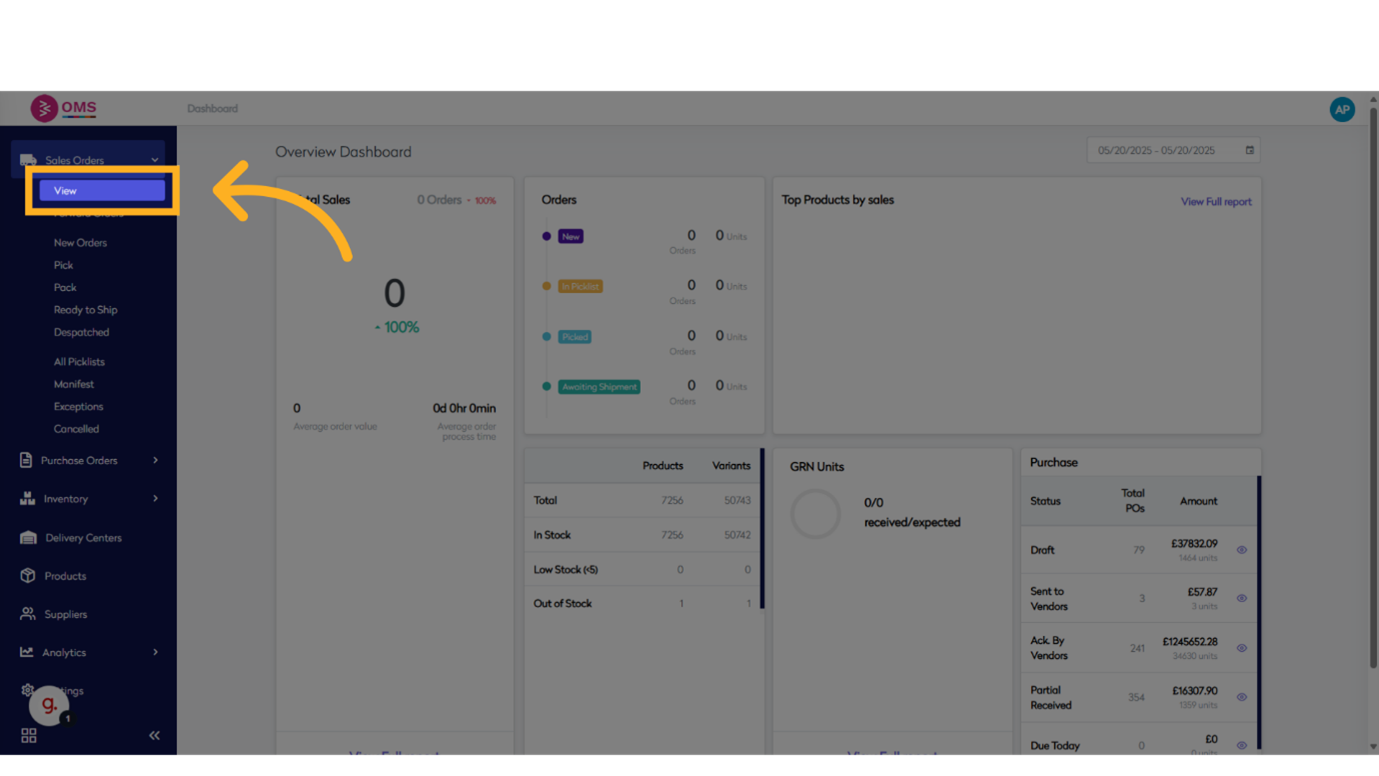
-
Click on Standard (Stock)
Select the "Standard (Stock)" order group to begin processing.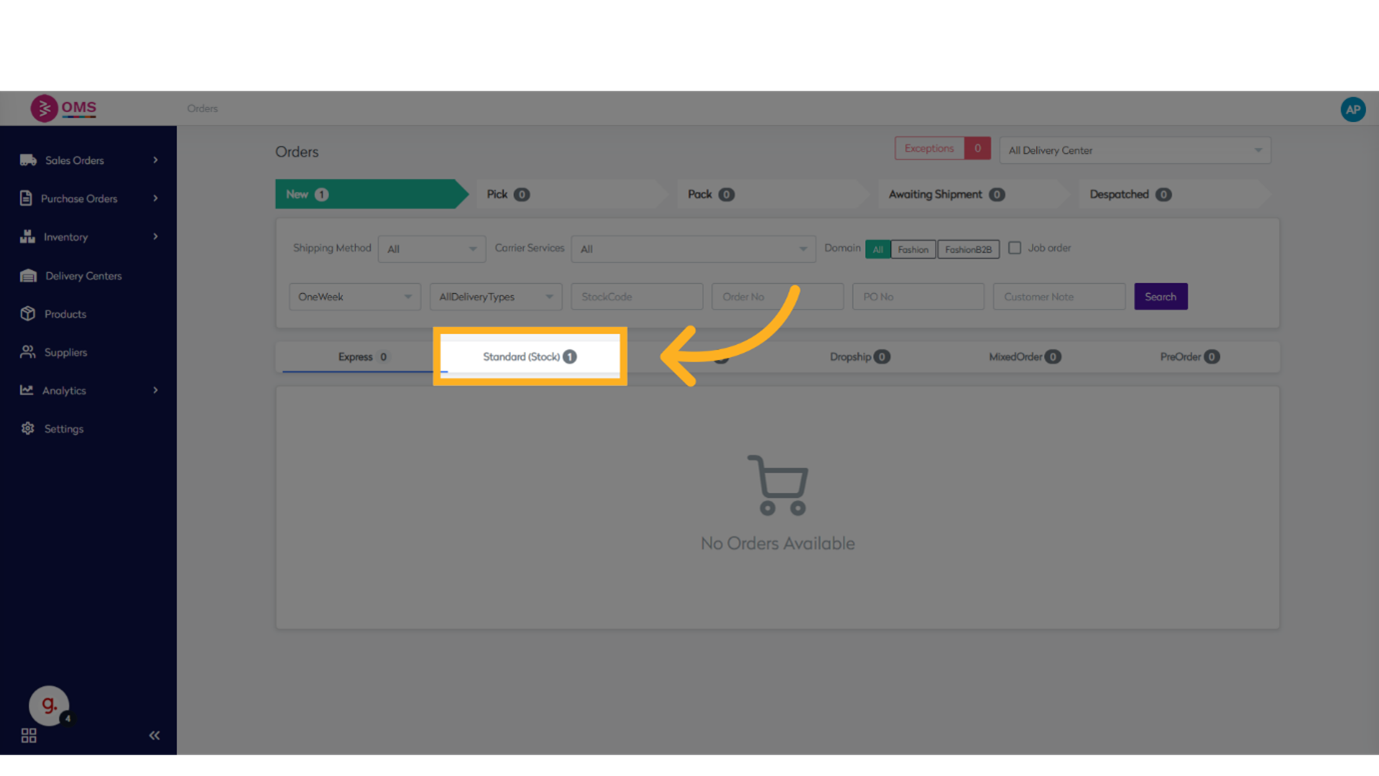
-
Click on check box
Enable the order or toggle a setting to make it selectable.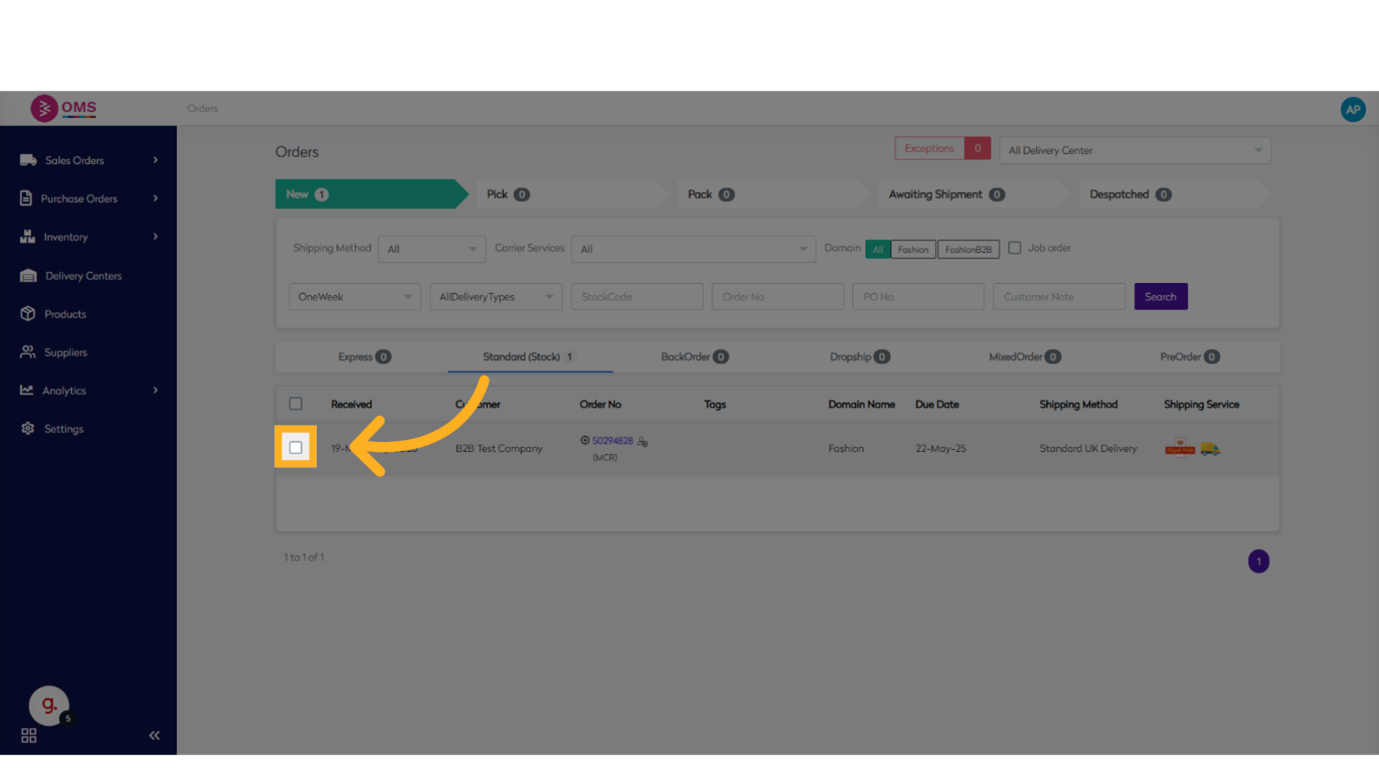
-
Click on Create Picklist
Start the picklist creation process for the selected orders.
The picklist helps ensure efficient picking by organizing items based on bin locations and order priorities. Once created, it becomes the starting point for warehouse staff to begin collecting products for packing and dispatch.
Picklists bring structure to your warehouse operations—ensuring the right items are picked, packed, and shipped with accuracy.