
Performing a Stock Take in OMS
A stock take, also known as a physical inventory count, is the process of counting and verifying the actual quantity of items in your warehouse and comparing it with the recorded inventory in your system. Performing regular stock takes in BetterCommerce OMS helps maintain inventory accuracy, minimize shrinkage, and support better forecasting.
Why Perform a Stock Take?
- Identify stock discrepancies
- Detect damaged or missing items
- Update system with accurate inventory levels
- Comply with accounting and audit requirements
- Improve inventory planning and replenishment
How to Perform a Stock Take in OMS
-
Navigate to the Inventory
Go to the Inventory section in OMS to begin the process.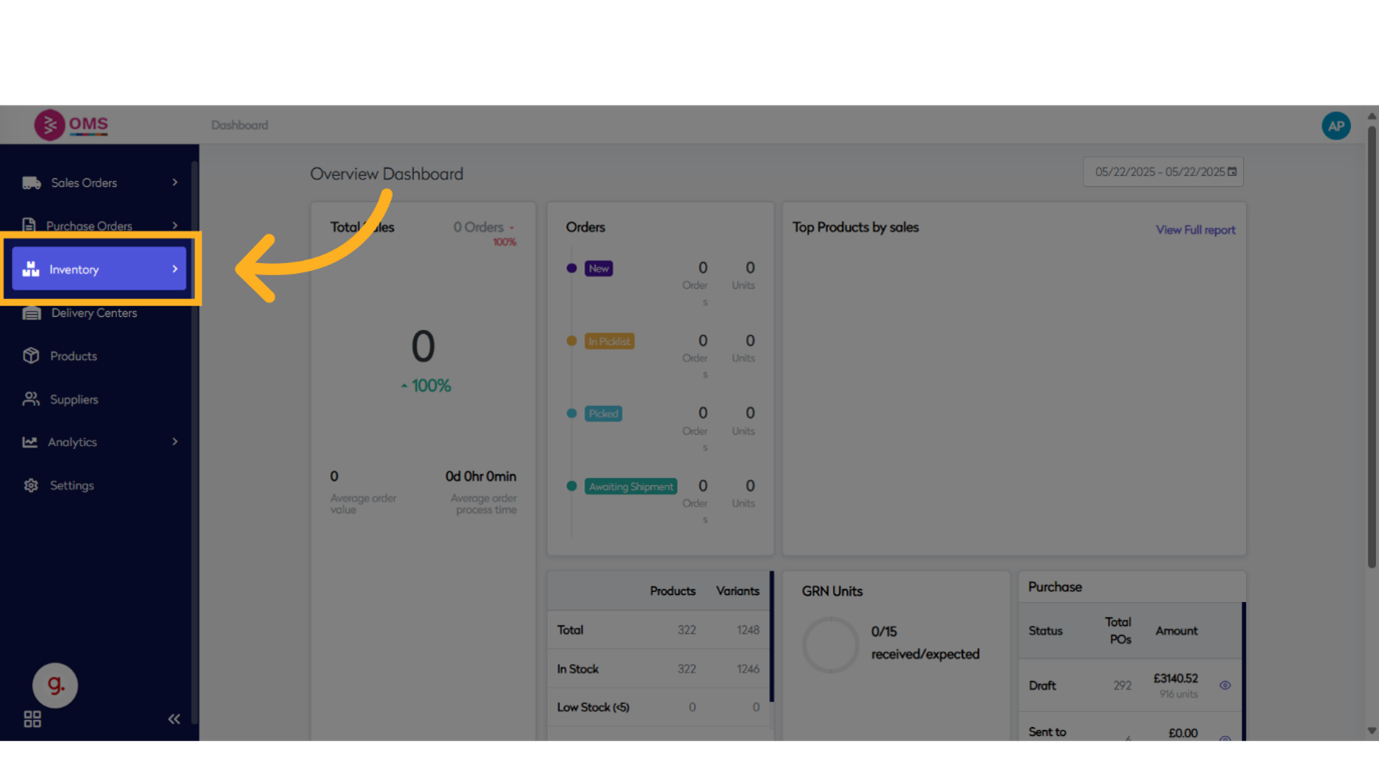
-
Click "Stock Take"
Select the Stock Take option to initiate a new stock count session.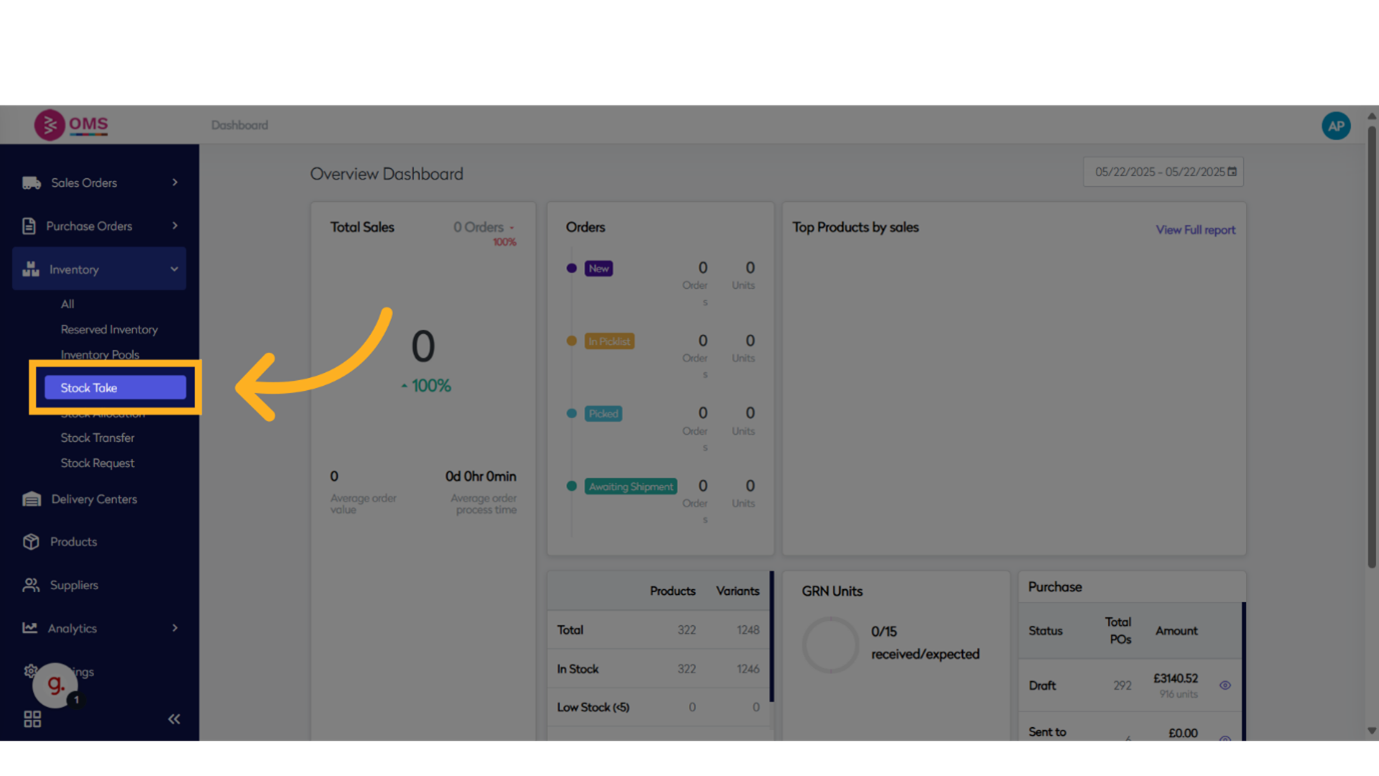
-
Click "Stock Take"
Confirm the selection again to proceed with launching a new stock take session.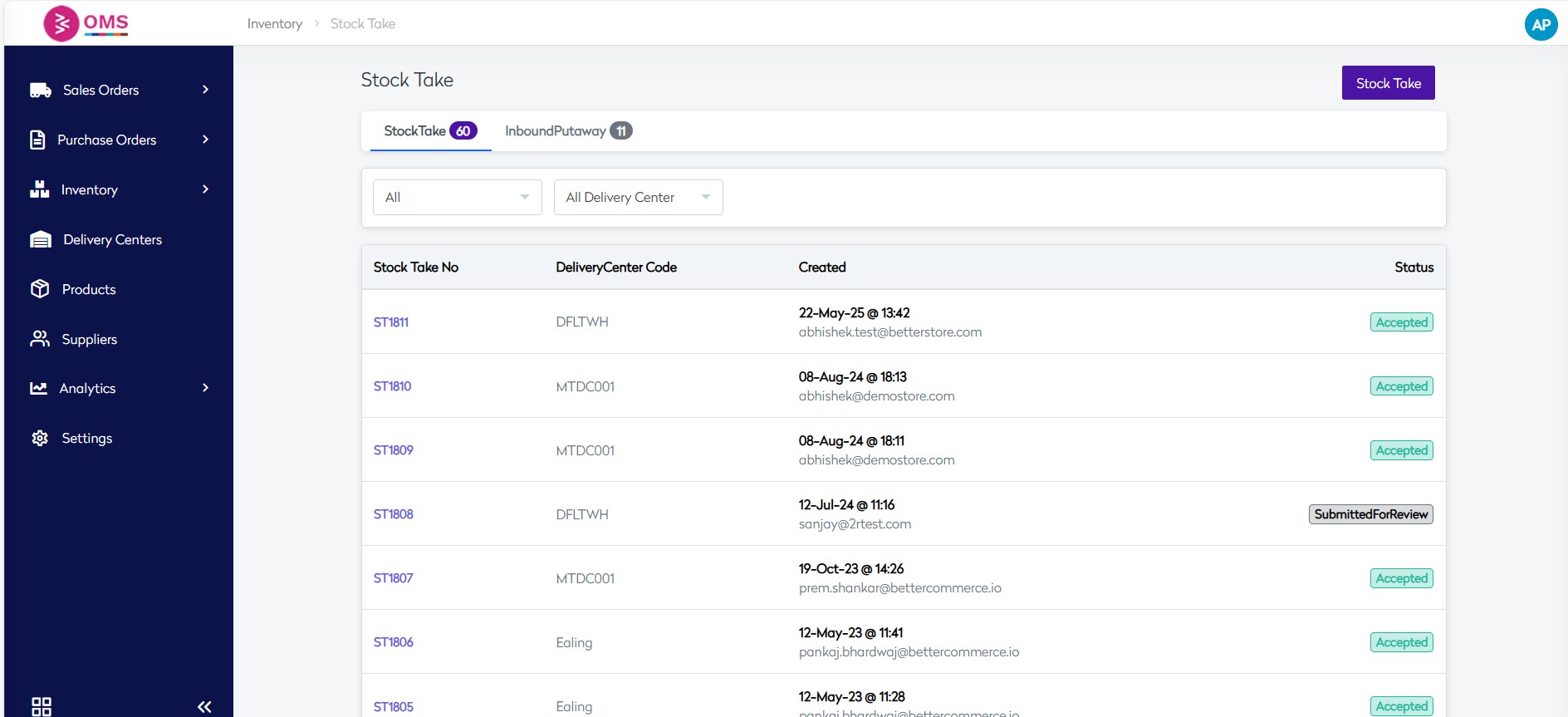
-
Select from the options.
-
All Bins Update
This option resets the count from all existing bins (excluding the ones allocated) and sets the count as per the file uploaded. -
Specific Bin Update
This option does not update any existing allocations. It only updates specific lines as mentioned in the uploaded sheet.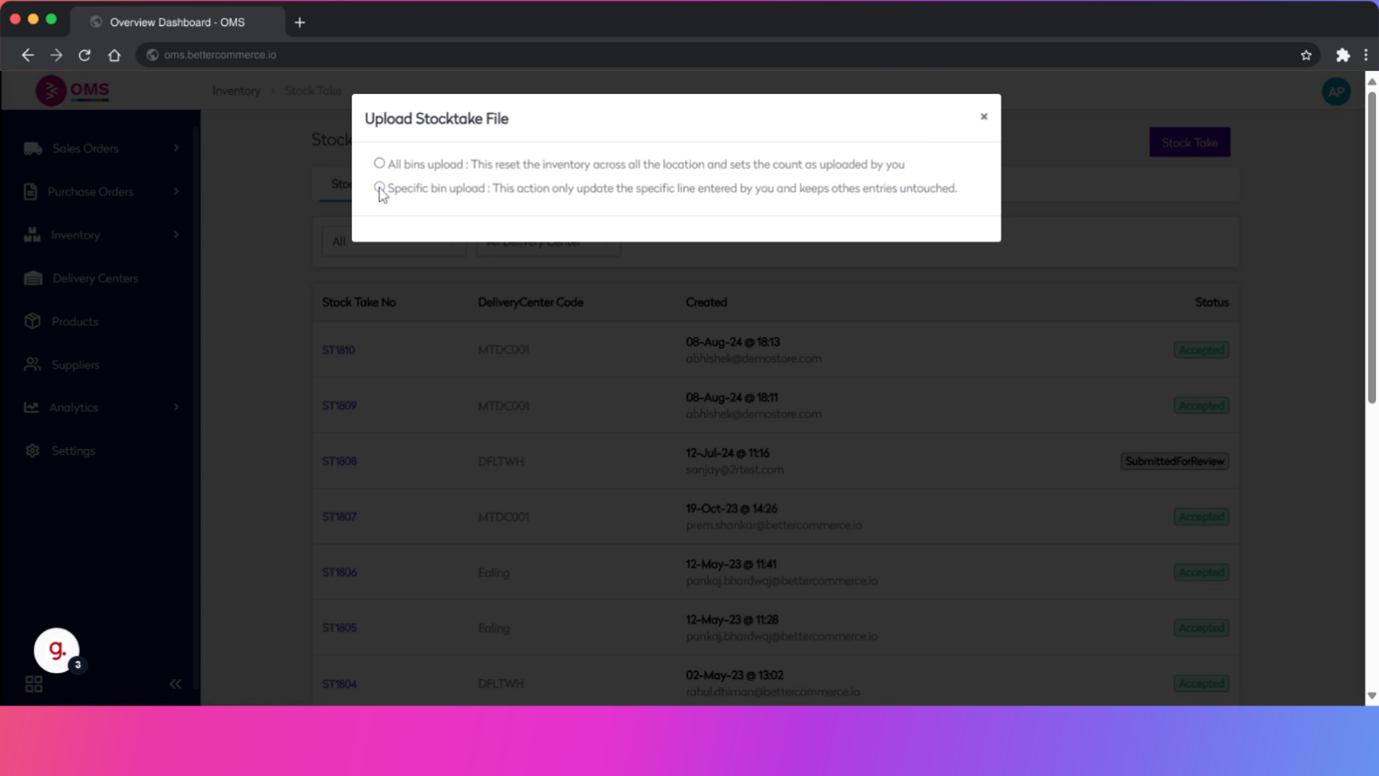
-
Click "Download Excel"
Click the Download Excel button to export the current stock list for physical counting. This spreadsheet will be used to record actual stock levels.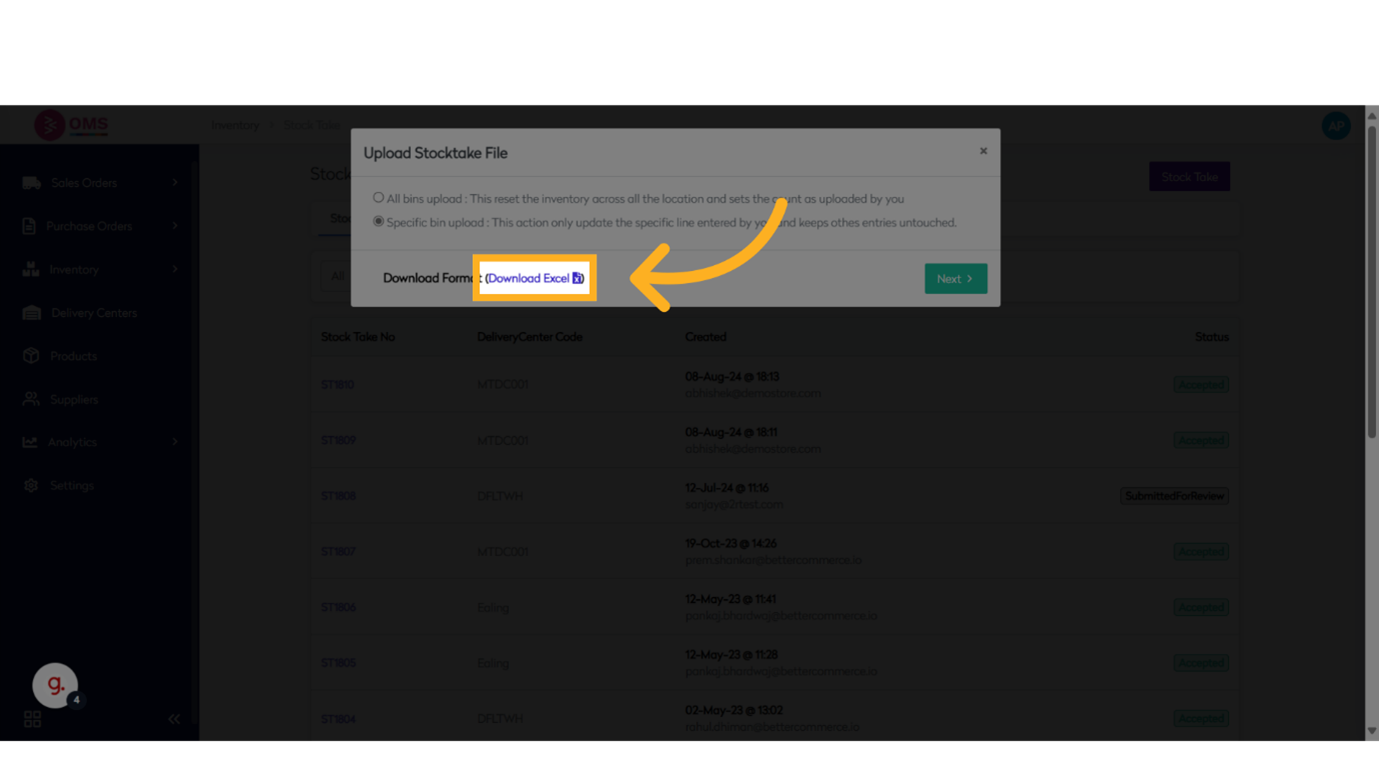
-
Click "Next"
Move to the next stage in the stock take workflow after downloading the Excel file.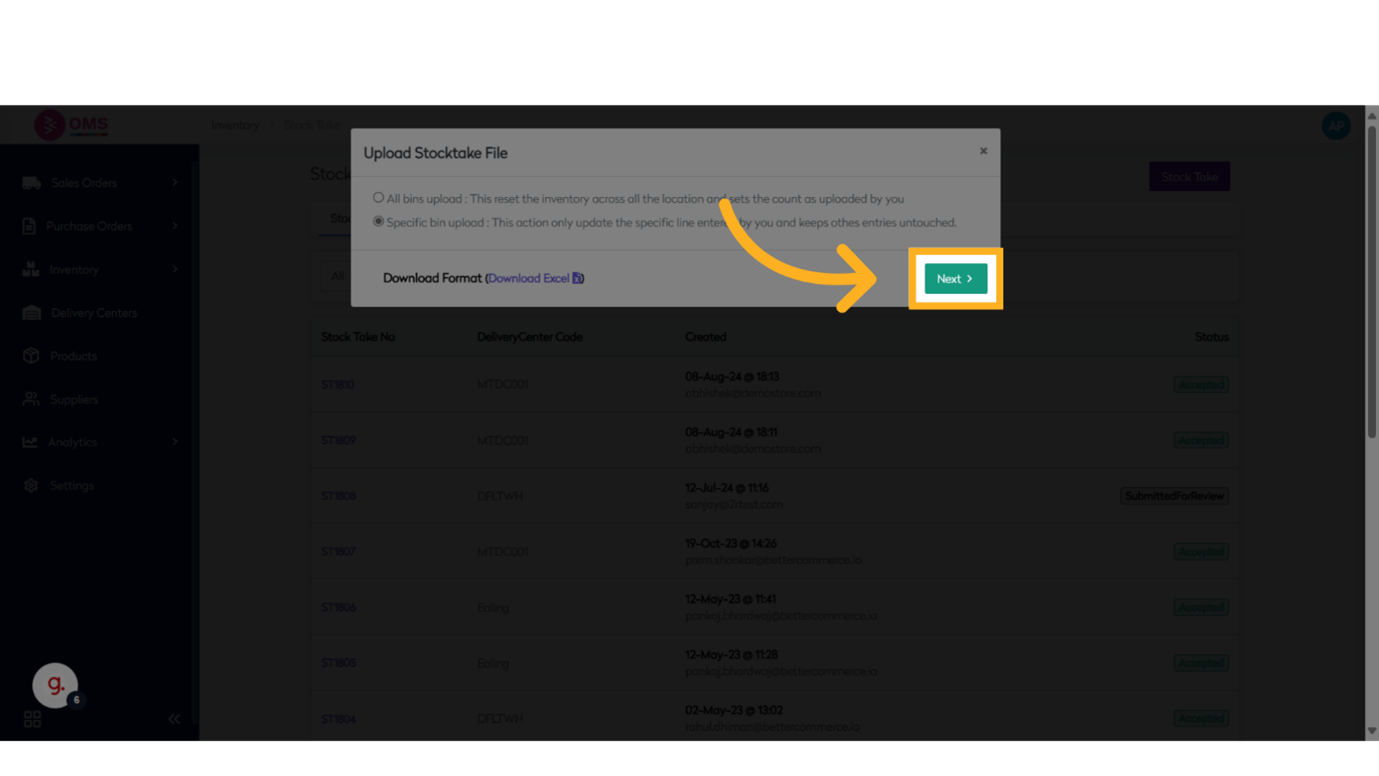
-
Click "Drop files here or click to upload"
Upload the updated Excel sheet containing counted stock data back into the system via Csvbox uploader.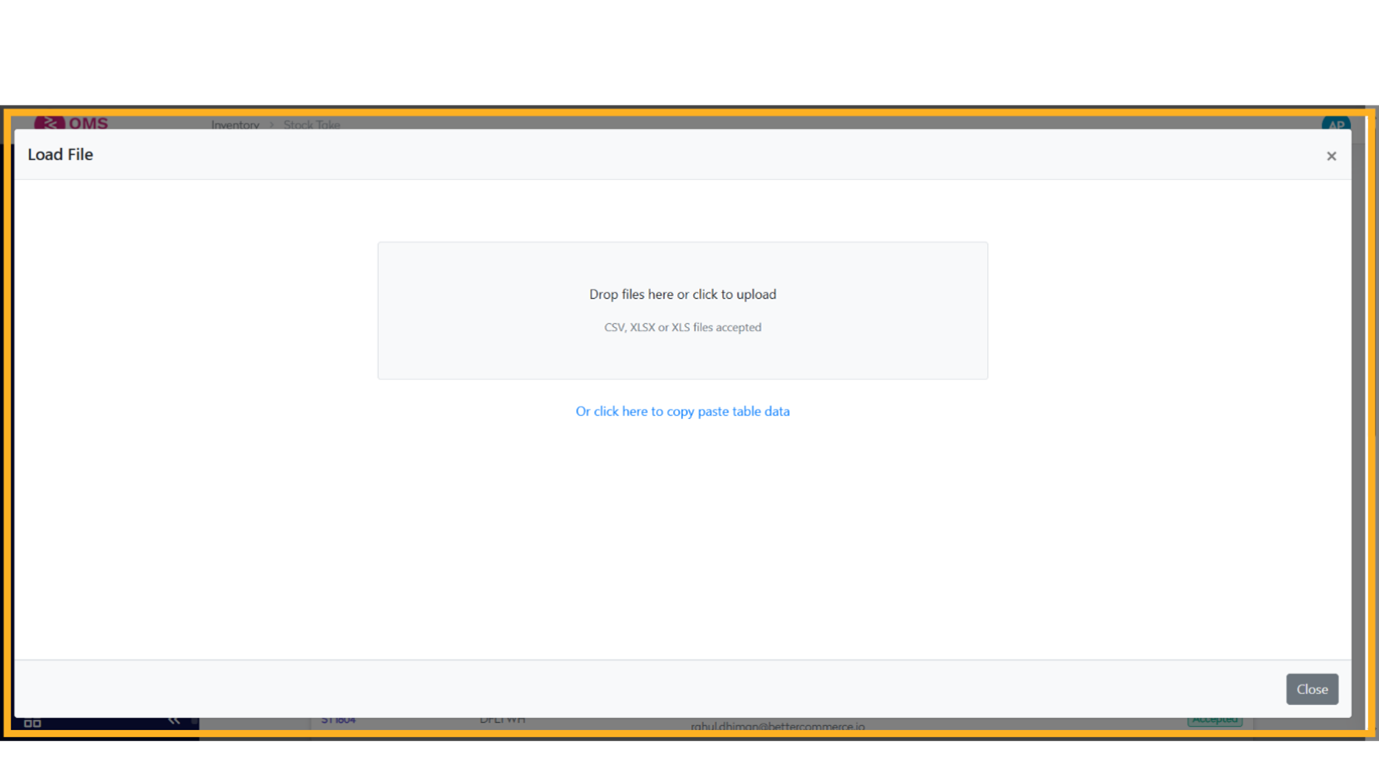
-
Click "Next"
Proceed to the review stage after uploading your file.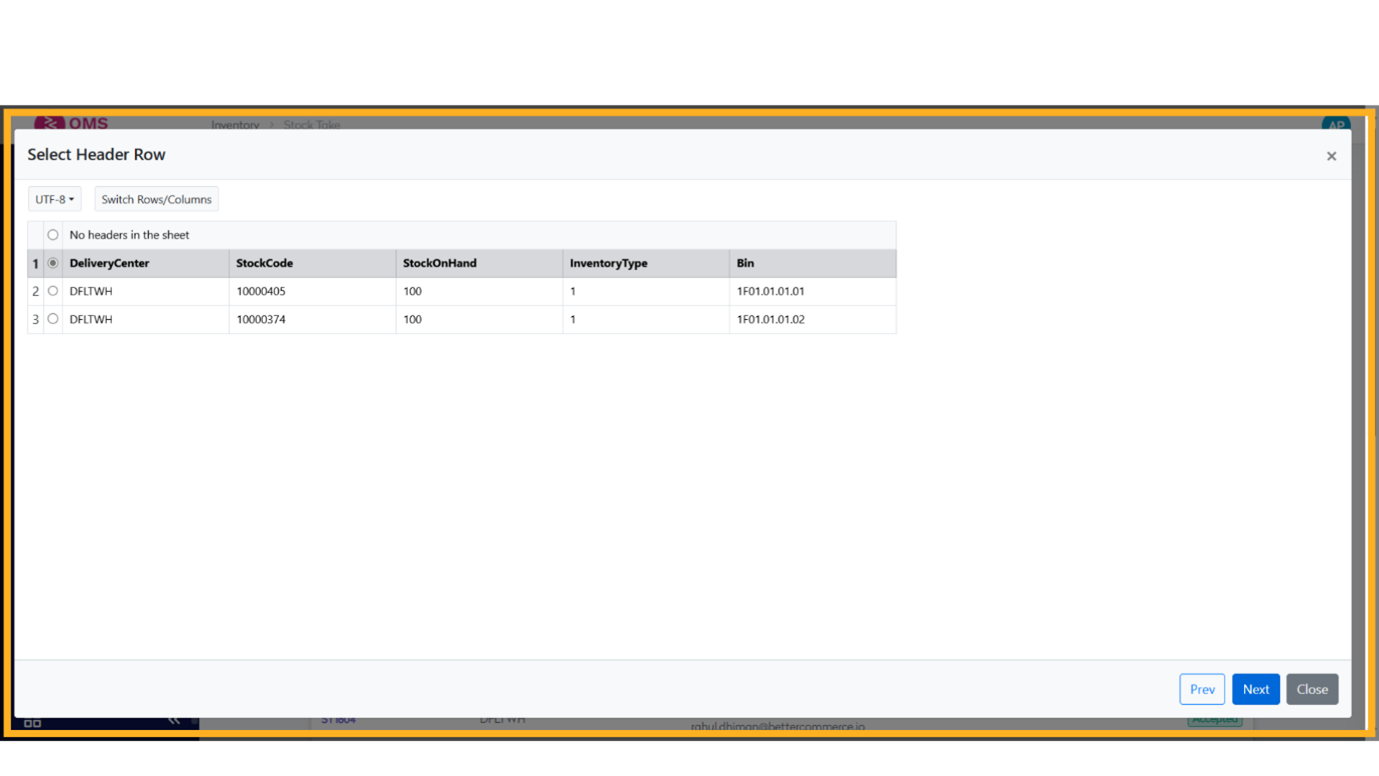
-
Click "Next"
Continue to the data validation or reconciliation step to review changes.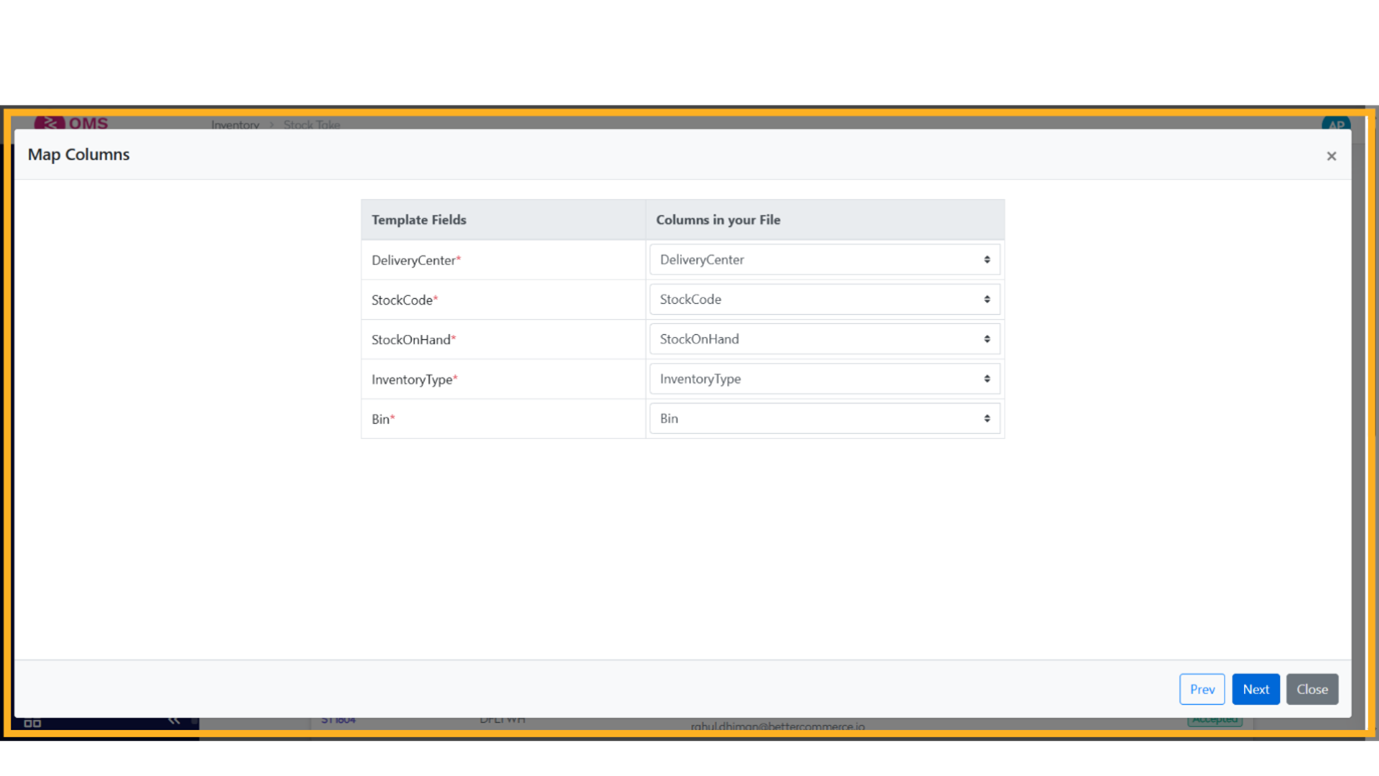
-
Click "Submit"
Finalize the stock take by clicking Submit. This will apply the updated counts and adjust inventory levels accordingly.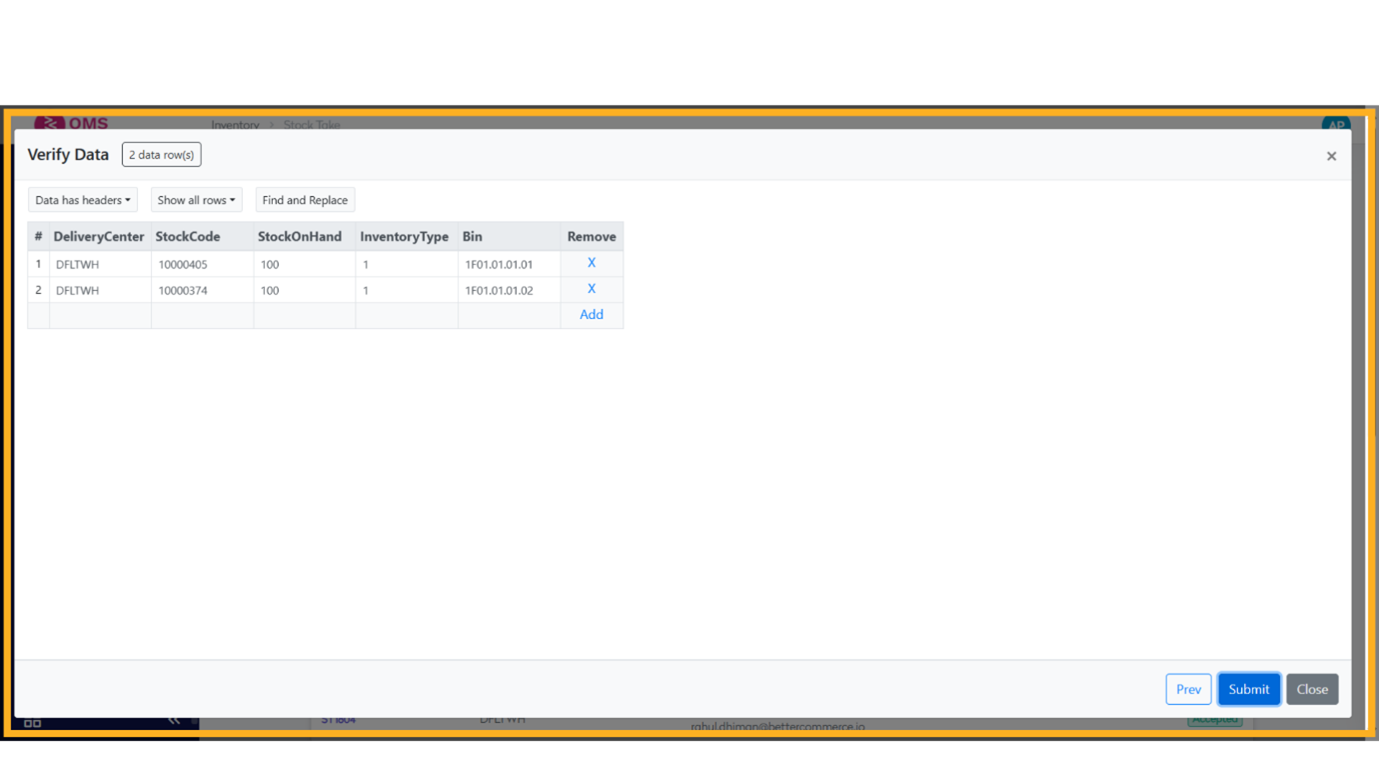
Best Practices for Stock Taking
- Schedule stock takes during quiet business hours
- Assign specific zones or bins to team members for accuracy
- Use barcode scanners to speed up the process
- Lock bin locations during stock take to prevent movement
- Conduct cycle counts regularly for high-value items
Summary
Stock takes are essential for maintaining a reliable inventory system. BetterCommerce OMS provides a structured and user-friendly way to perform stock counts, track variances, and ensure data accuracy.
Count with confidence—keep your stock in sync using OMS.