
Dispatching a Sales Order in OMS
Dispatching is the final and most critical step in the sales order fulfillment process. It marks the moment when the packed order leaves your warehouse and begins its journey to the customer. In BetterCommerce OMS, dispatching is simple, structured, and fully traceable.
What Does Dispatching Mean?
Dispatching a sales order means confirming that the order has been packed, labeled, and handed over to the shipping carrier. Once dispatched, the order status is updated and the customer can be notified with shipping and tracking information.
Steps to Dispatch a Sales Order in OMS
-
Click "Sales Orders"
Navigate to the Sales Orders section where all customer orders are managed.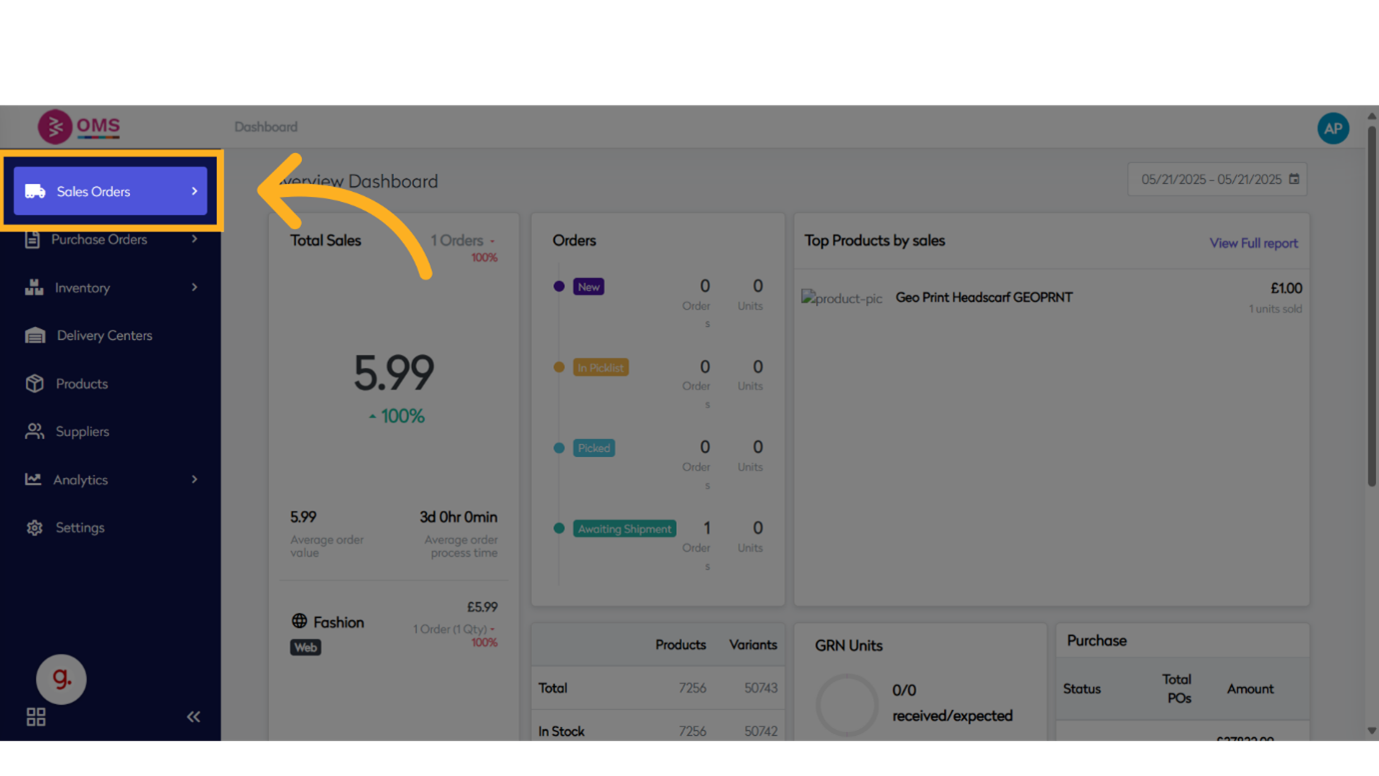
-
Click "View"
Select the View option to see a list of available sales orders.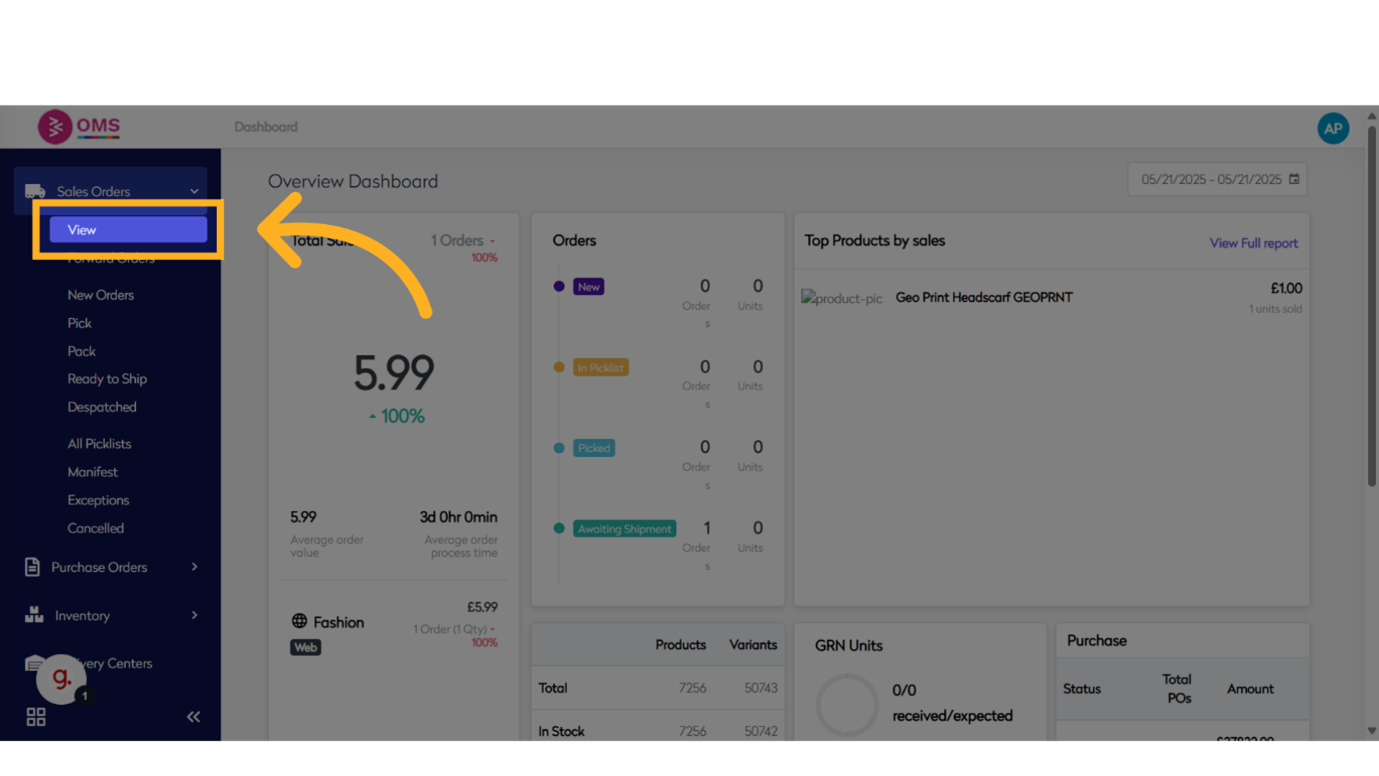
-
Click "Awaiting Shipment"
Filter or open the group of orders that are currently in the Awaiting Shipment status.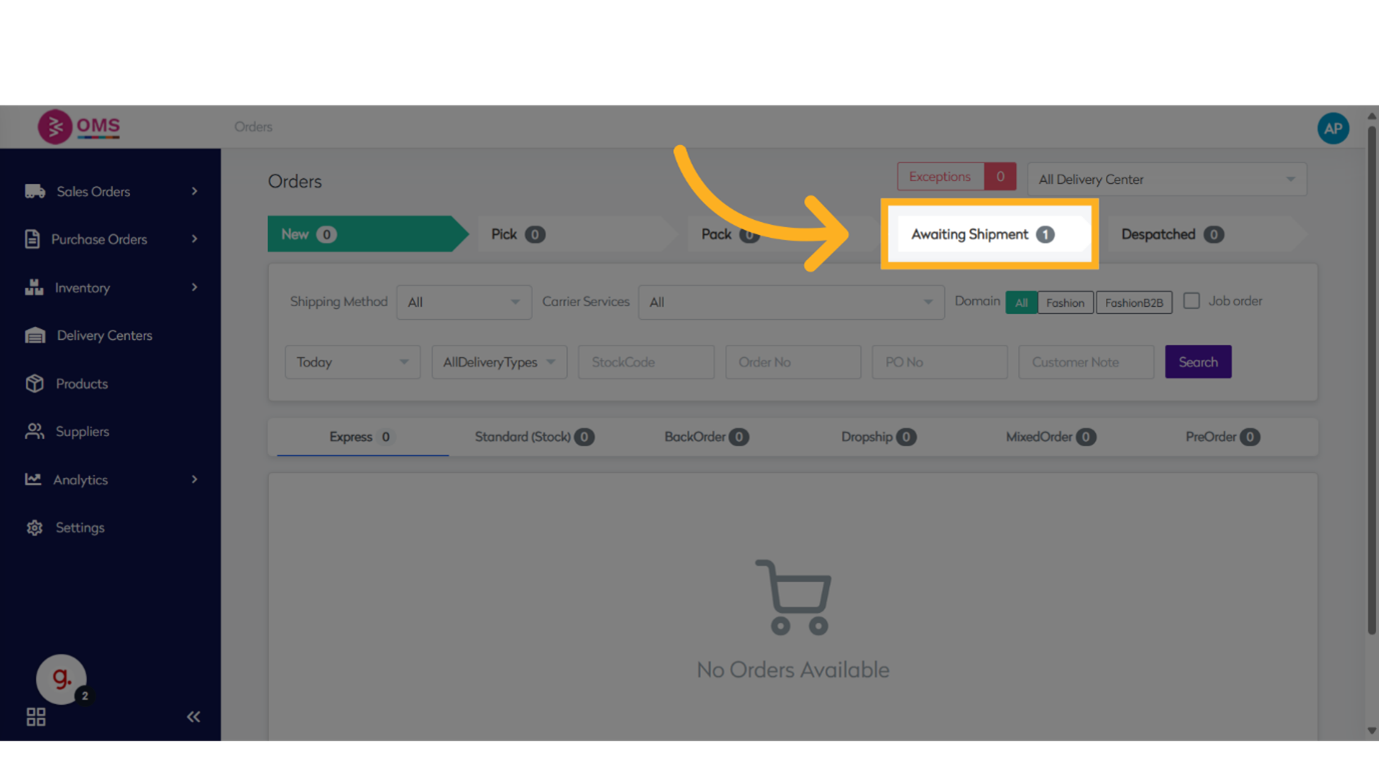
-
Click "Received Customer Order No..."
Locate and click on the specific customer order that is ready to be dispatched.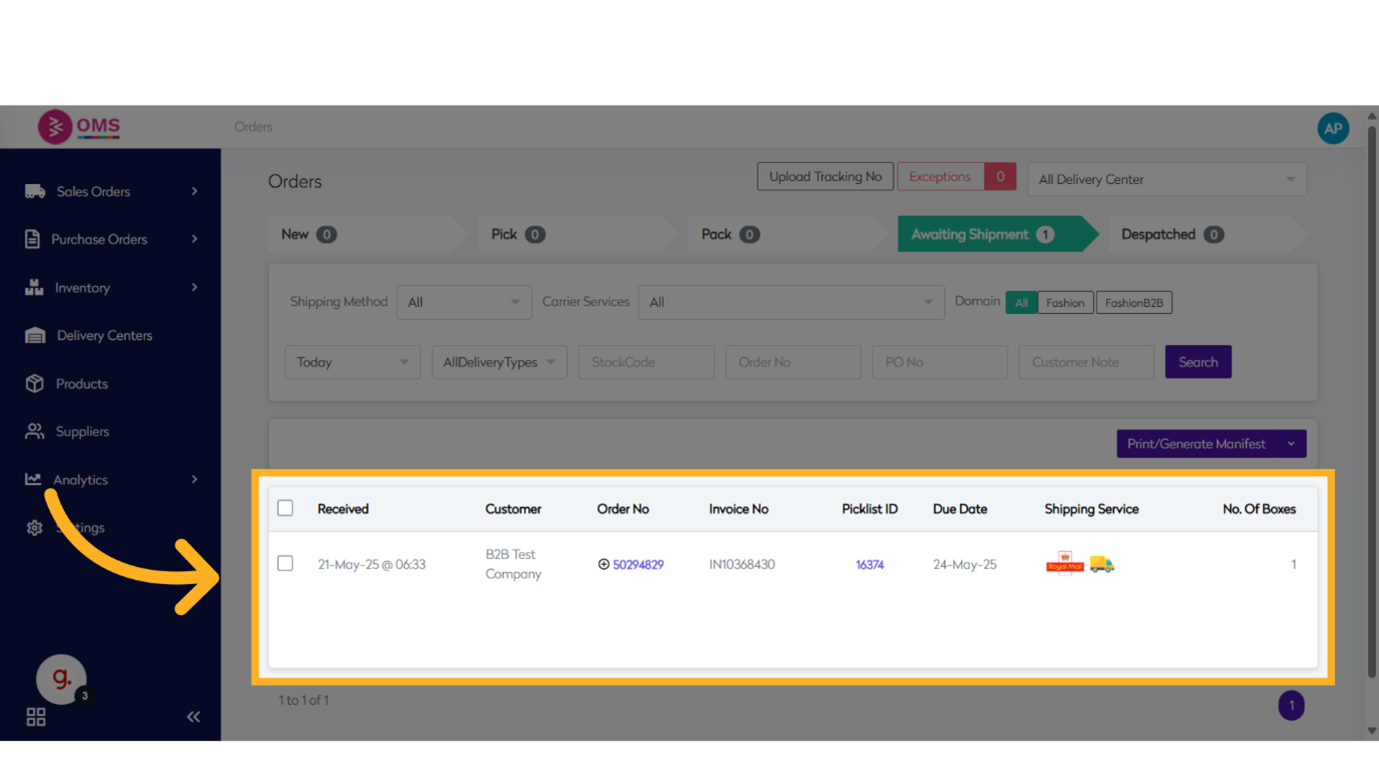
-
Select "Order"
Select the item line in the order that needs to be dispatched.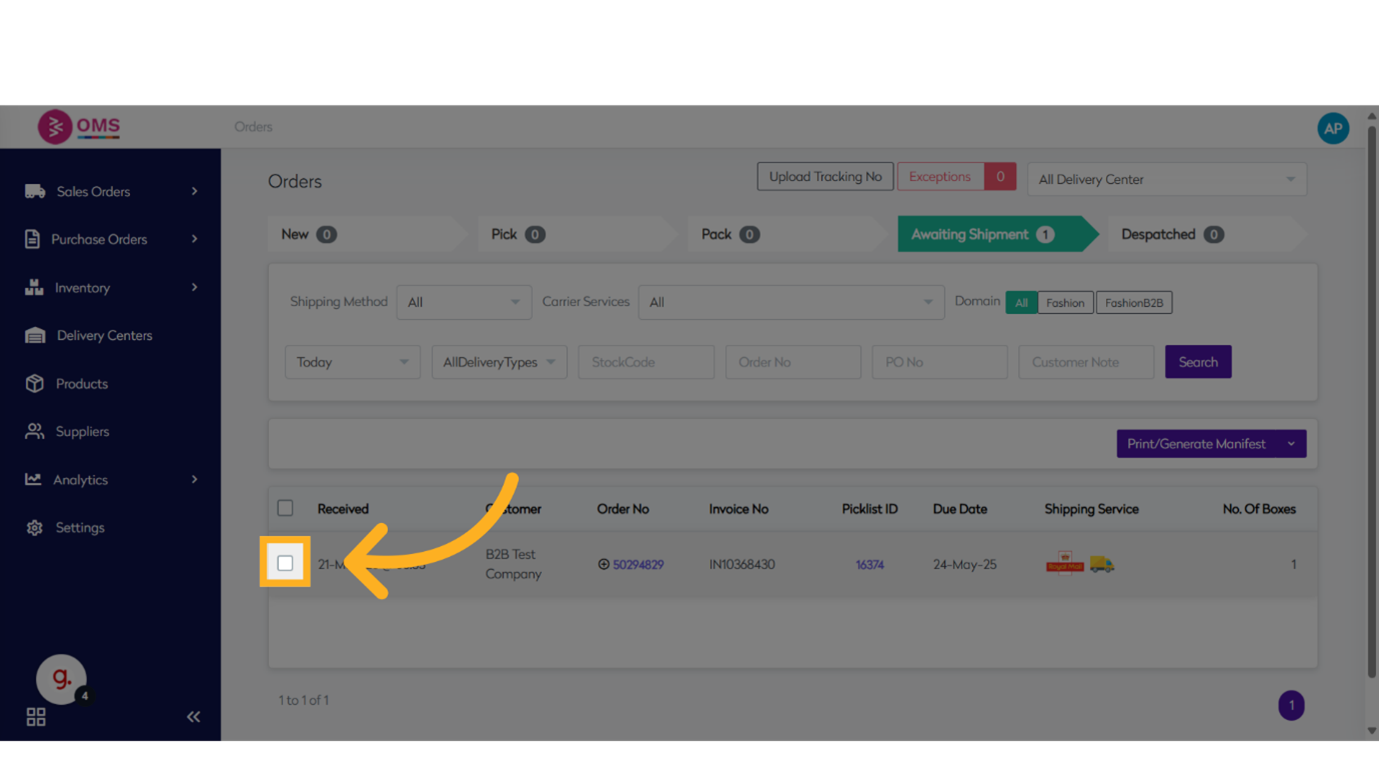
-
Click "Print Selected Shipping Labels"
Print shipping labels for the selected orders. These labels are used for identifying and delivering packages accurately.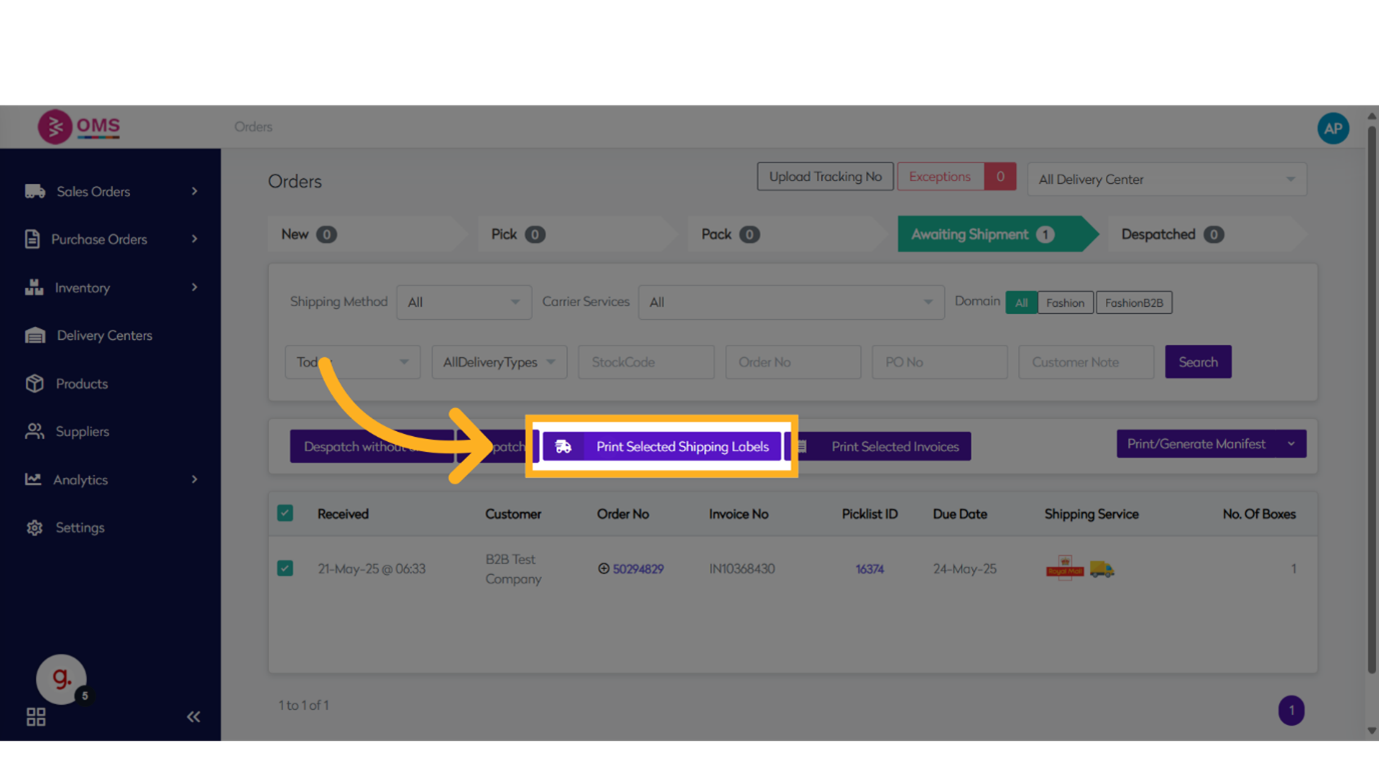
-
Click "Print Selected Invoices"
Generate and print invoices for the selected orders. These can be included in the package or emailed to the customer.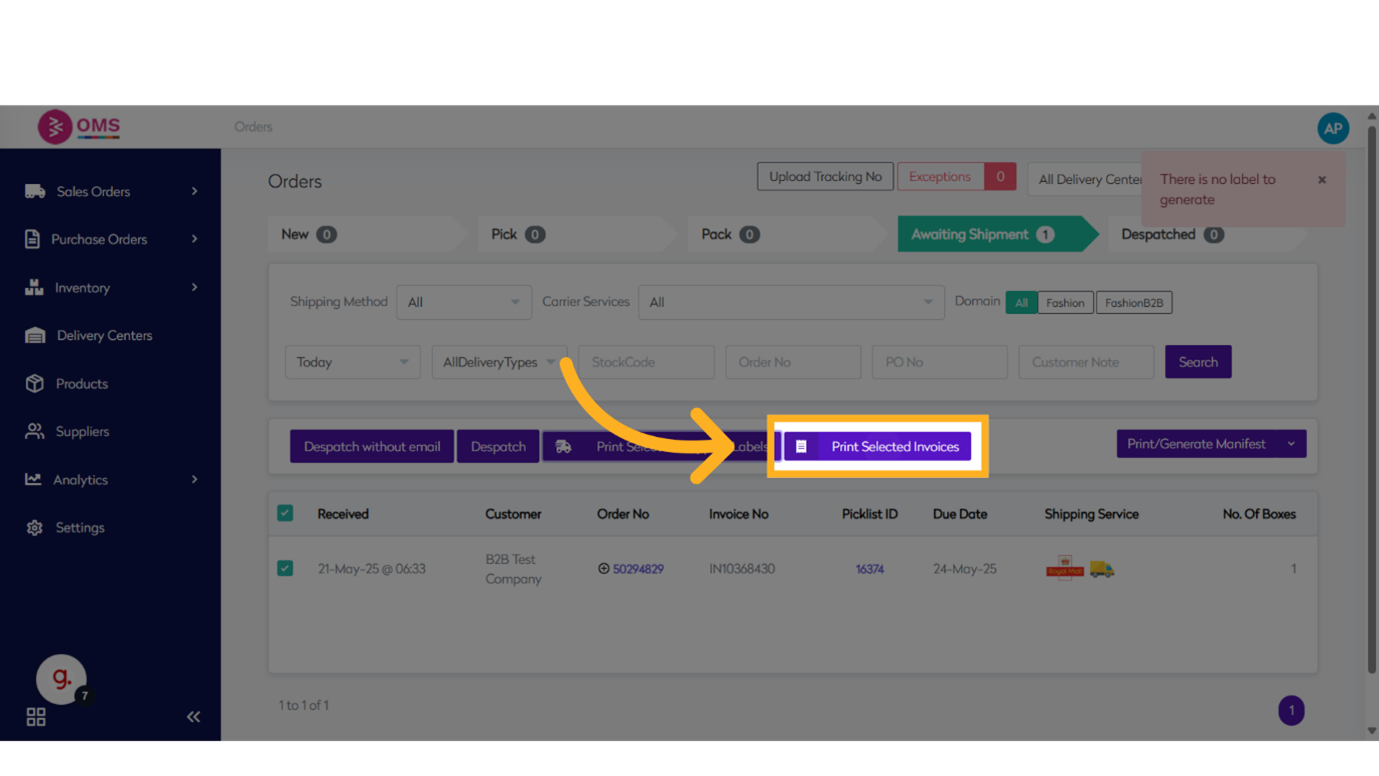
-
Click "Despatch"
Finalize the order fulfillment by clicking Despatch. This updates the order status and confirms that the items have been handed over for delivery.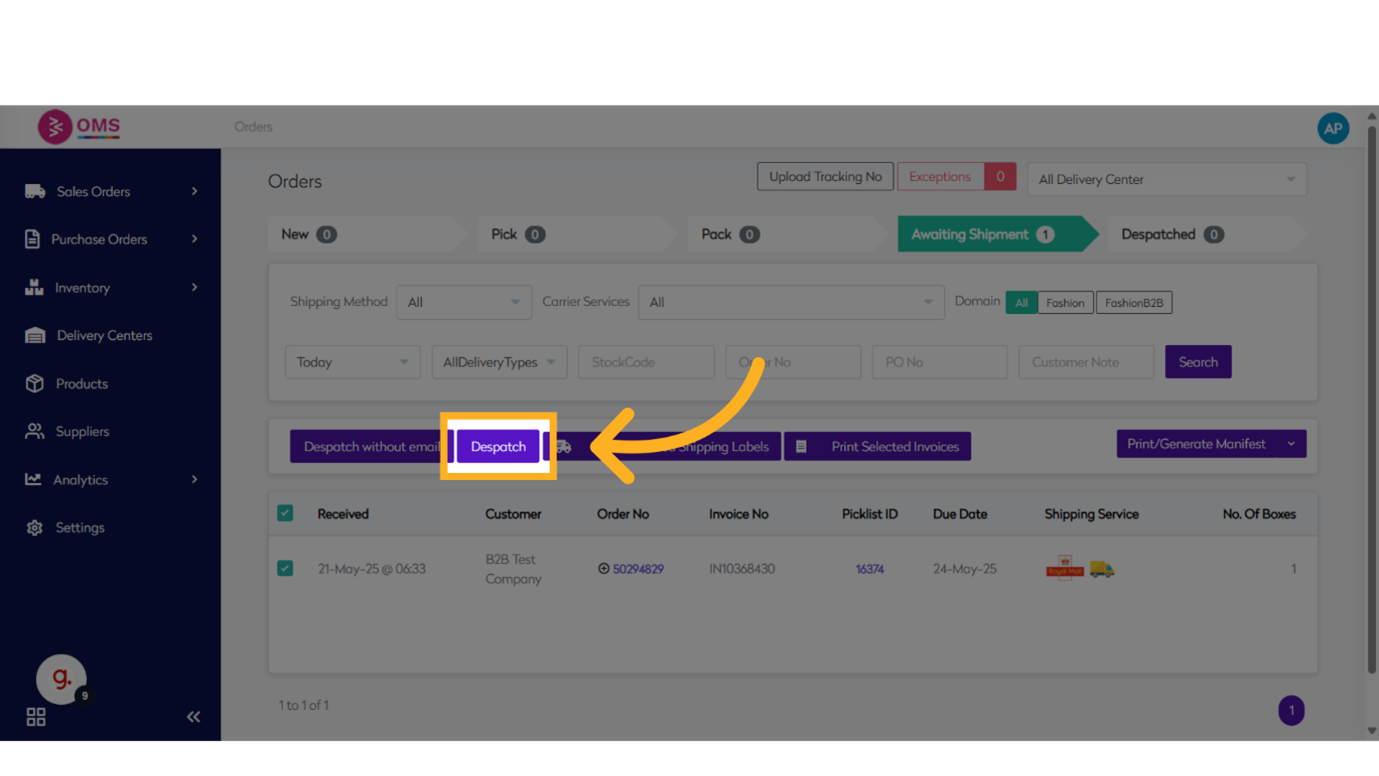
-
Click "Despatched"
Navigate to the Despatched tab to review orders that have been successfully dispatched.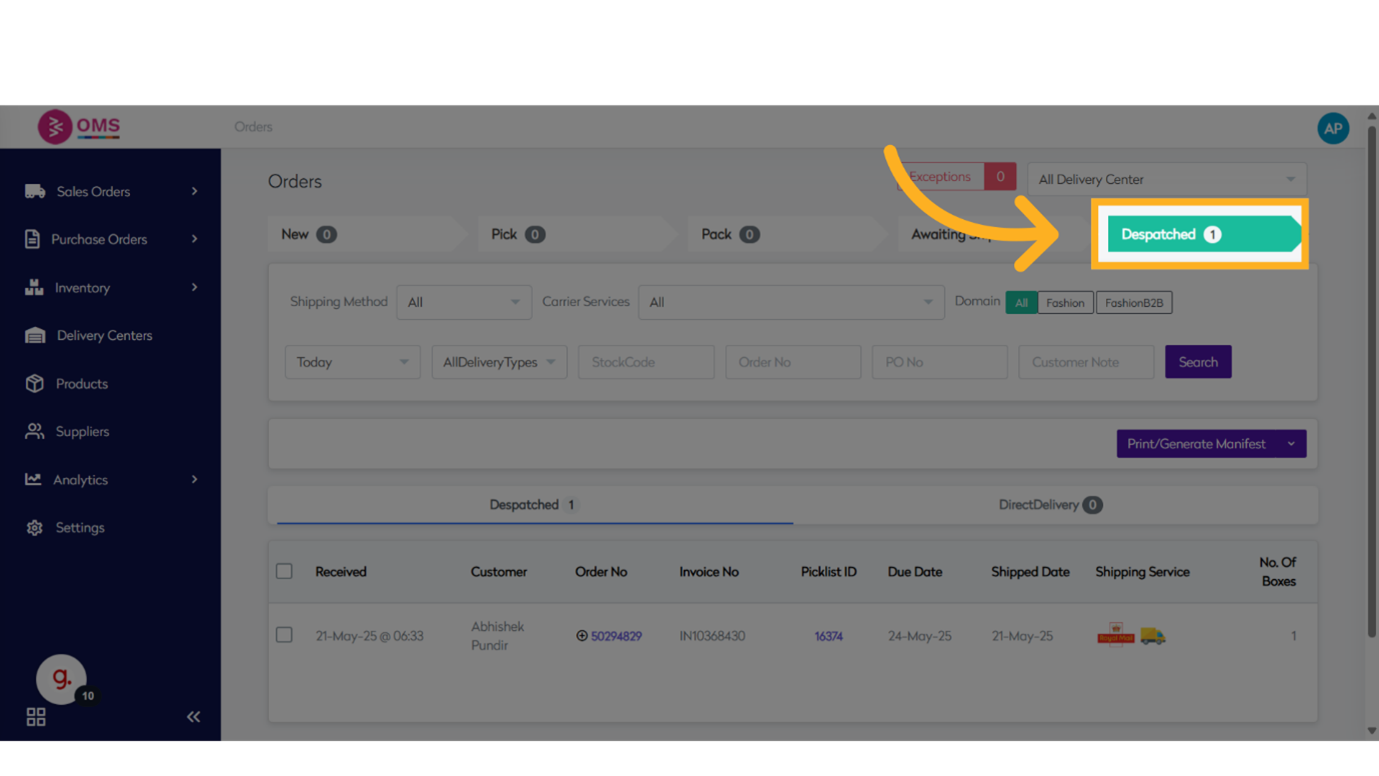
-
Order Status Updates
OMS will automatically update the order status to Dispatched and optionally trigger:
- Customer notification emails
- Shipment tracking updates
- Carrier API integration
Benefits of the Dispatch Workflow in OMS
- Ensures all fulfillment steps are completed before shipping
- Provides a clear audit trail for every order
- Integrates with shipping providers for real-time updates
- Automatically sends tracking info to customers
- Helps reduce manual errors and delays
Best Practices
- Double-check that all items in the order are packed and labeled correctly
- Use barcode scanners for fast and accurate tracking entry
- Dispatch orders in regular intervals to meet SLA commitments
- Train staff on dispatch flows to ensure consistency
Dispatching in OMS is designed to be efficient, reliable, and transparent—so your customers always know when to expect their order, and your operations team stays in control.
Finalize fulfillment with confidence — dispatch done right in BetterCommerce OMS.