
How to Edit Tray Groups in OMS
Tray groups in BetterCommerce OMS are vital for organizing picking operations within the warehouse. As business needs change—like expanding pick zones, adjusting tray capacity, or renaming trays—you may need to edit existing tray groups to keep your operations efficient and up to date.
This article walks you through the process of editing tray groups and managing the trays within them.
Why Edit a Tray Group?
You might need to edit a tray group to:
- Increase or reduce the number of trays in a group
- Rename trays for clarity or consistency
- Change tray slot assignments
- Update group capacity due to operational scaling
- Replace old trays with new ones
Steps to Edit a Tray Group in OMS
-
Navigate to Delivery Centers
Go to the Delivery Centers module in OMS.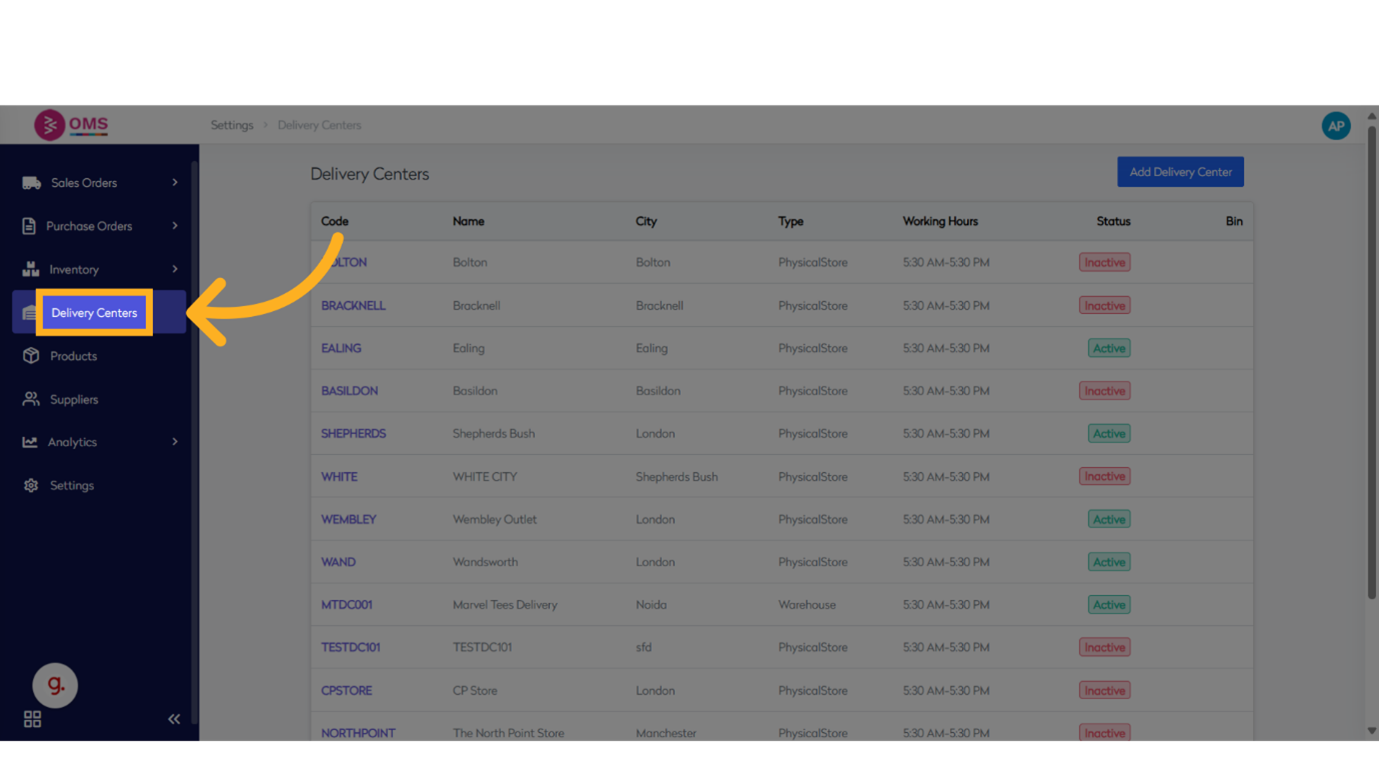
-
Select a Delivery Center
Choose the location (e.g., warehouse or store) where you want to create bins.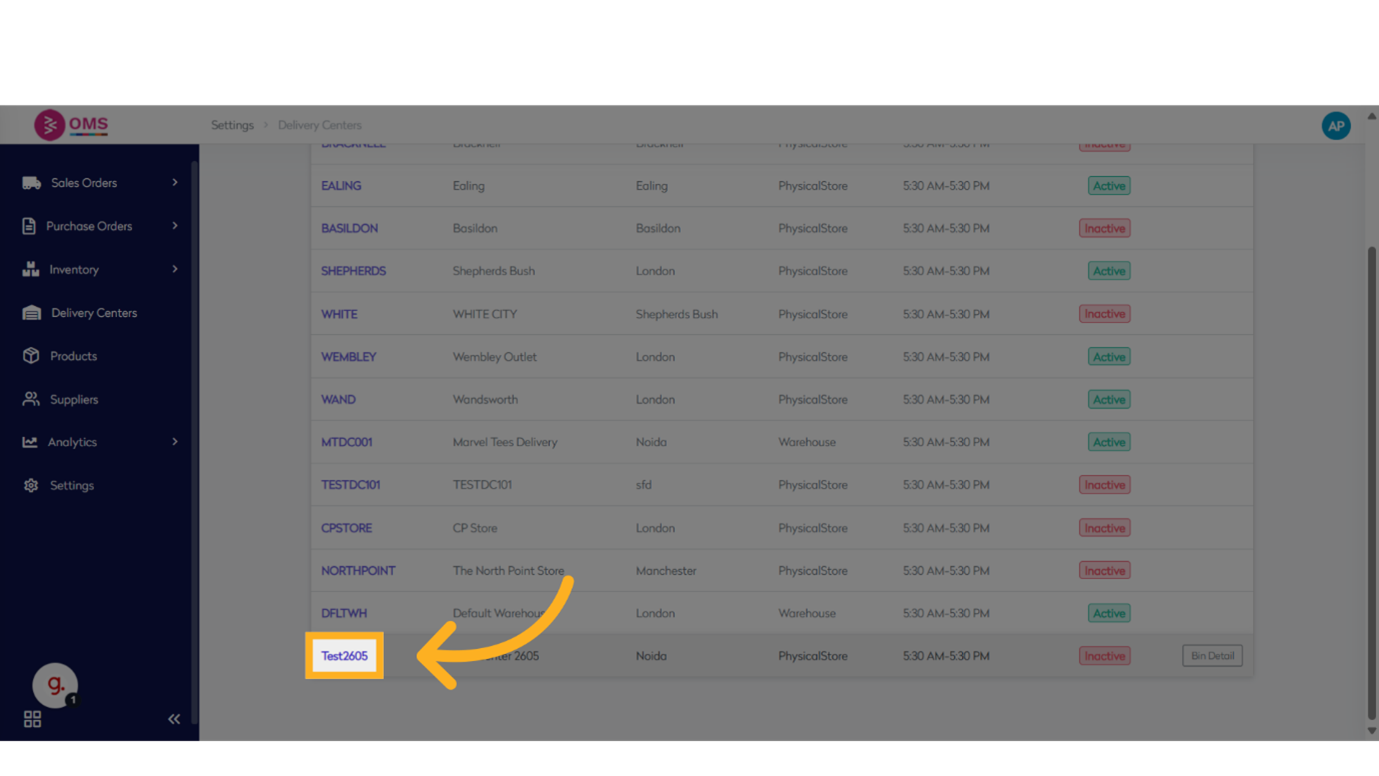
-
Go to View All Tray Groups
Access the list of existing tray groups.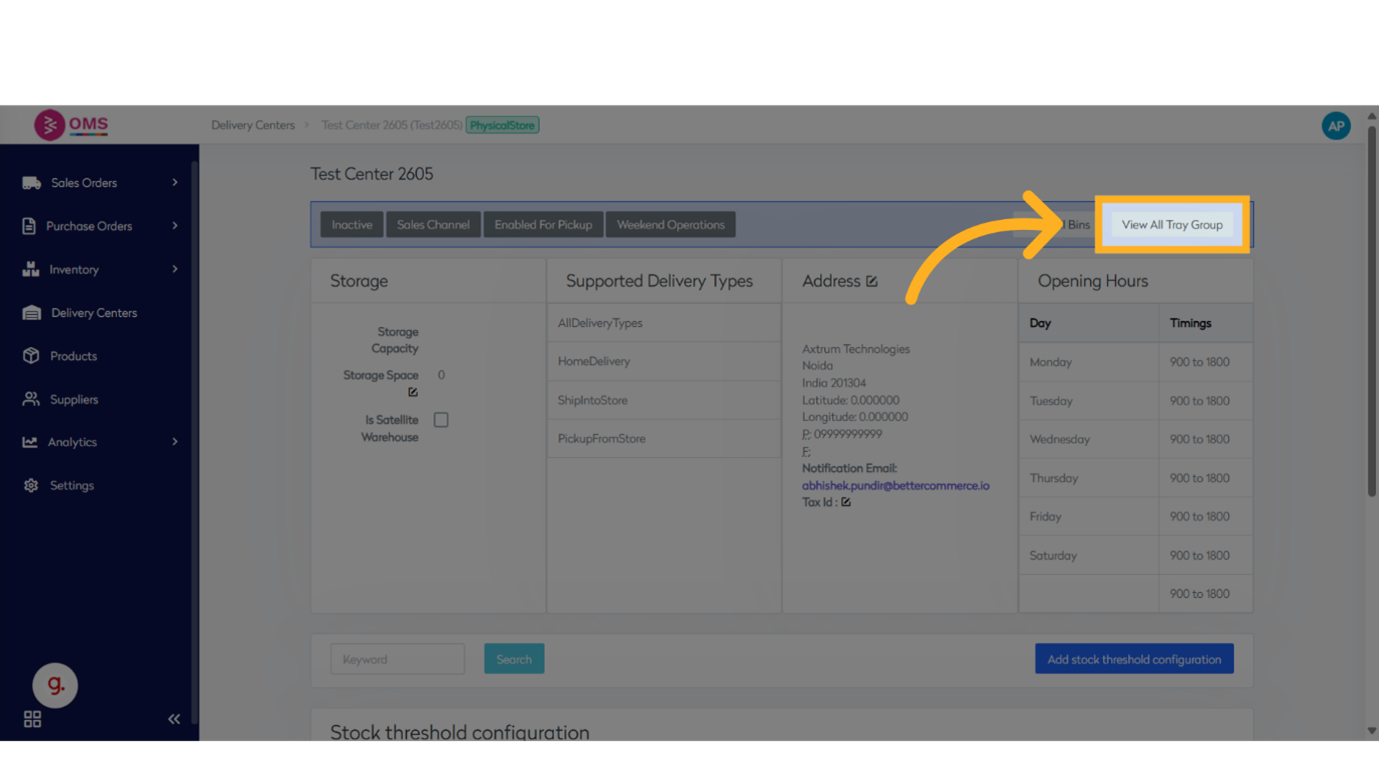
-
Select the Tray Group to Edit
Choose the tray group you want to update from the list.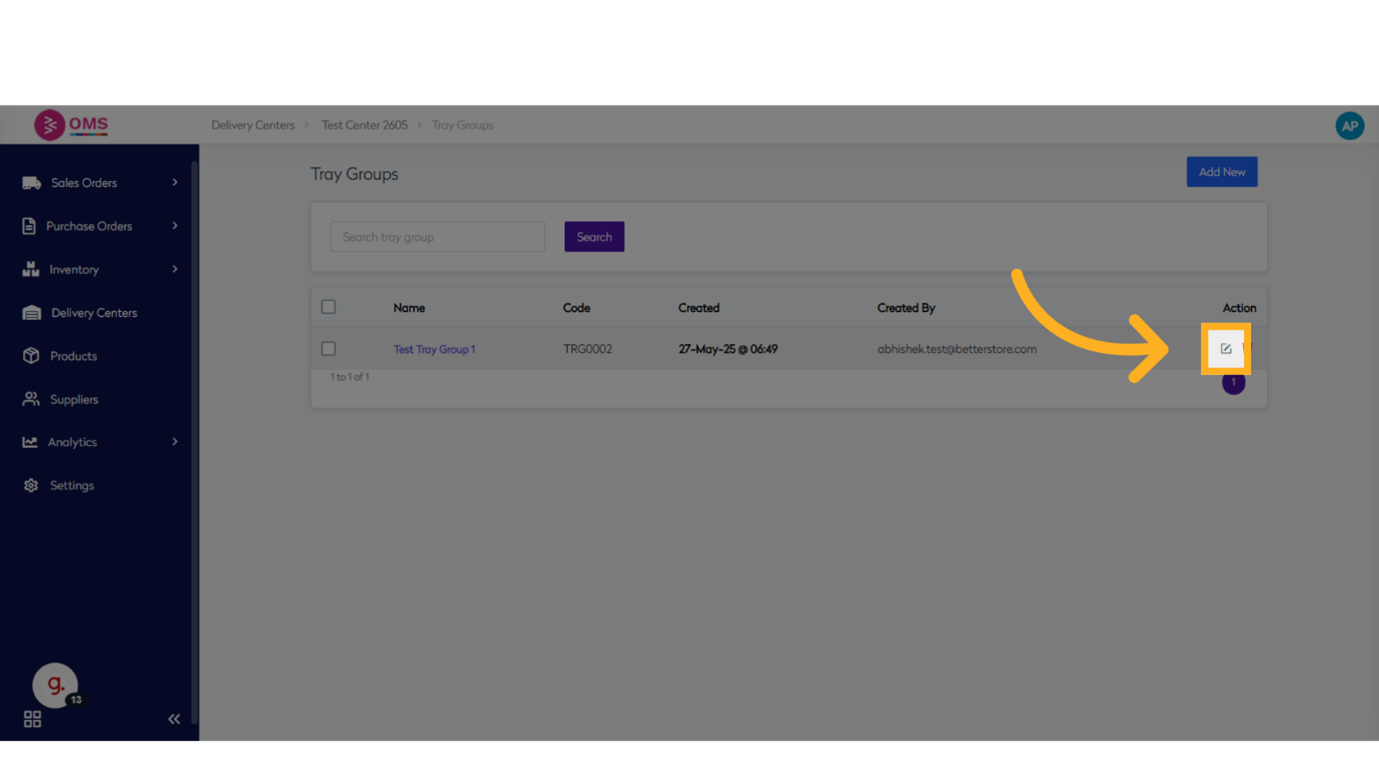
-
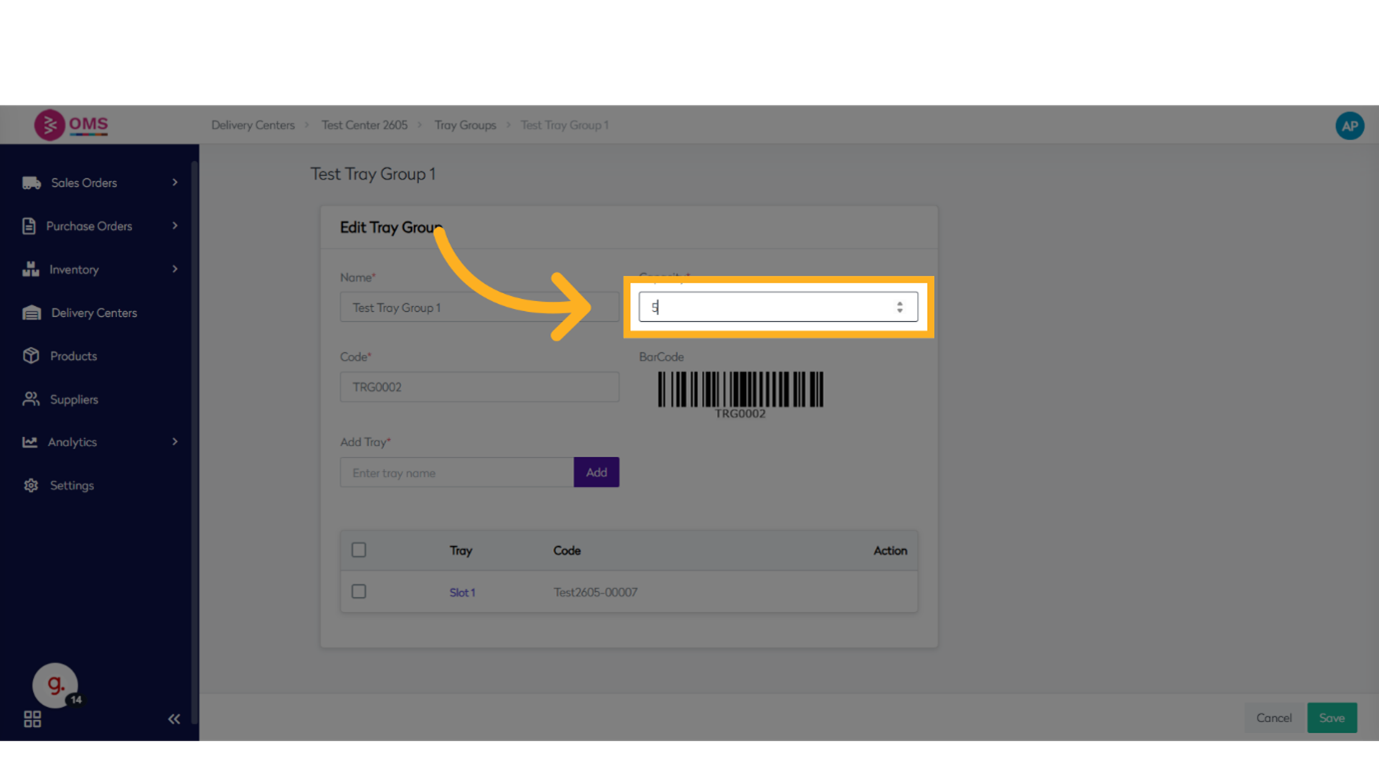
Edit Tray Group Details
- Update the tray group name or capacity if needed
- Adjust tray slots or identifiers
-
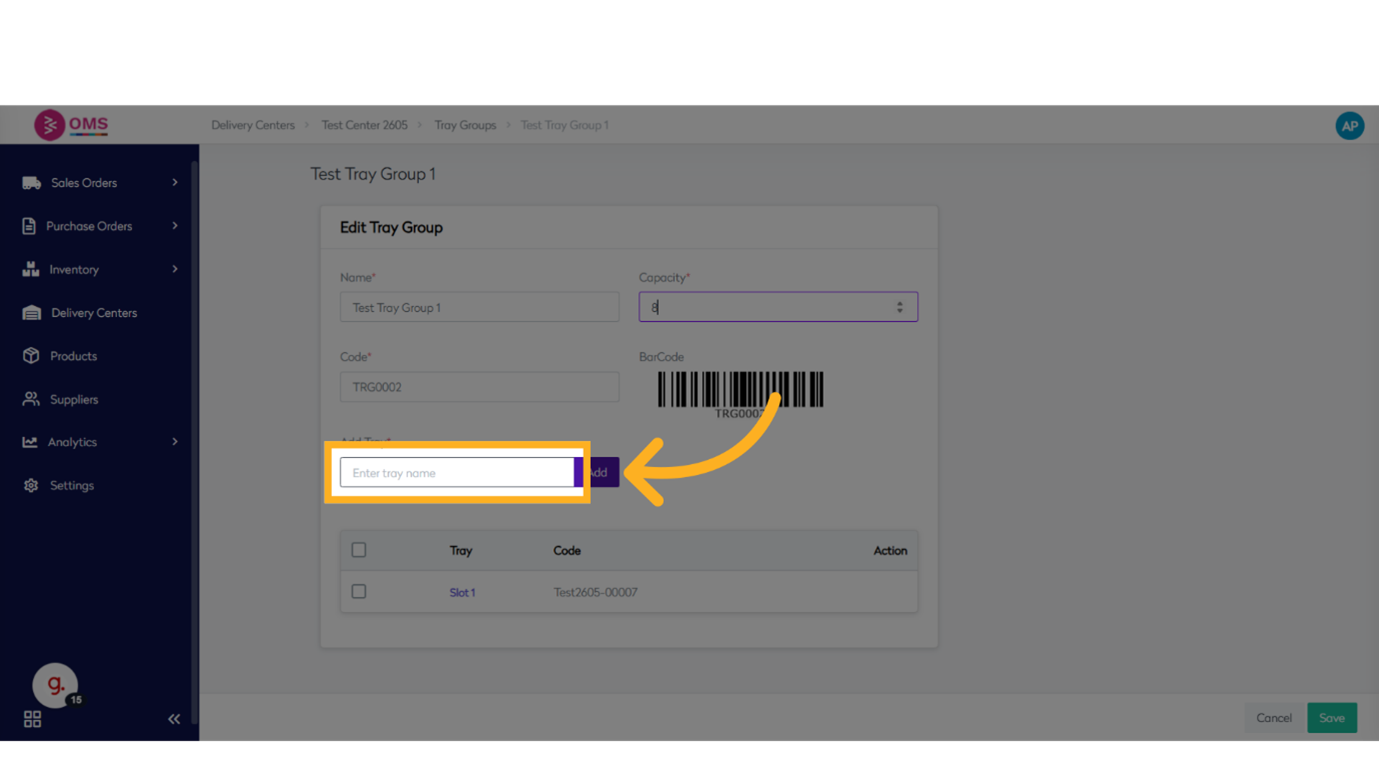
Add or Remove Trays
- To add: Enter the tray name and slot, then click Add
- To remove: Click the delete or remove icon next to the tray entry
-
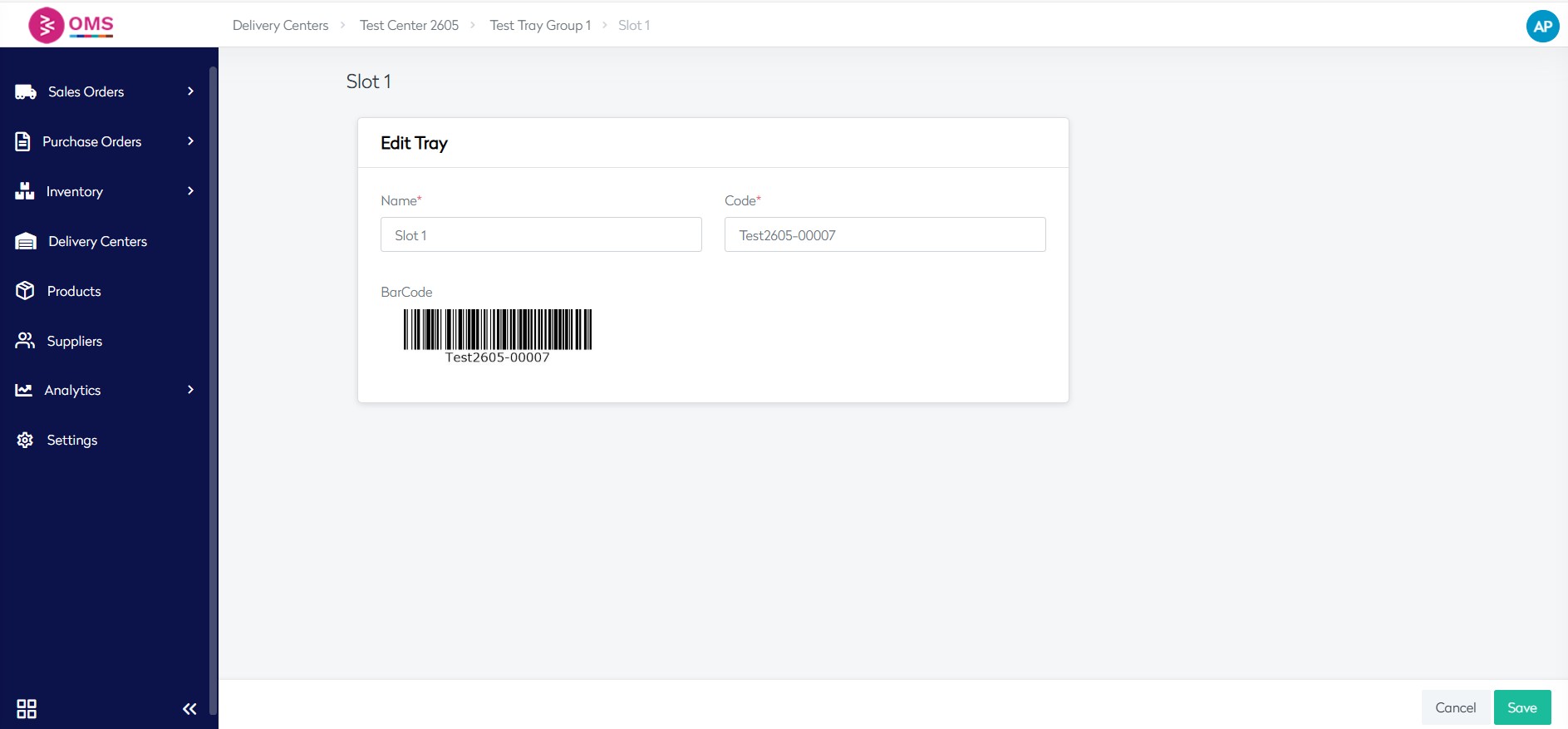
Reorder or Rename Trays
Modify existing tray names or reposition them based on updated picking logic.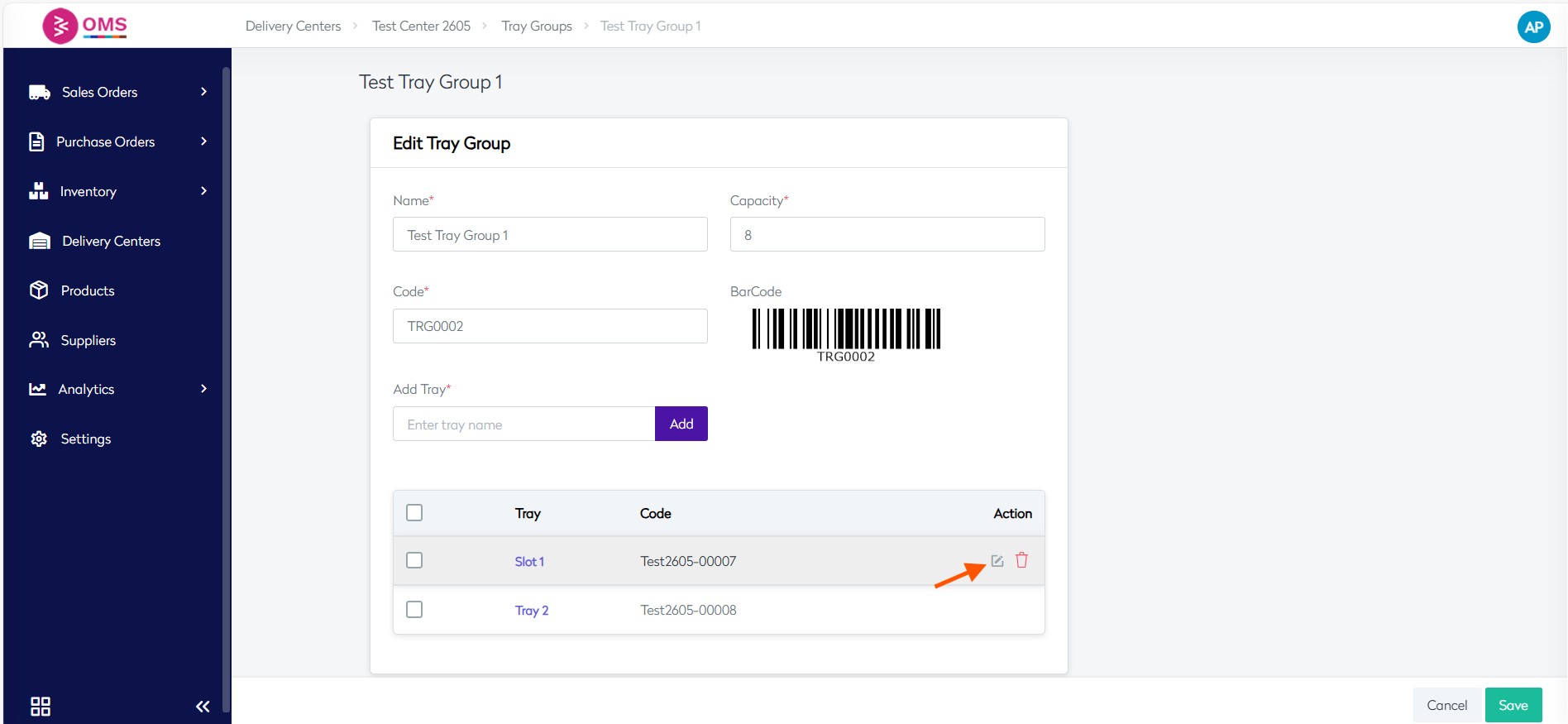
-
Click Save
After making changes, click Save to update the tray group configuration.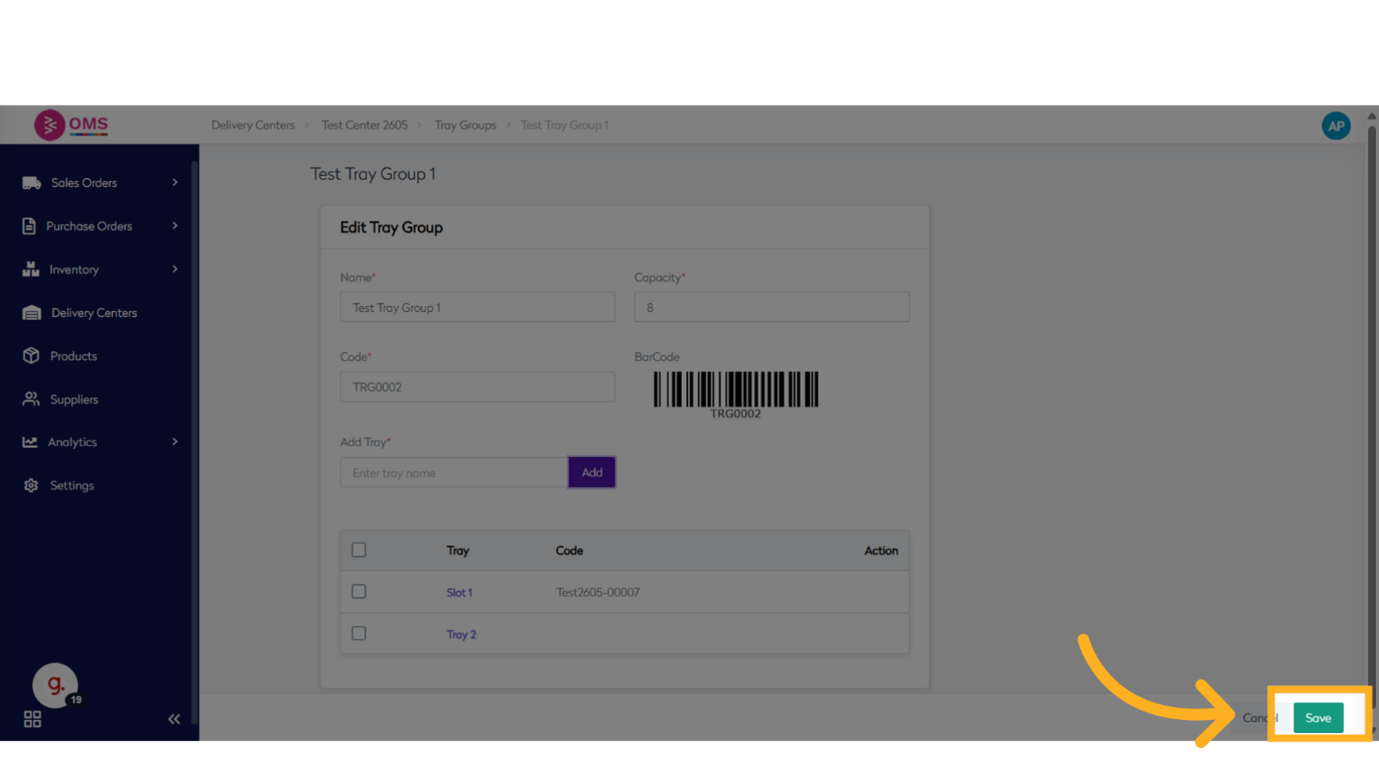
Best Practices
- Rename trays logically to reflect zones, pickers, or workflow stages
- Keep tray capacity aligned with order volume and picker count
- Regularly review tray groups for optimization
- Ensure all updates are communicated to warehouse staff to avoid confusion
Summary
Editing tray groups in BetterCommerce OMS ensures your picking process remains scalable, organized, and efficient. Whether you’re adding trays for a busy sales period or restructuring your warehouse, OMS gives you the flexibility to manage tray groups with ease.
Keep your warehouse workflow agile — edit tray groups with confidence in OMS.