
Stock Transfer in OMS
A stock transfer is the movement of inventory from one delivery center (or warehouse) to another. It is a critical function for balancing stock levels across locations, reducing fulfillment delays, and maintaining optimal inventory distribution. In BetterCommerce OMS, stock transfers are structured, trackable, and easy to execute.
Why Perform a Stock Transfer?
Stock transfers are typically performed to:
- Replenish stock at low-inventory locations
- Centralize returns or excess inventory
- Prepare stock for pop-up shops, promotions, or new store openings
- Maintain balanced stock levels across regions
How to Perform a Stock Transfer in OMS
-
Access Inventory Module
Navigate to the Inventory section in OMS.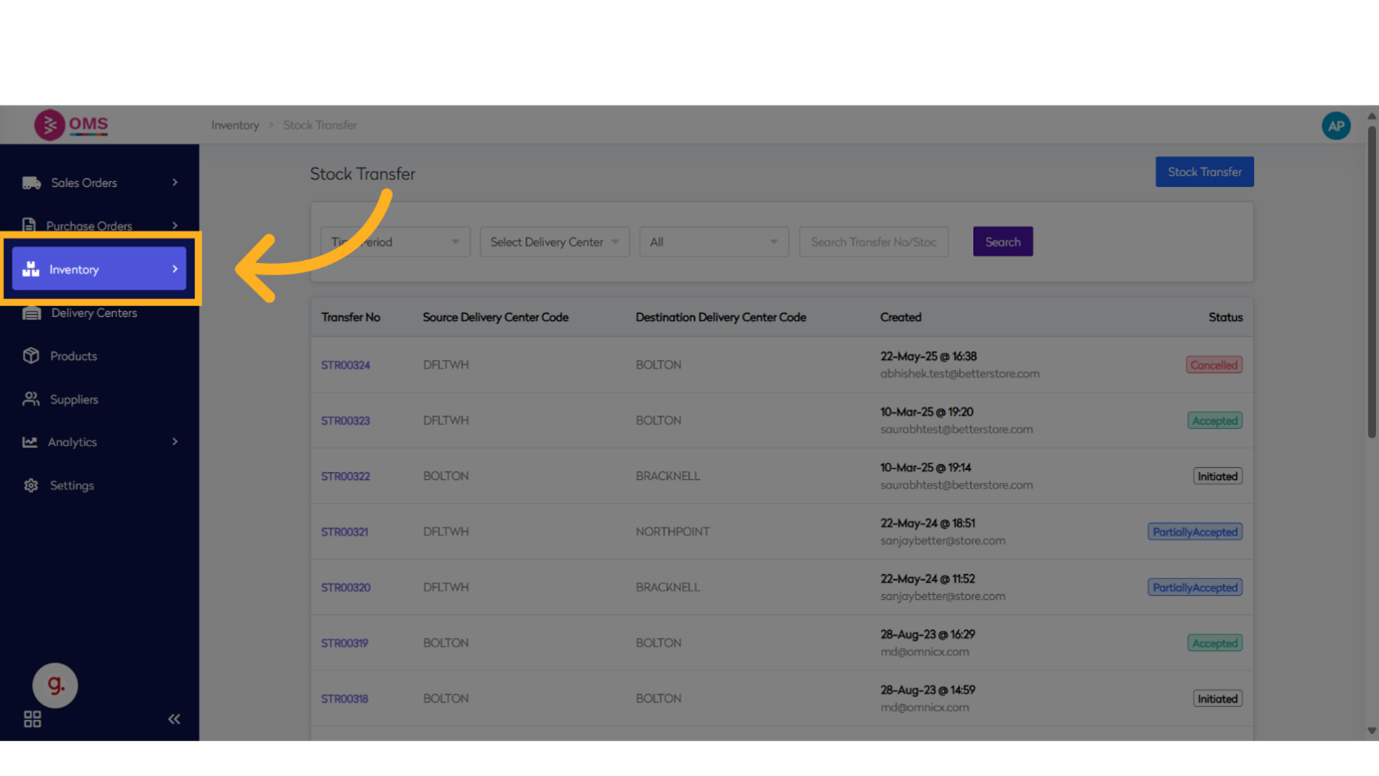
-
Open Stock Transfer
Click on Stock Transfer to begin a new transfer request.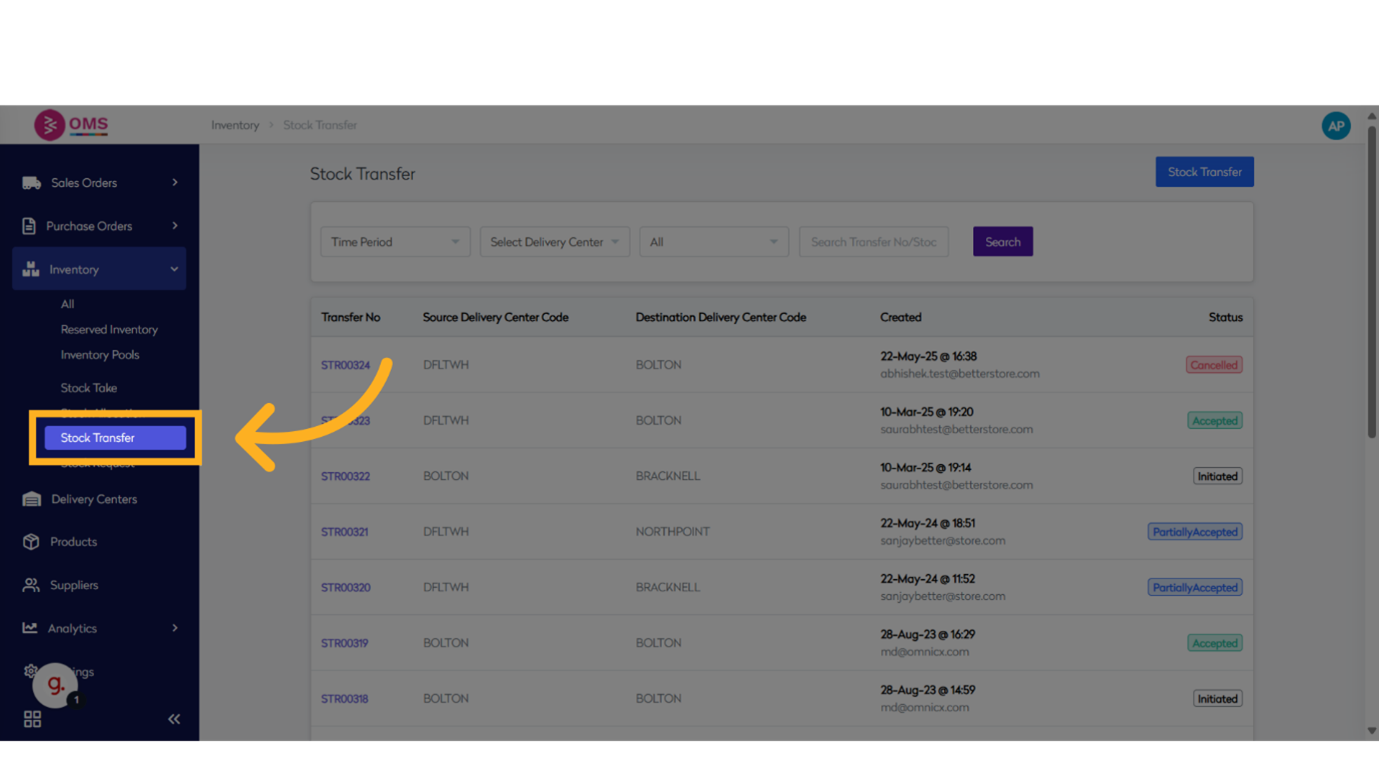
-
Select Source and Destination Locations
Choose the source delivery center (from where inventory will be sent) and the destination center (where it will be received).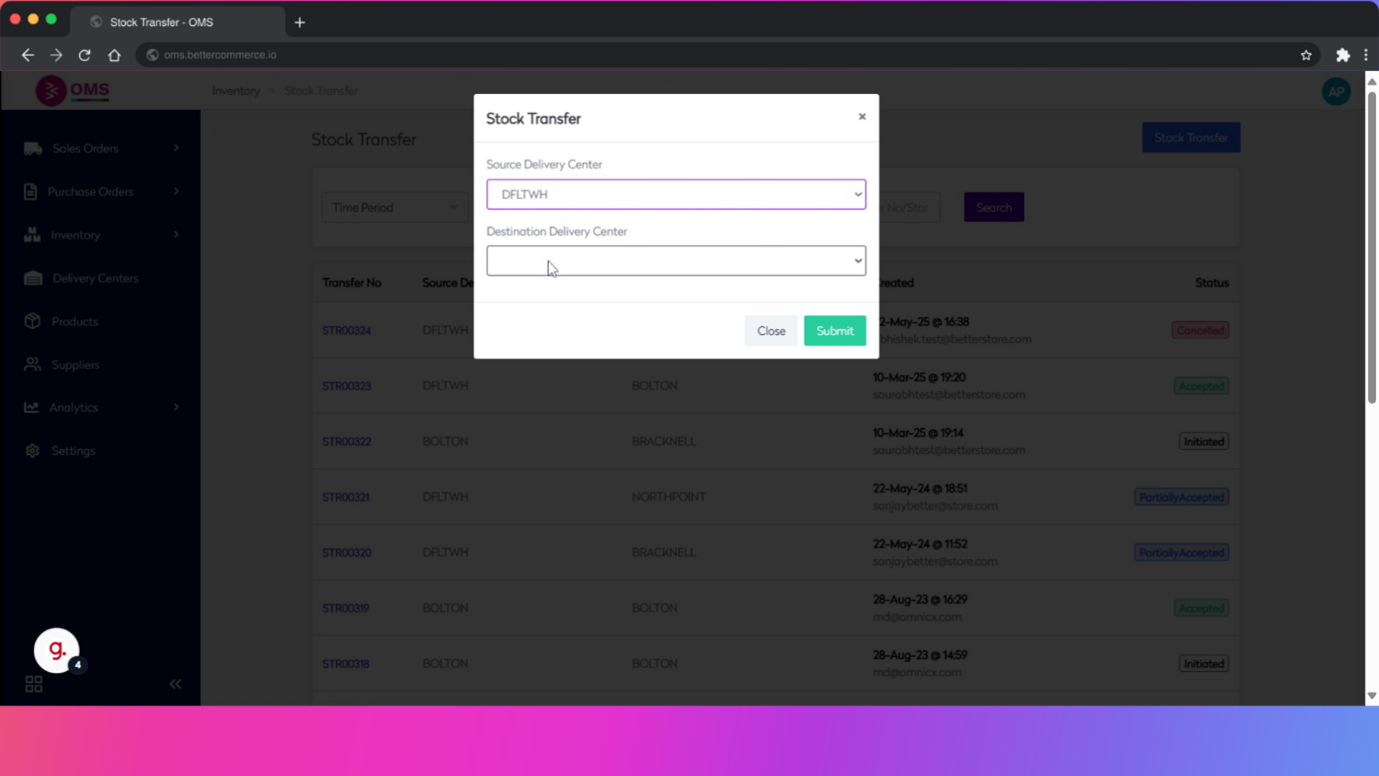
-
Search for Product
Use the Product Code or name to find the item(s) you want to transfer.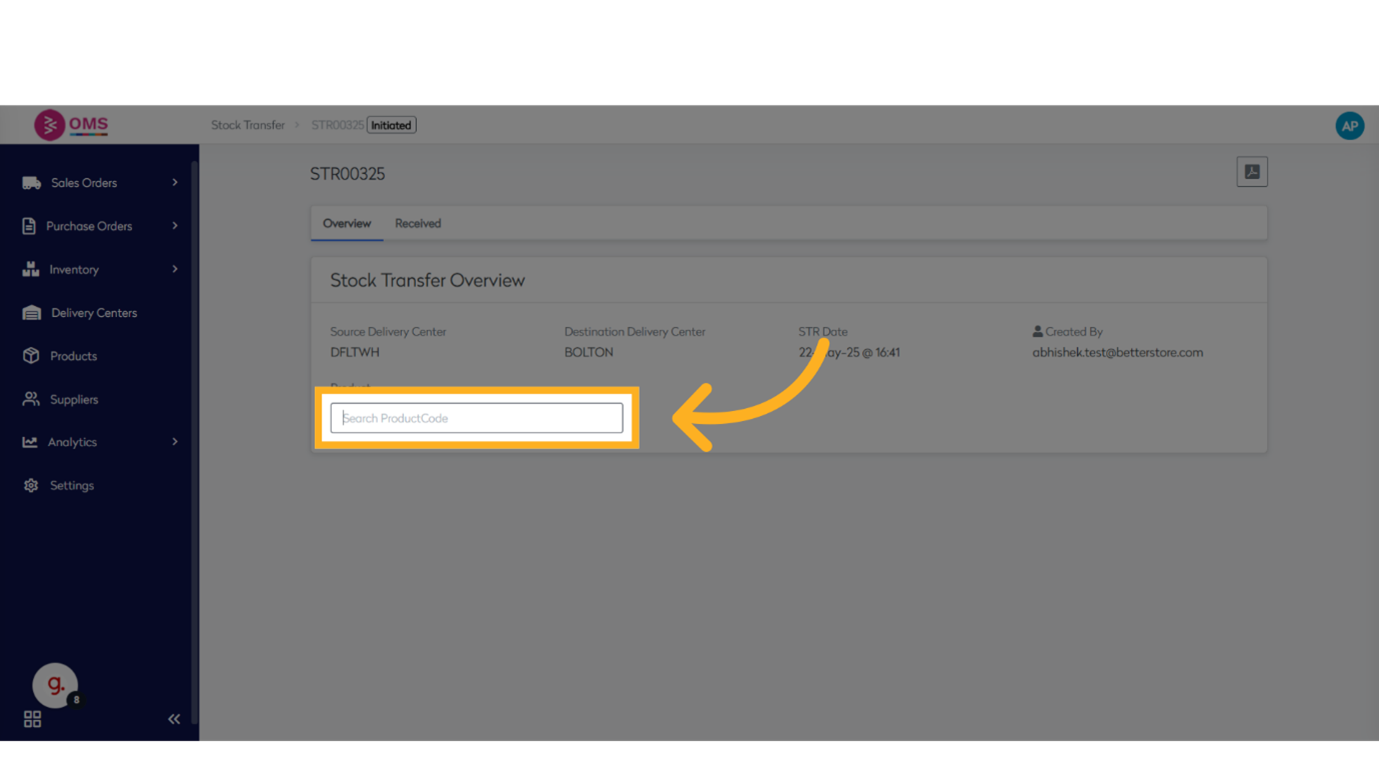
-
Select Bin Locations
Identify the bin or storage location of the product at the source and the bin at the destination (e.g., Receiving Bay).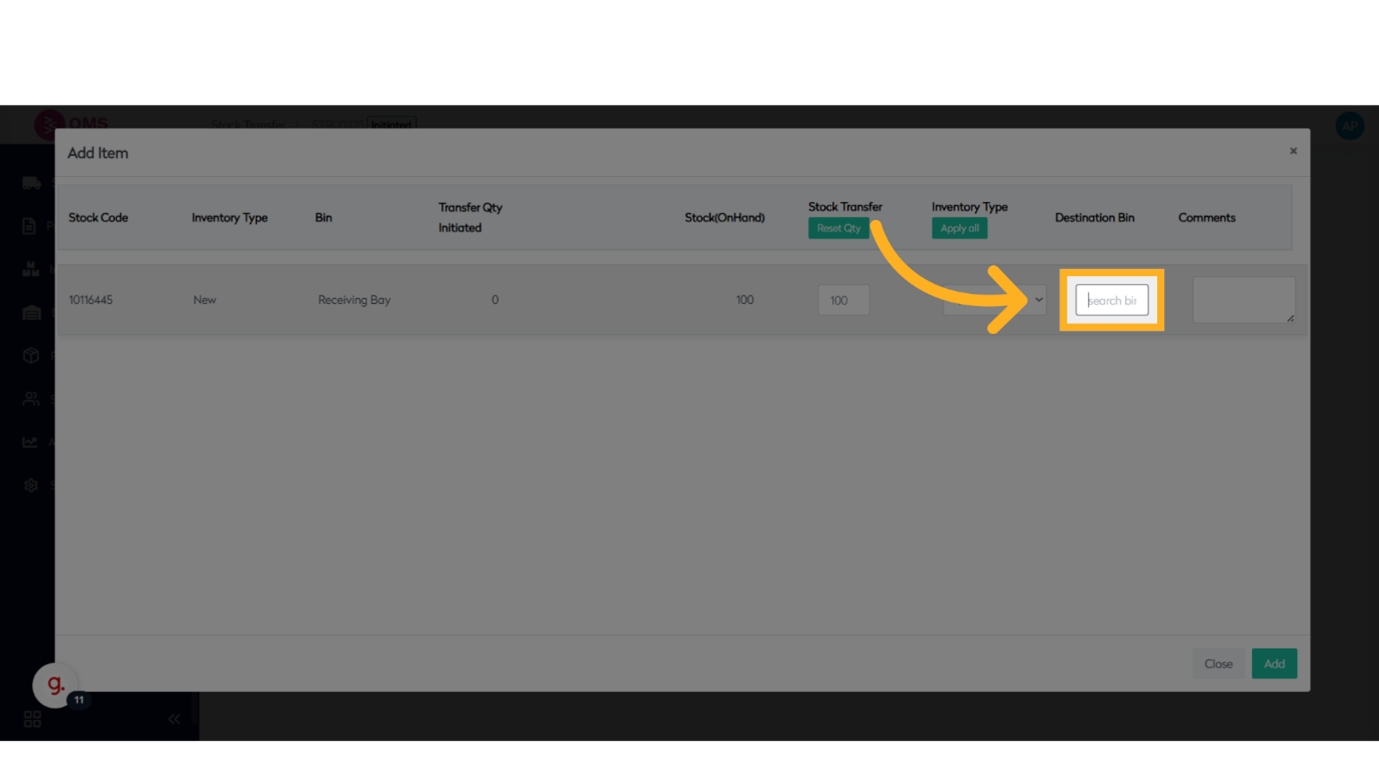
-
Enter Quantity and Allocation Info
Provide the quantity to be transferred and any relevant notes like “New Allocation” or movement reason.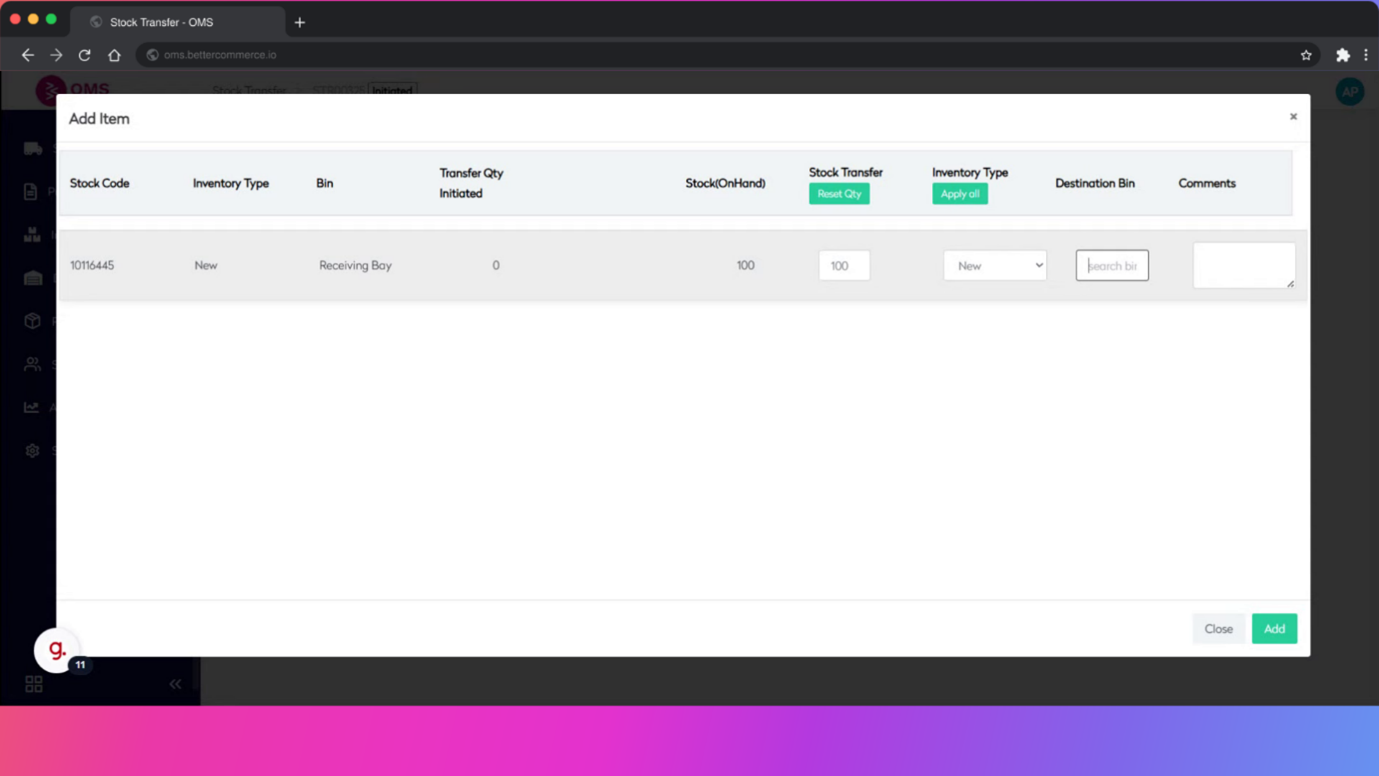
-
Add Items to Transfer List
Add the selected product(s) with details to the transfer queue.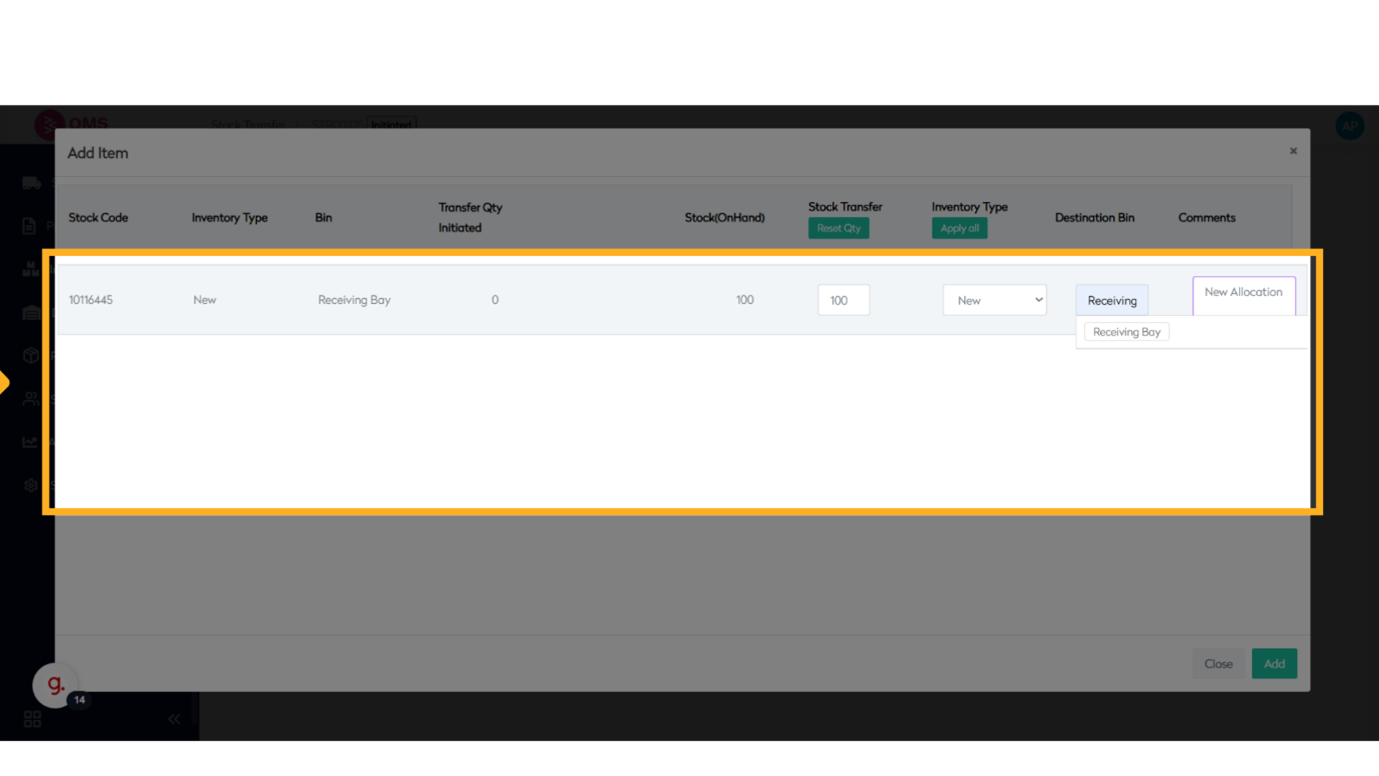
-
Review and Add
Confirm all entries, then click Add to initiate the stock transfer.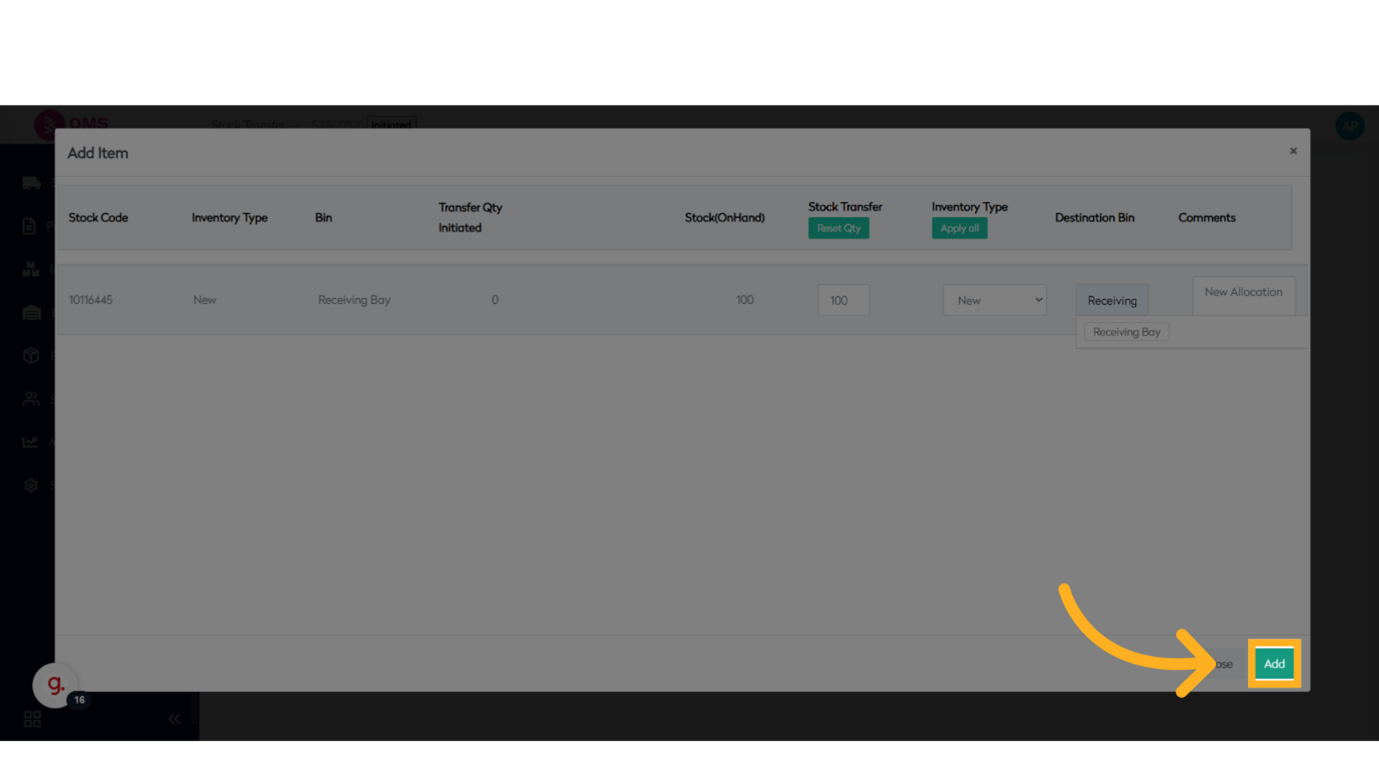
-
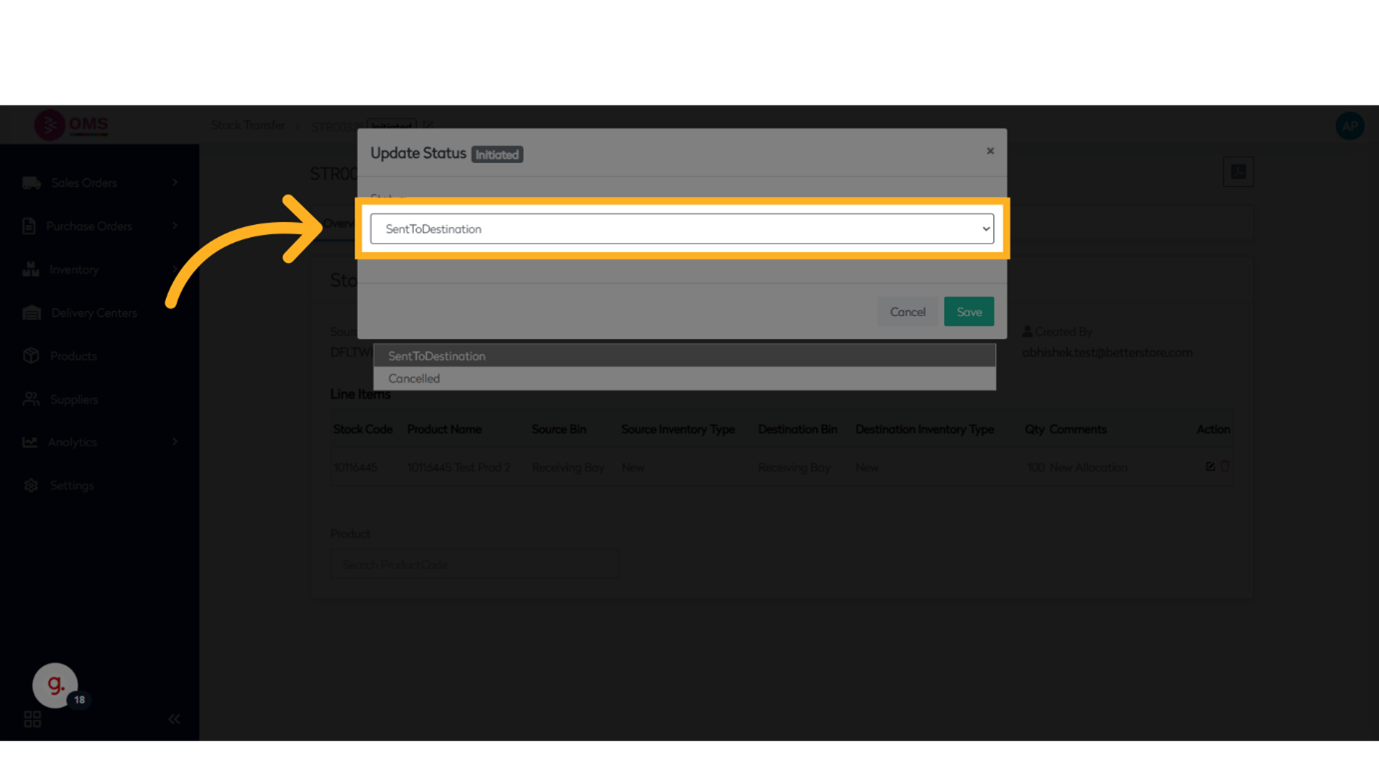
Update Transfer Status
Once the transfer is completed or cancelled, update the status to SentToDestination, Cancelled, or another predefined stage.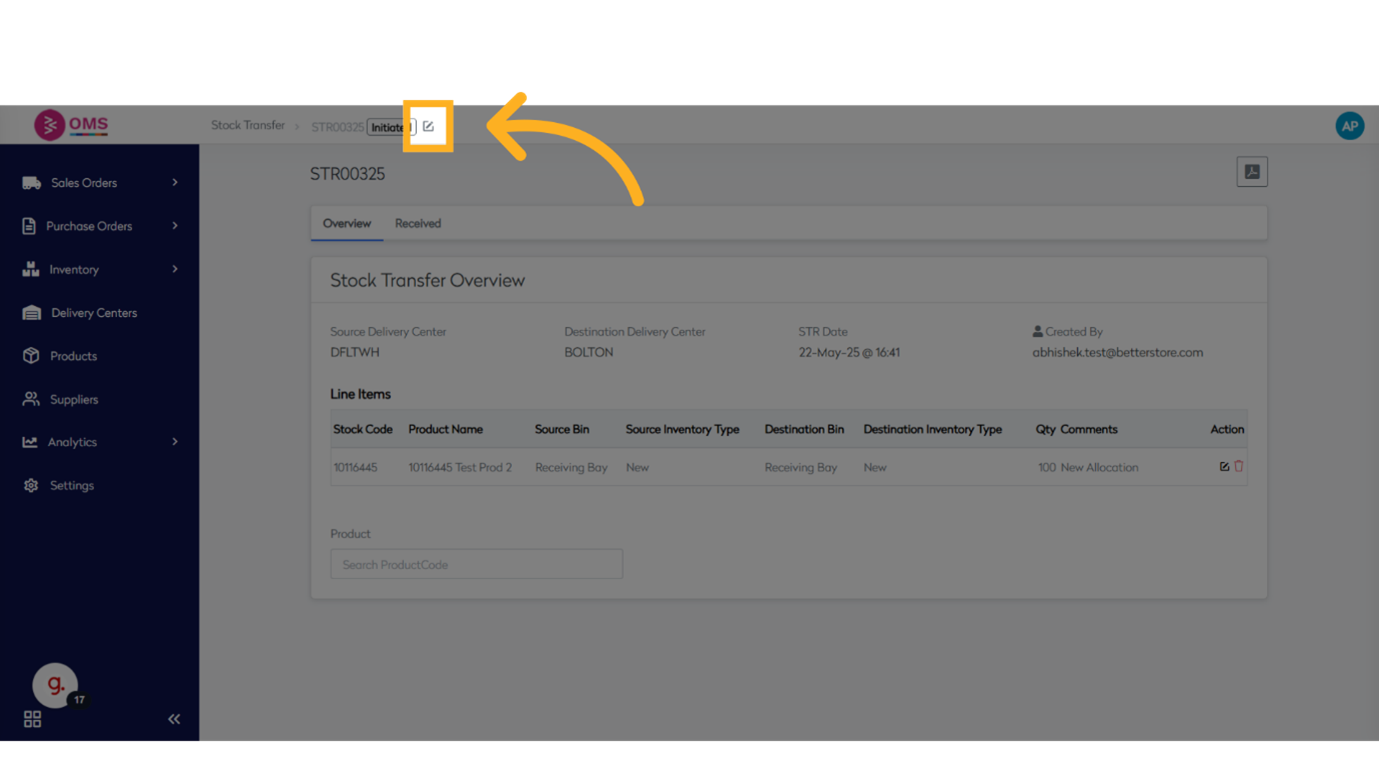
What Happens After Transfer?
- Stock is deducted from the source delivery center
- Inventory is increased at the destination once received
- All transfer actions are logged for audit and tracking
- Affected bin-level records are updated for accuracy
Best Practices for Stock Transfer
- Always double-check product and bin selections
- Transfer in batches to reduce errors
- Assign clear responsibility for sending and receiving stock
- Monitor open/pending transfers for timely follow-up
- Use standardized naming for transfer reasons (e.g., Rebalance, Display Stock, Returns)
Summary
Stock transfers are an essential part of warehouse and inventory operations. With BetterCommerce OMS, you can execute stock transfers confidently—ensuring that your products are where they need to be when they need to be there.
Move inventory with precision — streamline stock transfers in OMS.