
Understanding Inventory Pools in OMS
An Inventory Pool is a virtual grouping of stock across one or more physical locations (warehouses or delivery centers) used to fulfill orders based on business rules. In BetterCommerce OMS, inventory pools help businesses optimize fulfillment, prioritize stock usage, and improve delivery performance across multiple sales channels.
What Is an Inventory Pool?
An inventory pool is a logical collection of stock that may span across different warehouses or delivery centers, but is treated as a unified source of inventory for order allocation purposes. It allows for intelligent order routing, dynamic fulfillment, and more efficient inventory utilization.
Why Use Inventory Pools?
Inventory pools provide flexibility and control over how stock is allocated to orders. They are especially useful when you have:
- Multiple warehouses servicing overlapping regions
- Specific warehouses dedicated to certain order types or channels (e.g., B2C vs B2B)
- The need to fulfill orders from the closest or most cost-effective location
- A strategy to reserve certain stock for specific channels or customers
How Inventory Pools Work in OMS
-
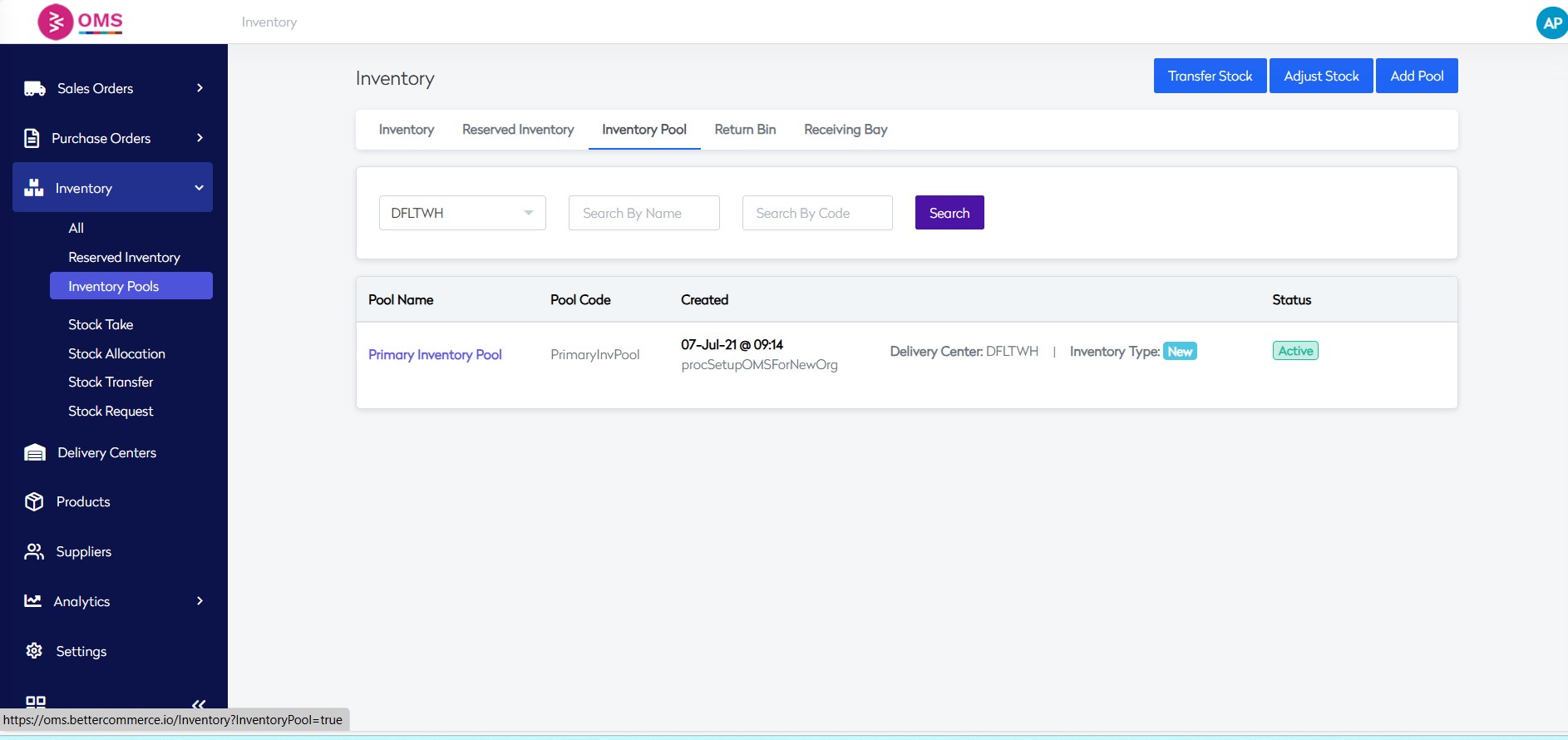
From the main navigation, click on Inventory Pool.
-
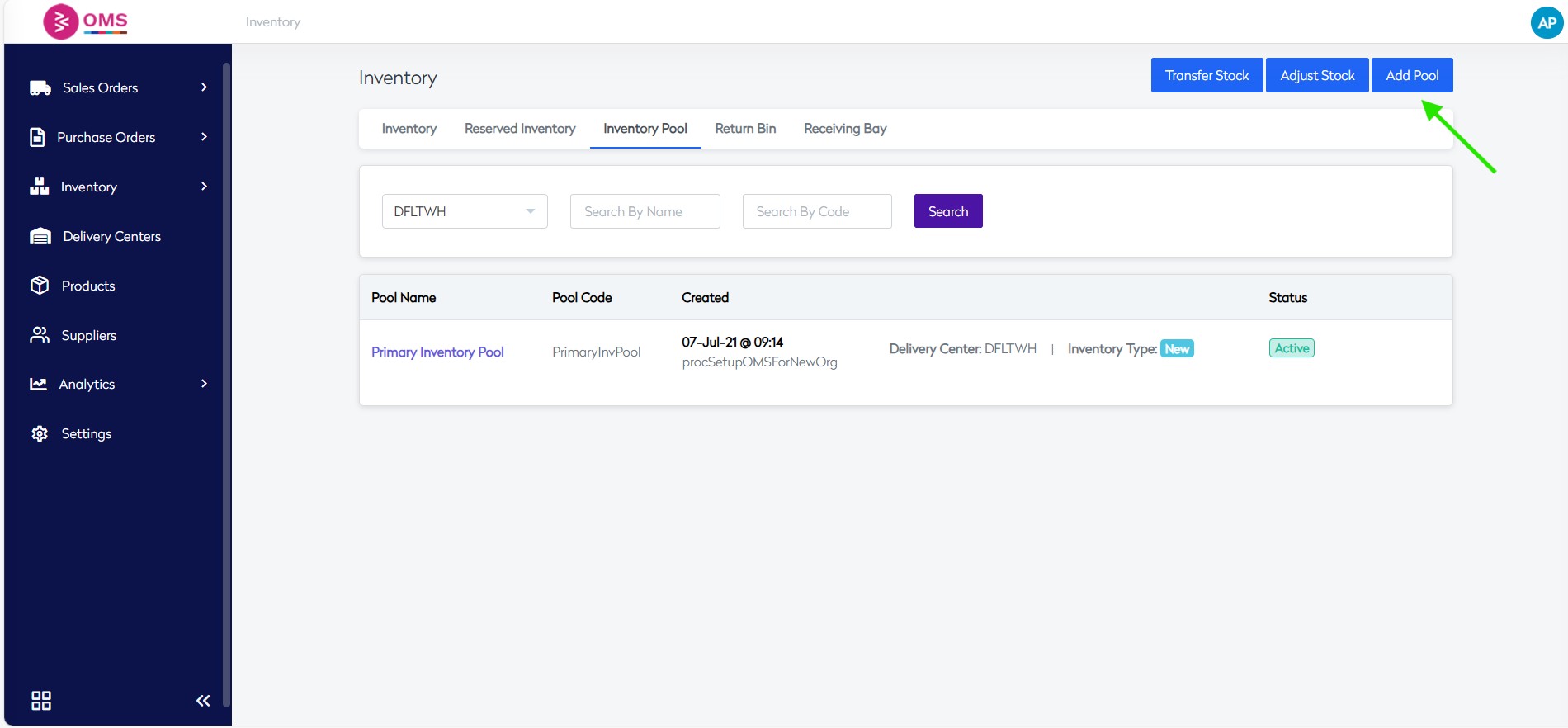
Click on the Add Pool button.
-
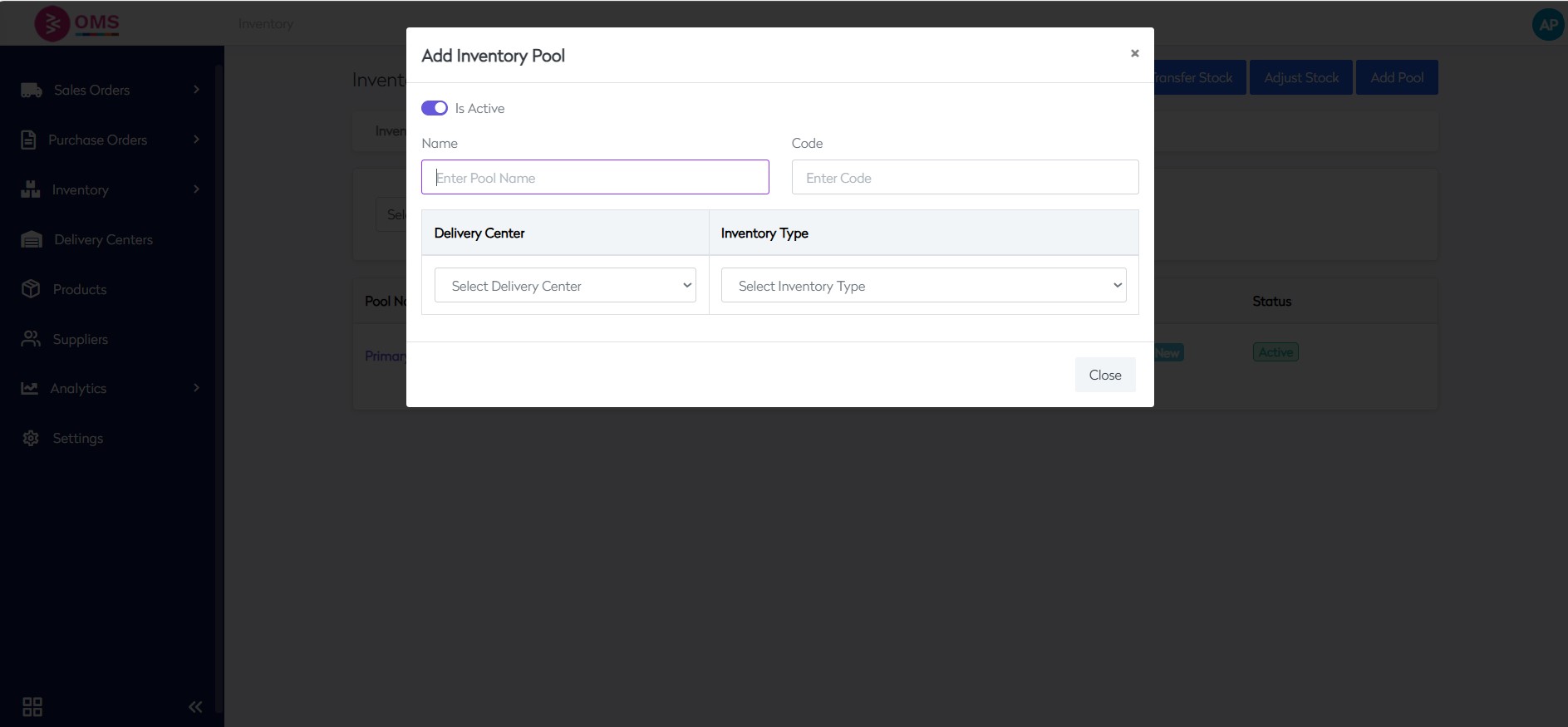
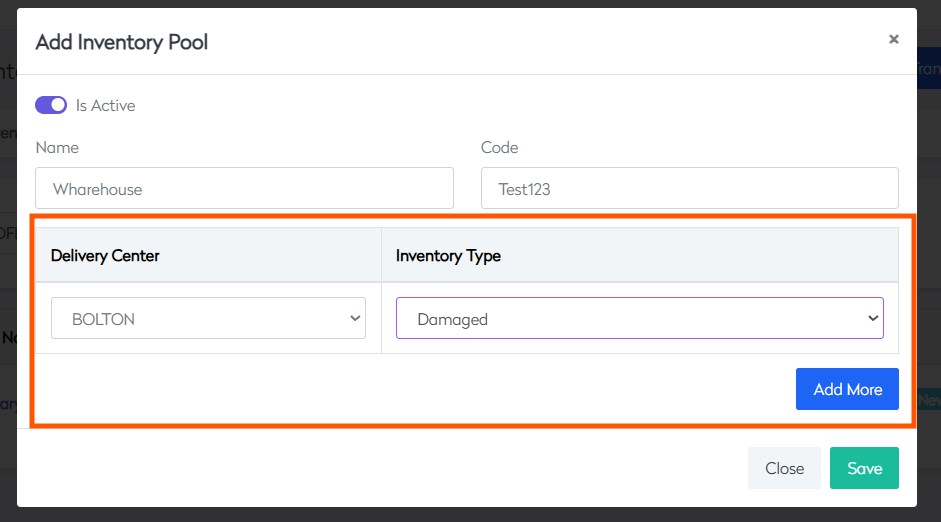
Enter the Name and Code of the pool in the respective fields.
-
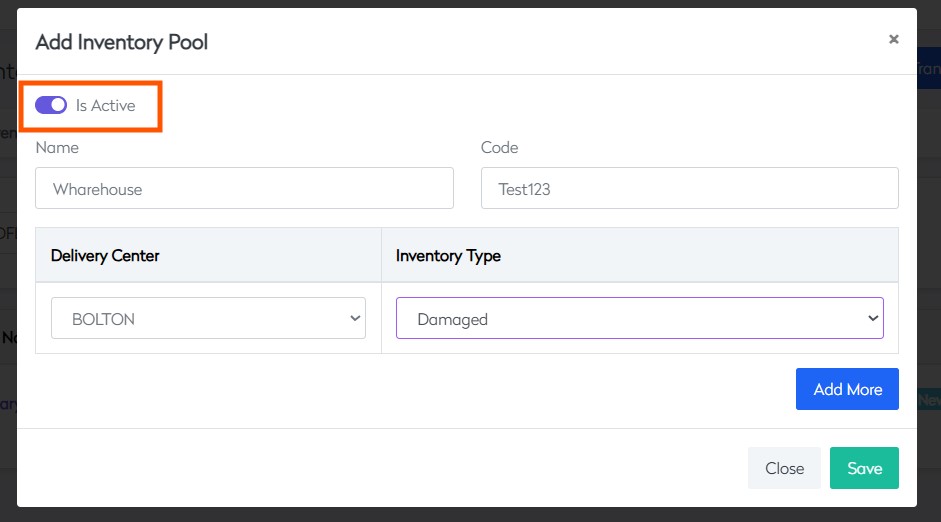
Select whether you want to make it active at this stage.
-
Choose the Warehouse(s) and Inventory Type to be included in the pool.
-
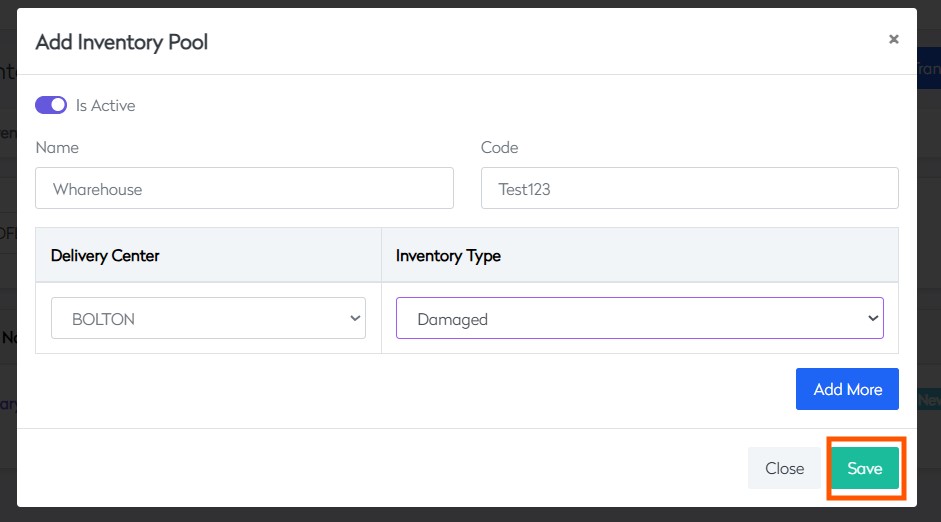
Click Save to create the inventory pool.
Benefits of Inventory Pools
-
Improved Order Fulfillment Speed
Allocate from the closest or fastest-shipping location. -
Better Inventory Utilization
Avoid overstocking and understocking across locations. -
Channel-Level Control
Prevents one channel from consuming stock meant for another. -
Scalability
Easily expand to new regions by assigning new delivery centers to existing pools. -
Custom Fulfillment Logic
Supports business-specific rules like margin-based routing, split orders, or delivery SLA adherence.
Example Use Case
- A business has 3 warehouses: North, Central, and South.
- It defines an inventory pool named "Domestic Pool" that includes all 3.
- Orders from the online store are linked to this pool.
- OMS intelligently allocates stock based on order destination and warehouse availability.
Summary
Inventory pools in BetterCommerce OMS give your business greater flexibility and accuracy in how inventory is used and distributed. Whether you're managing multiple regions, sales channels, or fulfillment strategies, inventory pools ensure that your stock is organized, prioritized, and allocated exactly as your business requires.
Fulfill smarter — manage stock dynamically with Inventory Pools in OMS.