
Understanding Over and Under Receiving in OMS
When receiving stock against a purchase order (PO), it’s not uncommon to receive a quantity that’s slightly more or less than what was originally ordered. In BetterCommerce OMS, over receiving and under receiving are handled with configurable tolerance settings to support flexible and accurate inventory control.
What Is Over and Under Receiving?
Over Receiving
Occurs when more stock is received than what was originally ordered. For example, if a PO requests 100 units but the supplier delivers 105, the additional 5 units are considered over received.
Under Receiving
Happens when less stock is received than expected. For example, receiving only 90 units against a PO line of 100 is considered under receiving.
How OMS Handles Over and Under Receiving
BetterCommerce OMS allows you to define goods receiving tolerances at the PO level. These tolerances control whether receiving slightly more or less than ordered is acceptable.
- Tolerance settings can be configured as a percentage or a fixed quantity.
- Validation checks are applied during the GRN (Goods Receipt Note) process.
- The system prompts warnings or errors if received quantities exceed or fall short of acceptable limits.
Steps
-
Click "Purchase Orders"
Navigate to the Purchase Orders section to access the list of all purchase orders.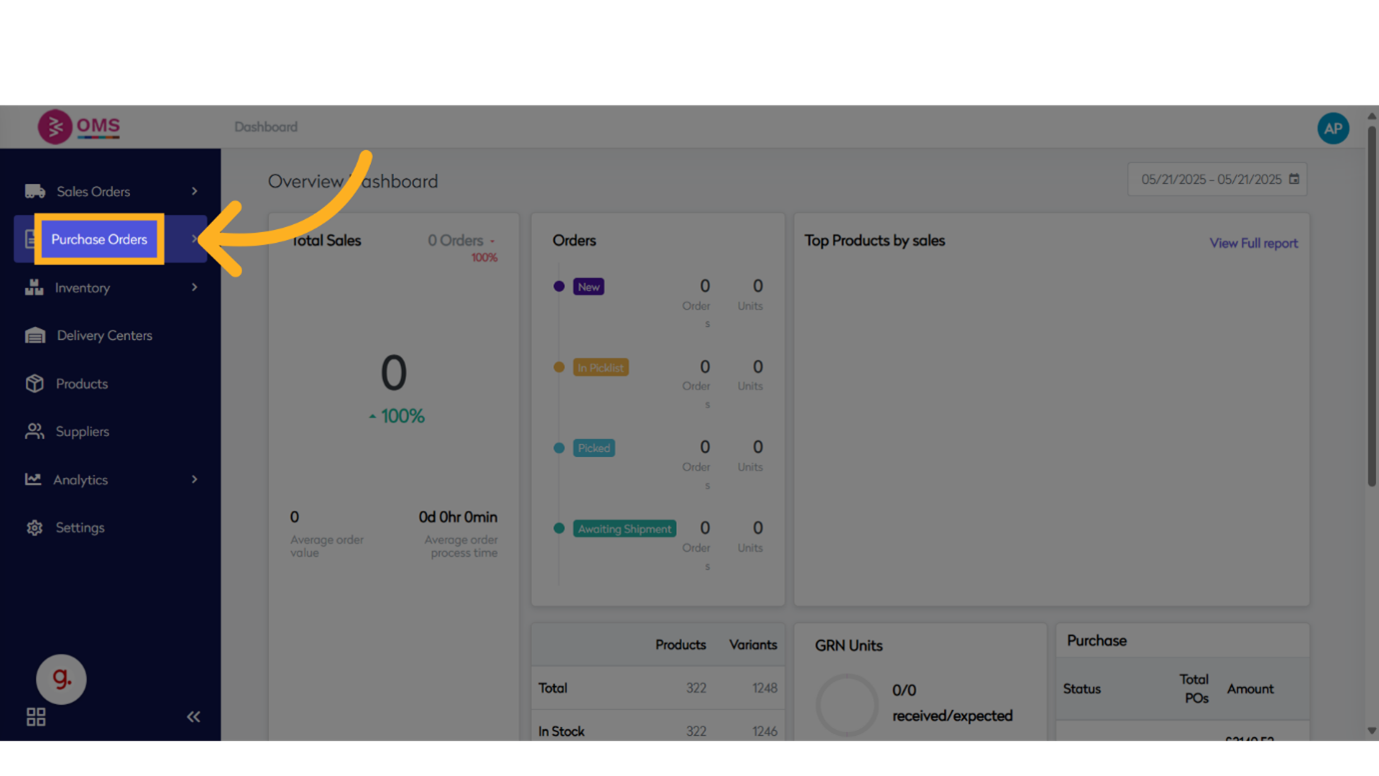
-
Click "View"
Click the View option to see all available purchase orders.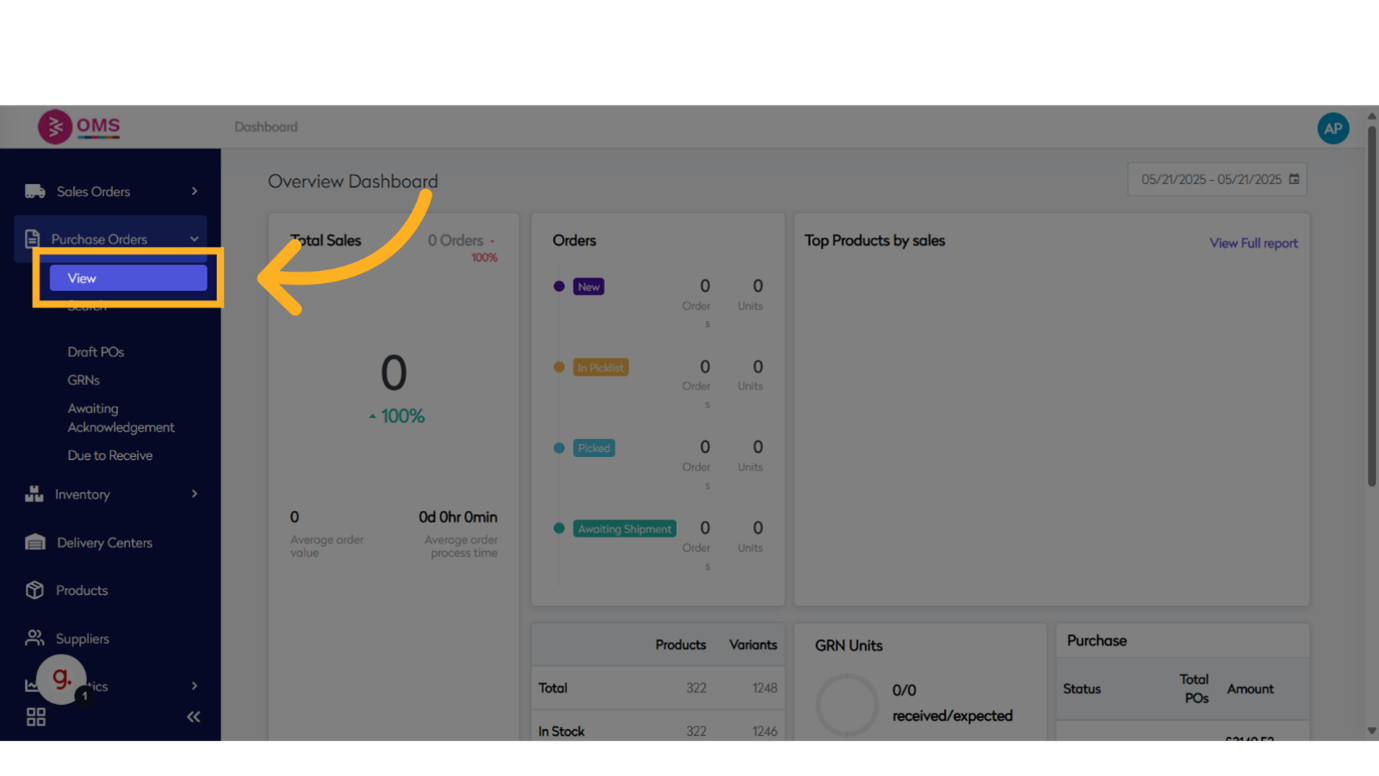
-
Click "Purchase Order"
Select and open the purchase order for which goods will be received.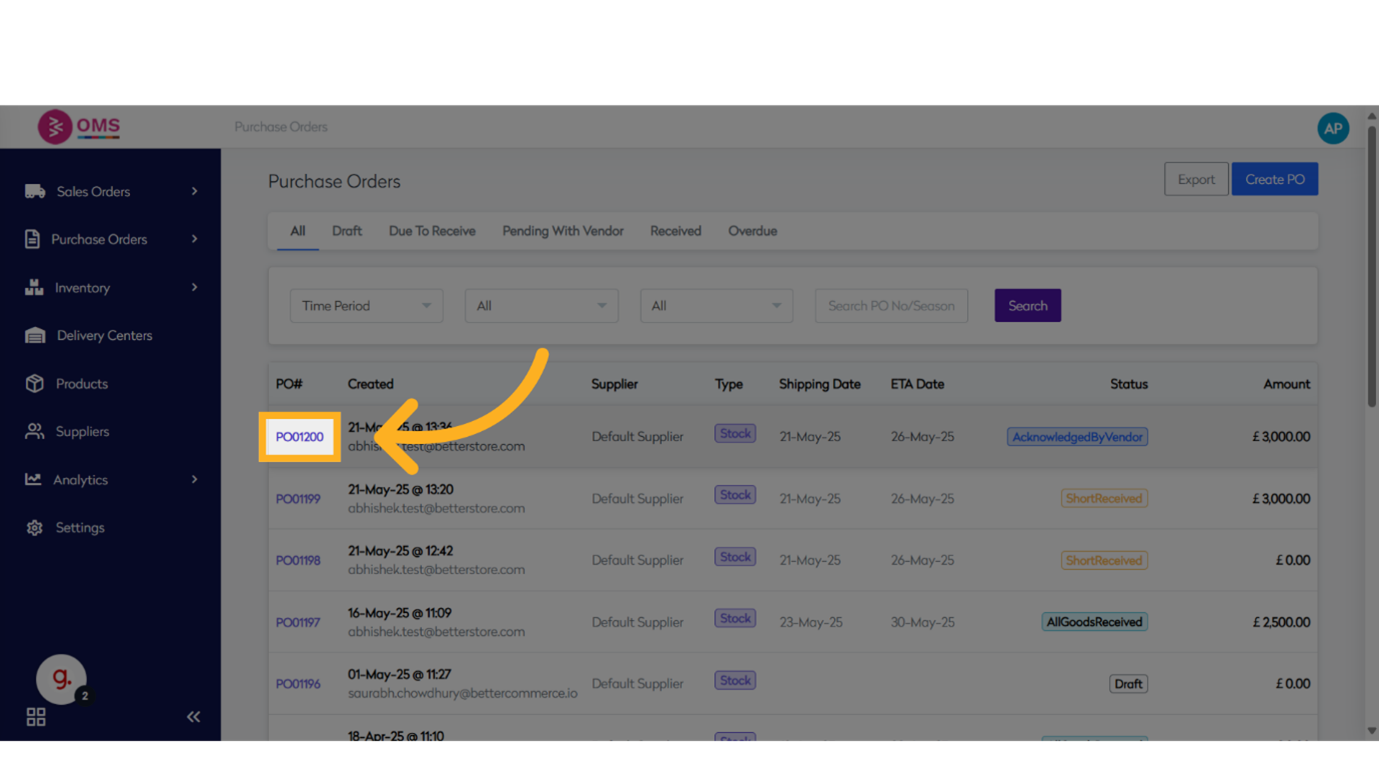
-
Click "Received"
Go to the Received tab to begin the GRN (Goods Receipt Note) process.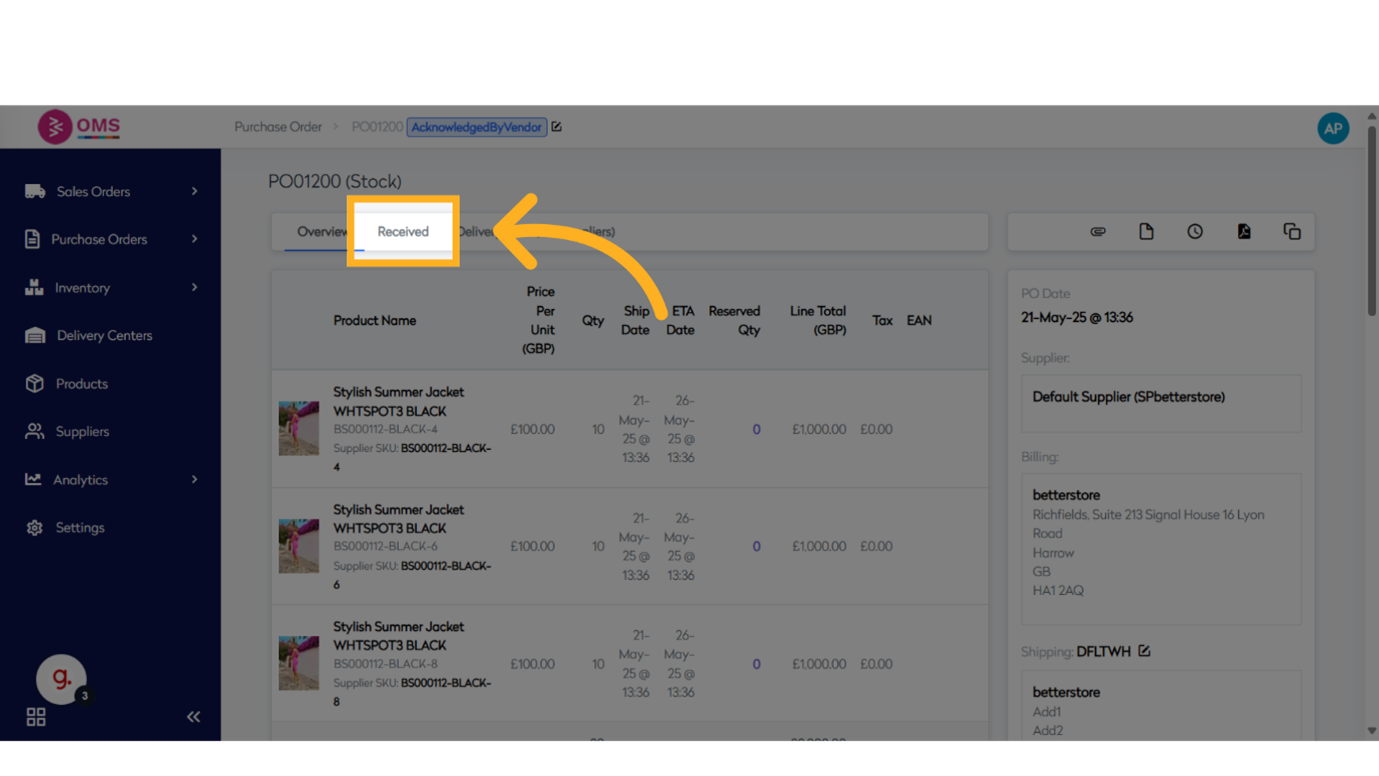
-
Click "Receive Goods"
Click on Receive Goods to begin entering the receipt details for the PO.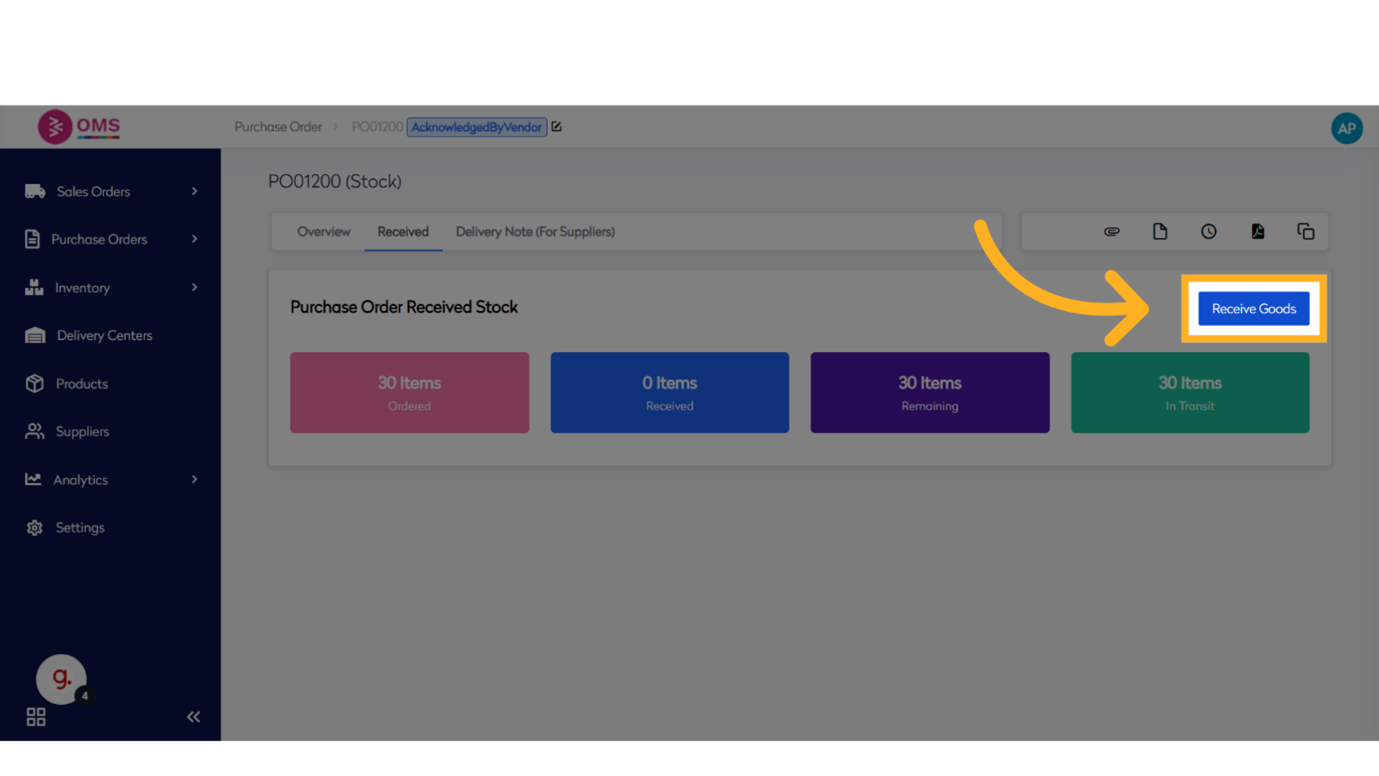
-
Click "Enter Supplier Ref No."
Select the input field where you will enter the supplier's reference number.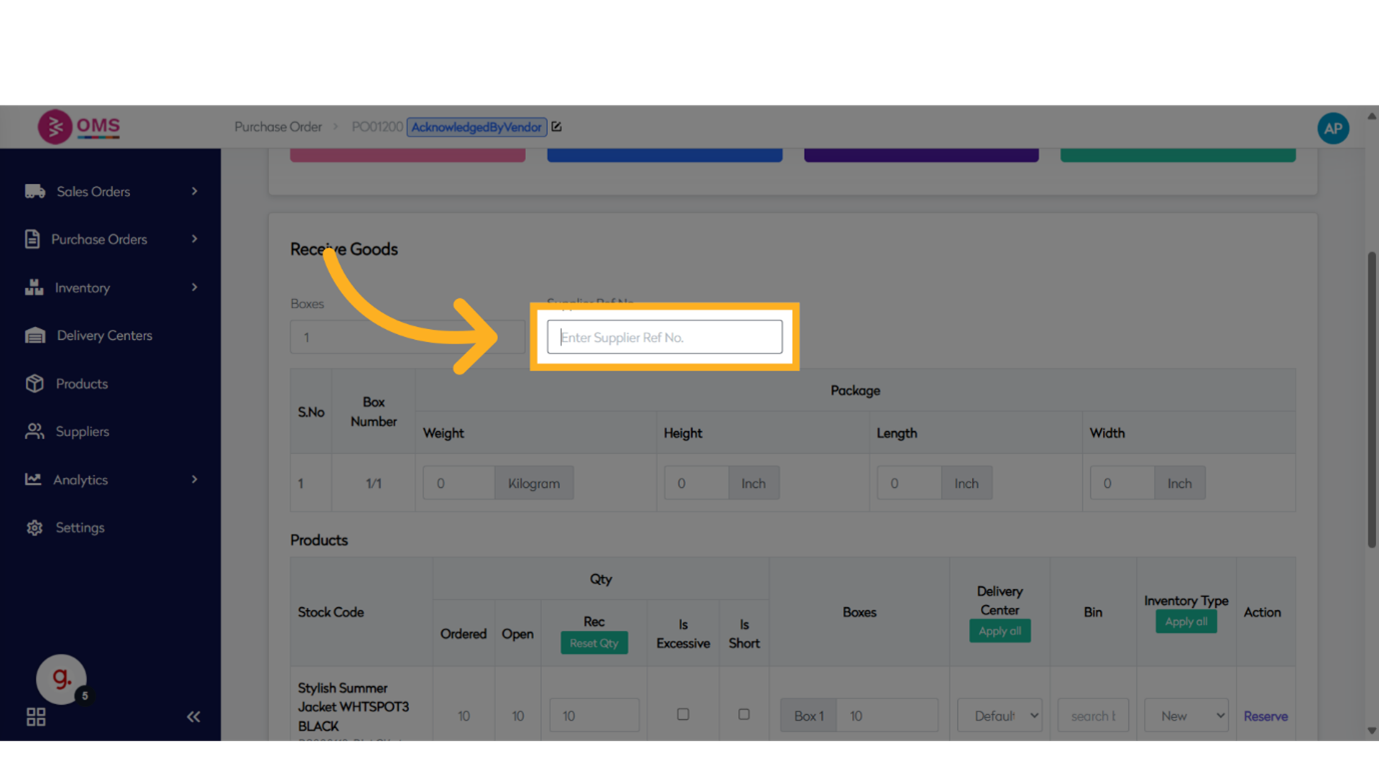
-
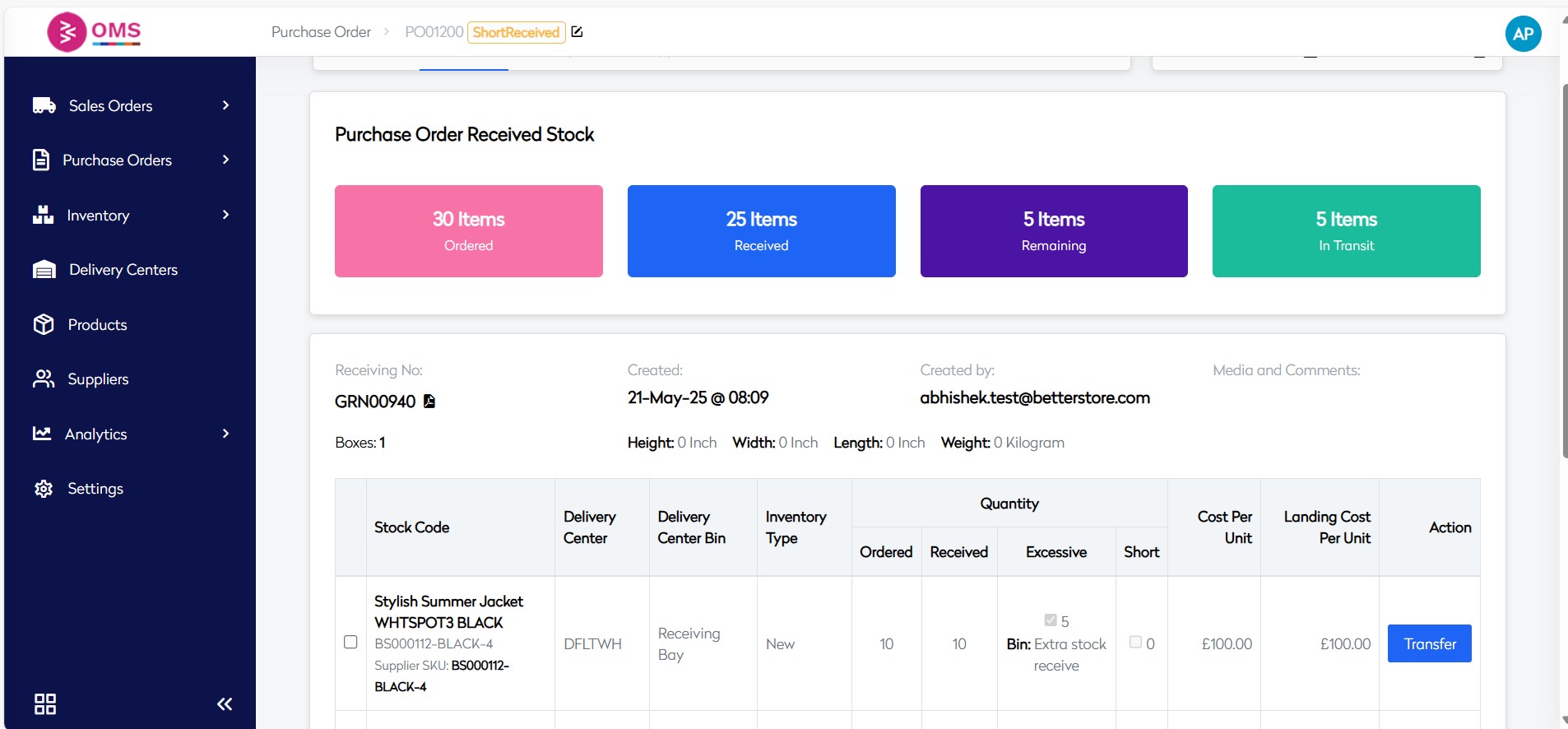
Click on "Is Excessive"
Enable the toggle or field required for entering item-level receiving data.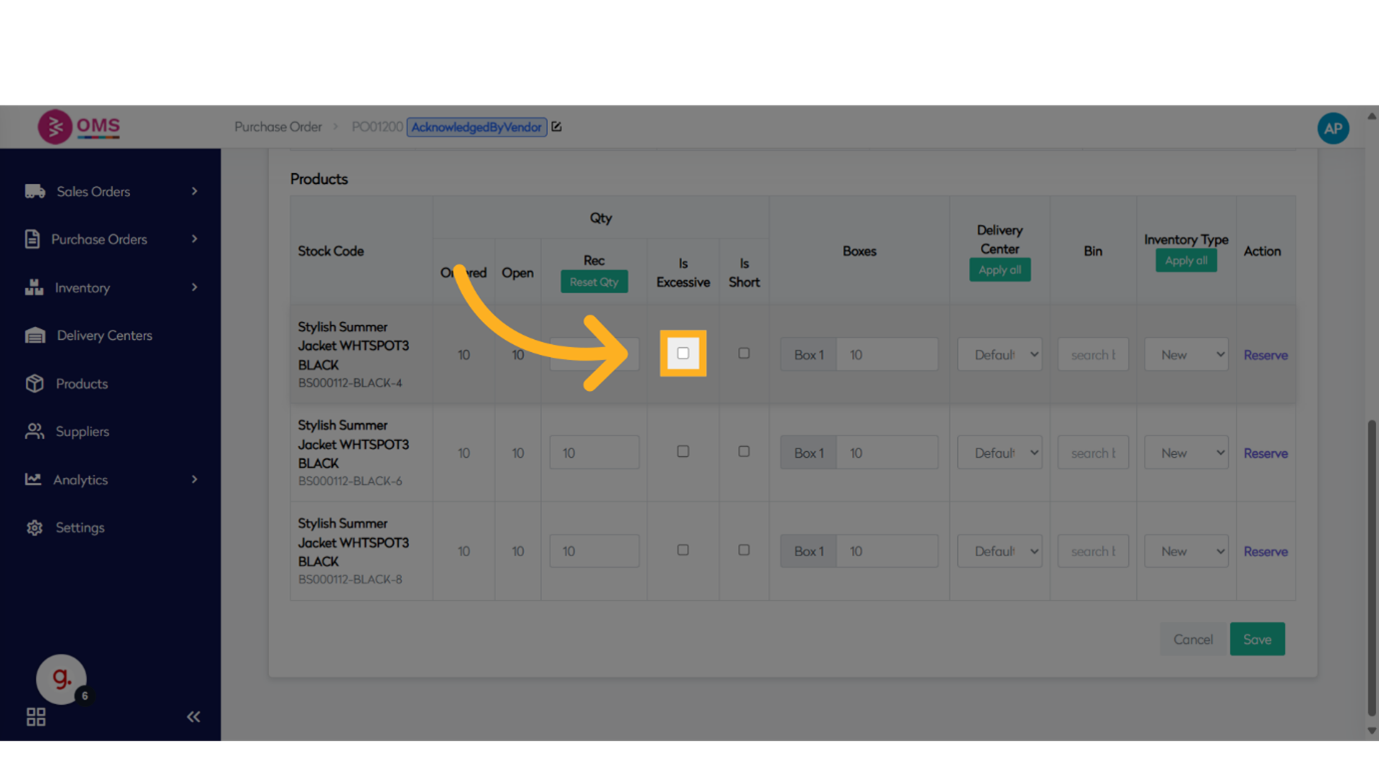
-
Enter the "Extra Quantity Received"
Enter the received quantity of 5 units — this simulates under receiving if the expected quantity is higher.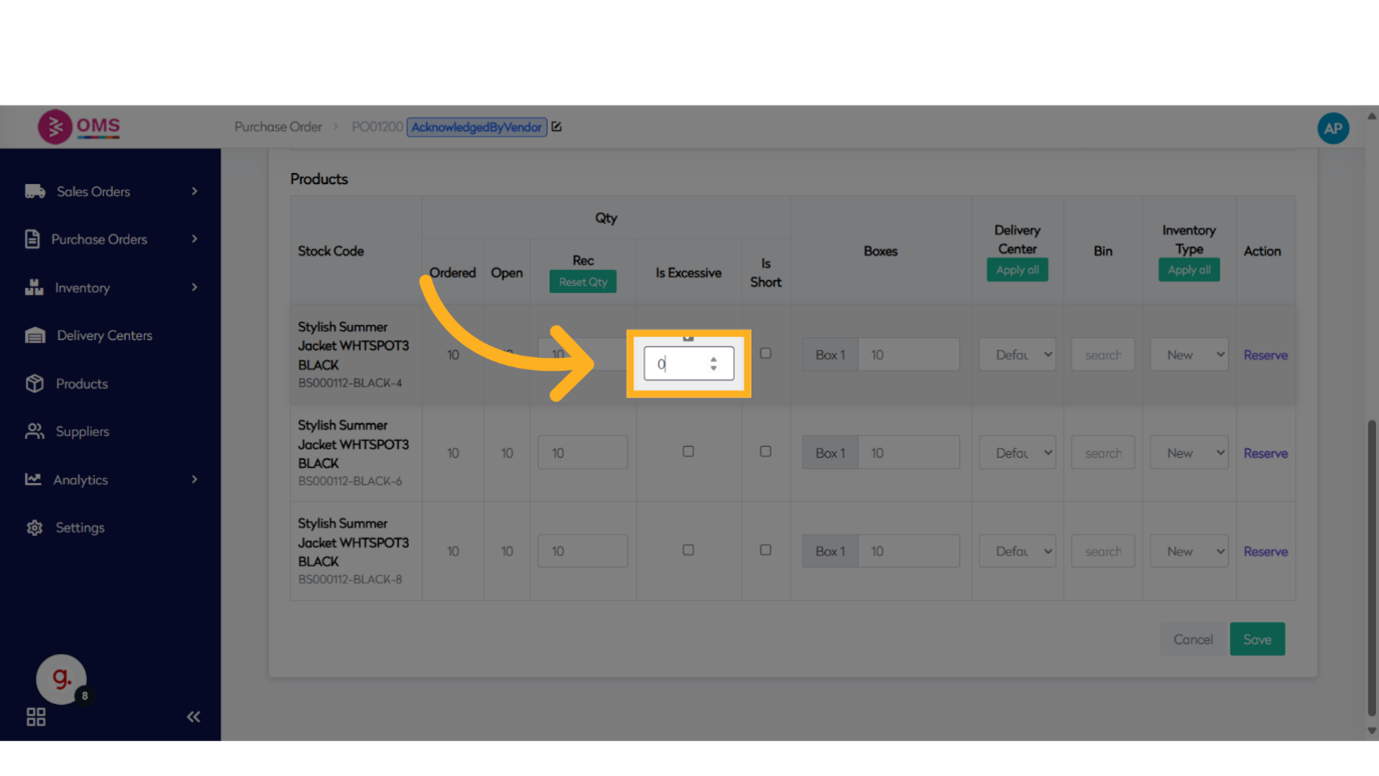
-
Click "Received Quantity"
Select the next field which could be for expected quantity or validation.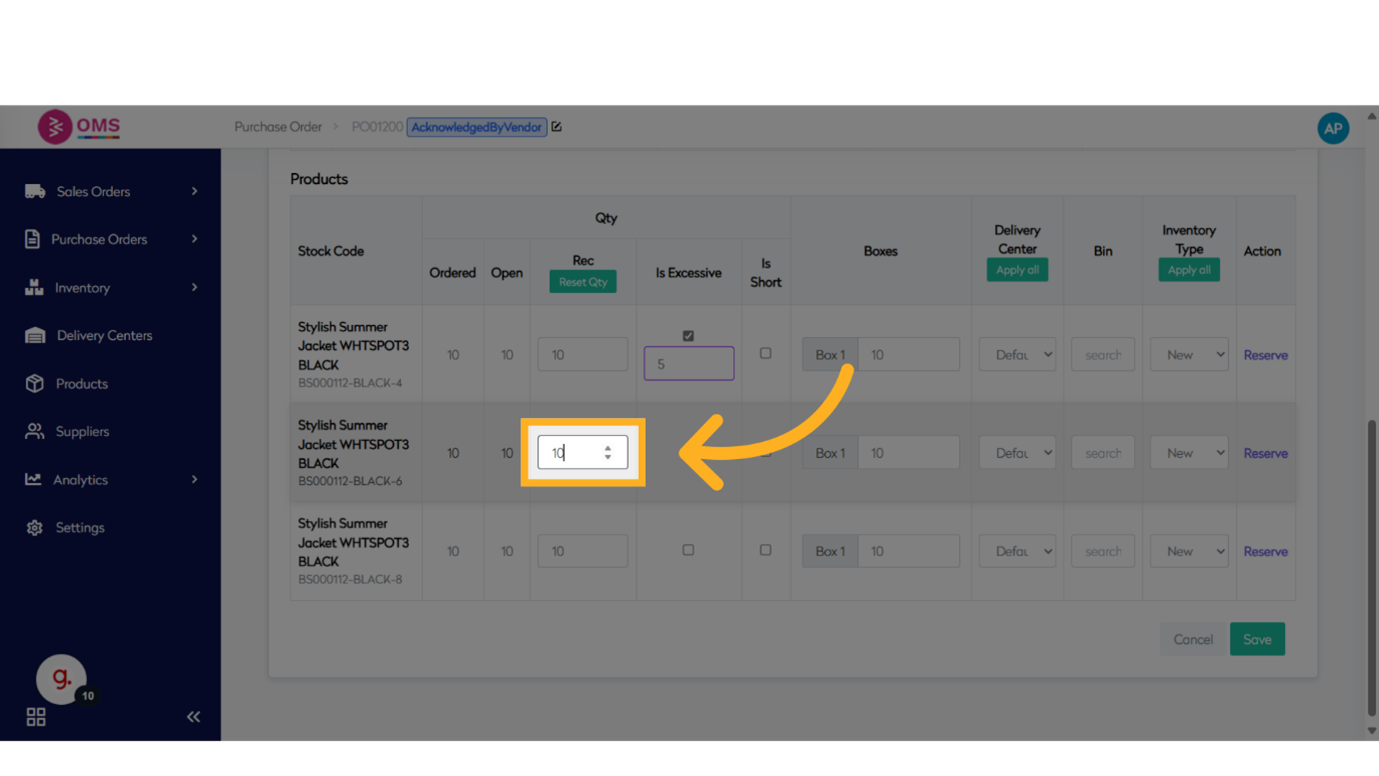
-
Fill the "Received Quantity"
Re-confirm that only 5 units were received for the line item.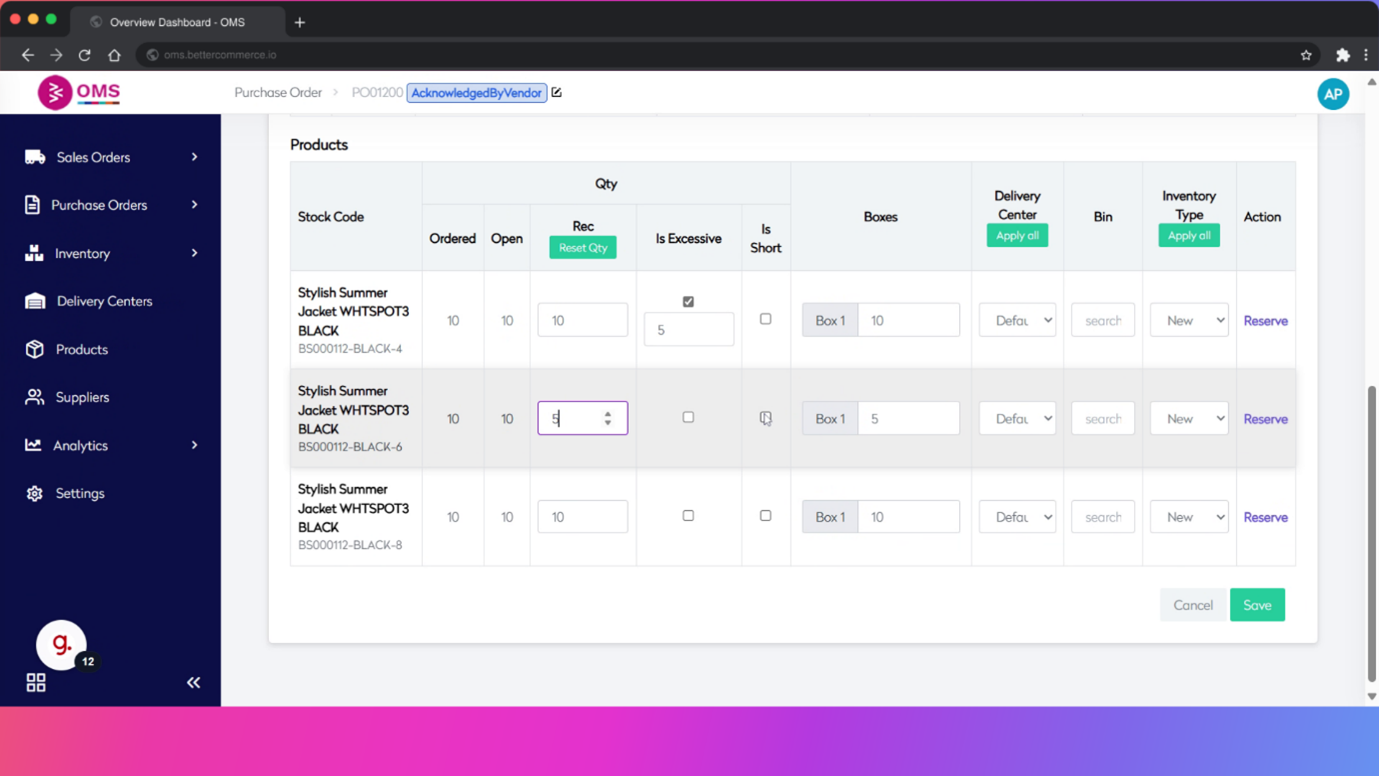
-
Click on "Is Short"
It will automatically add the short quantity for that product.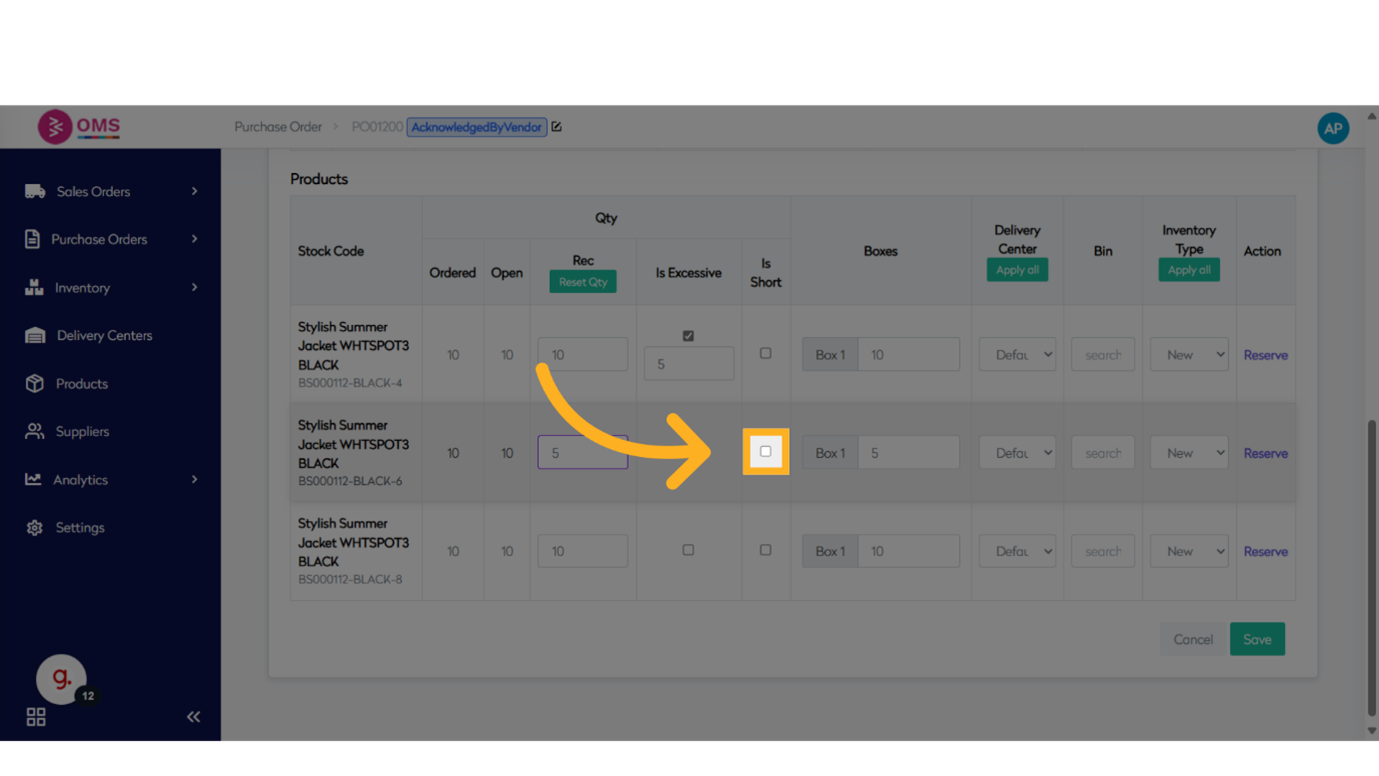
-
Click "Save"
Click Save to record the goods receipt and update inventory accordingly.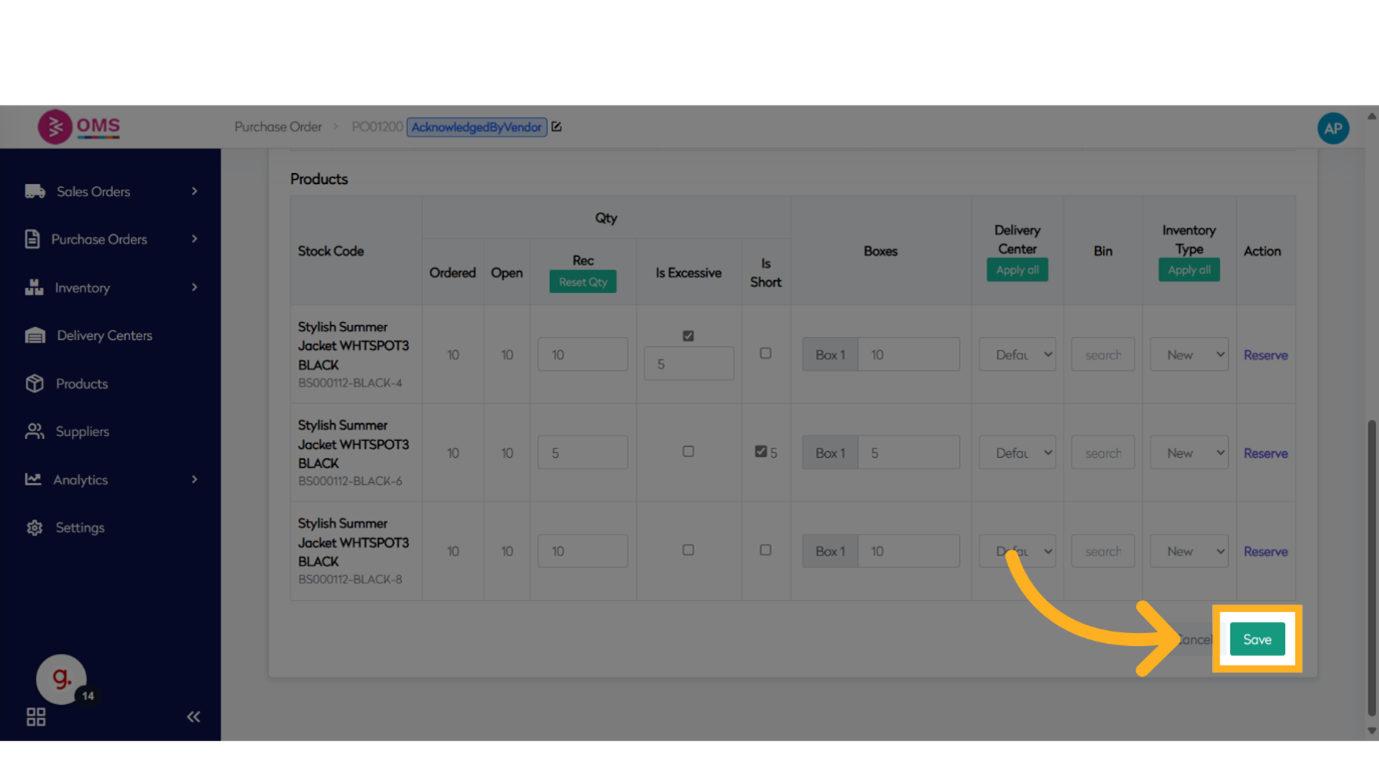
Use Cases for Allowing Over/Under Receiving
-
Over Receiving
- Supplier packs in multiples (e.g., cartons of 50).
- Buffer stock is provided intentionally.
- Acceptance depends on available warehouse space or business agreement.
-
Under Receiving
- Supplier sends a partial shipment.
- Shortage due to production or stockout on supplier side.
- Business may choose to receive what’s available and cancel or wait for the rest.
Best Practices
- Set realistic tolerance limits based on supplier history and product type.
- Review GRNs carefully to catch consistent discrepancies in supplier deliveries.
- Communicate clearly with suppliers to reduce unplanned over/under deliveries.
- Update PO lines or raise adjustments for true inventory accuracy.
Summary
Over and under receiving are natural parts of warehouse operations. BetterCommerce OMS helps manage them effectively through tolerance rules, validation prompts, and accurate GRN recording. With the right configuration, businesses can maintain operational flexibility while preserving inventory integrity.
Keep your inventory accurate, even when deliveries aren’t—powered by OMS.