
Understanding Reserved Inventory in OMS
Reserved inventory refers to stock that has been allocated to a specific sales order but has not yet been dispatched. Managing reserved inventory is essential for fulfilling high-priority orders, reducing overselling, and improving customer satisfaction. In BetterCommerce OMS, you can easily reserve items during the goods receipt process and track them through to dispatch.
What Is Reserved Inventory?
Reserved inventory is a portion of your stock that is set aside for a particular sales order. It ensures that once items are available (either received or already in stock), they will not be consumed by any other order or process.
When Should You Reserve Inventory?
- For pre-paid or priority sales orders
- When stock is limited or high in demand
- To guarantee delivery timelines for committed customers
- As part of manual or automated workflows linked to the GRN (Goods Receipt Note)
How to Reserve Inventory in OMS
-
Navigate to Purchase Orders
Go to the Purchase Orders section and select the relevant PO.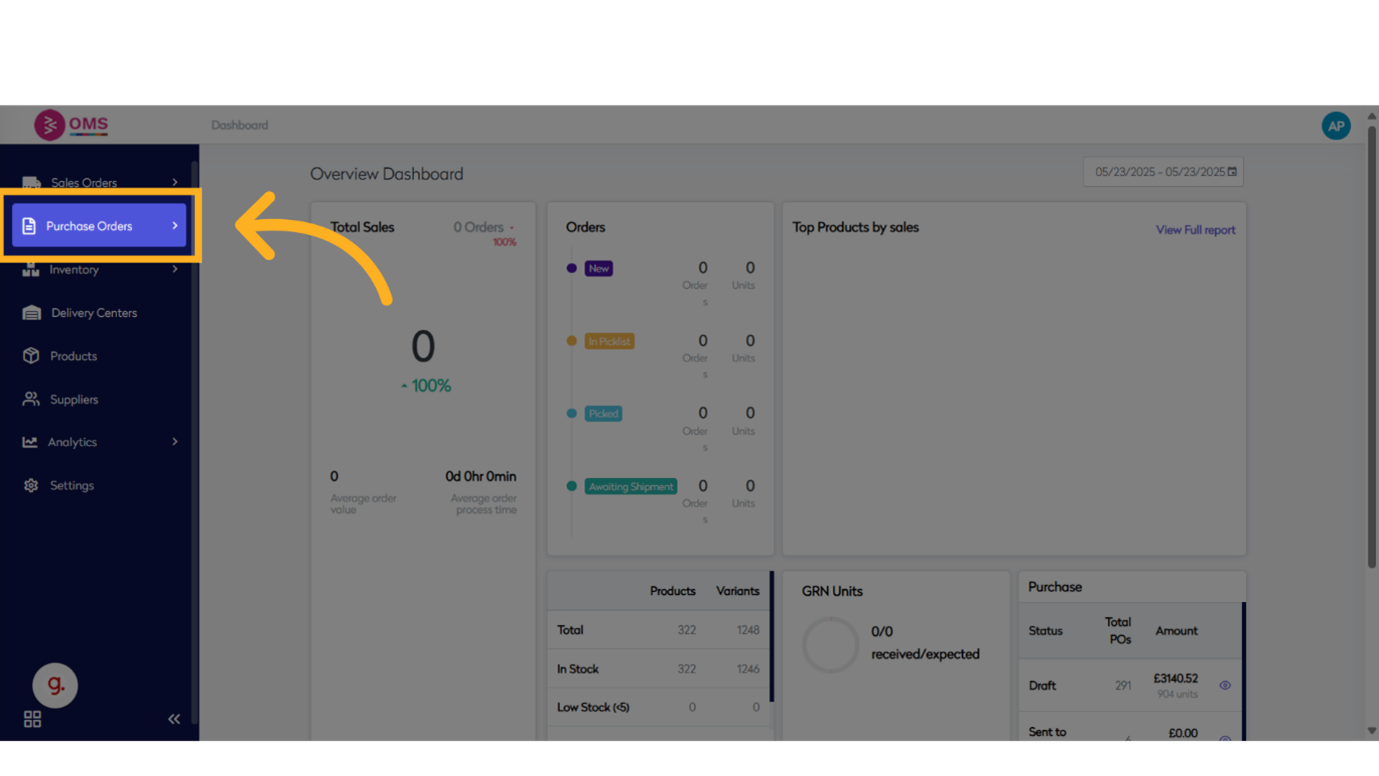
-
Click "View"
Click View to see the full list of purchase orders.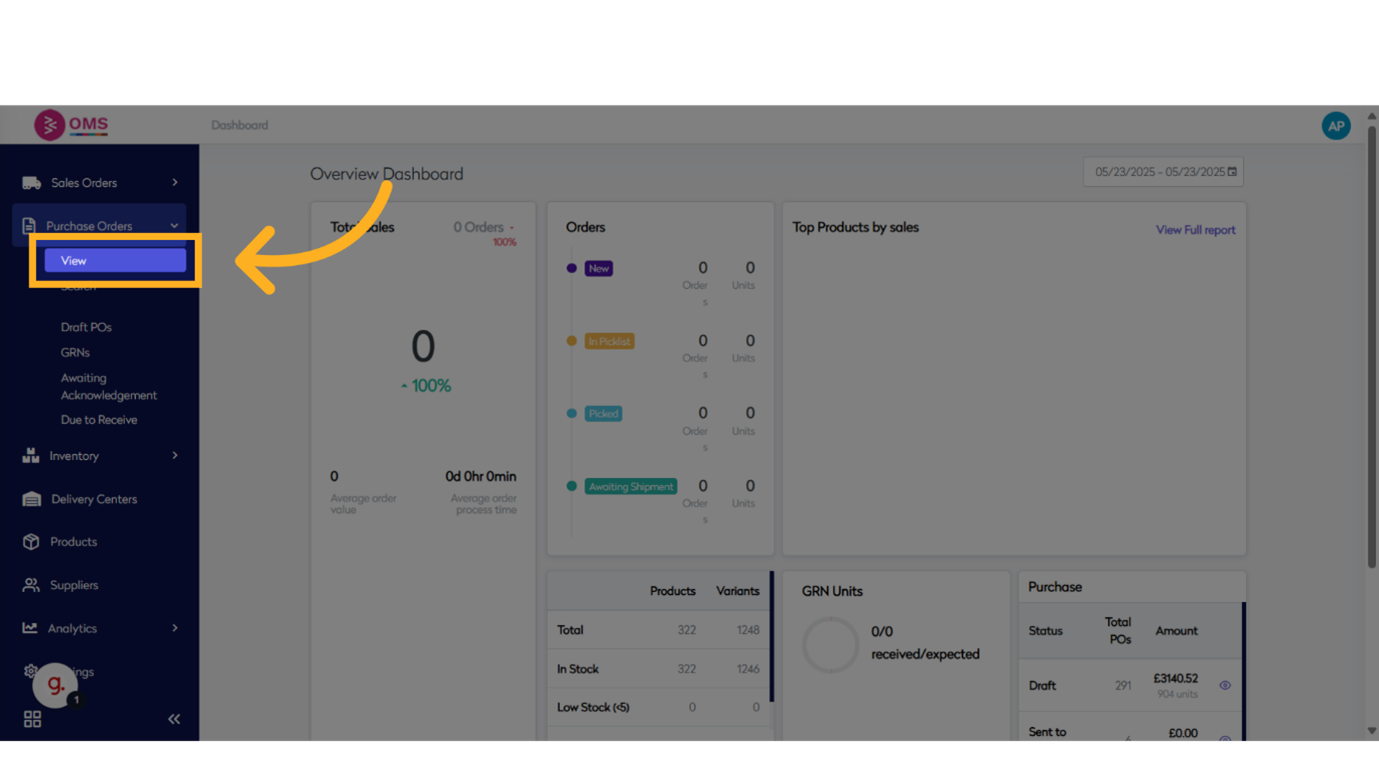
-
Click to "Select PO"
Select the purchase order to begin the goods receiving process.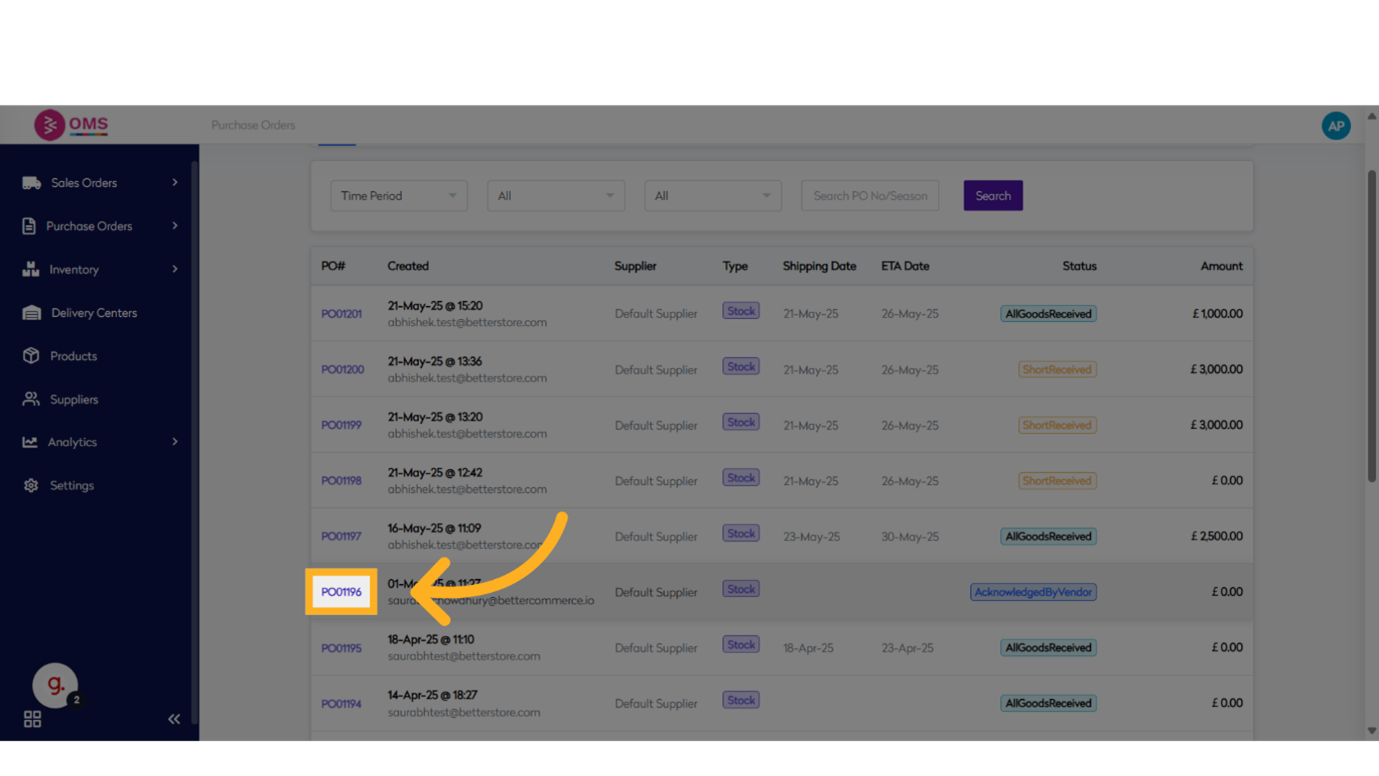
-
Click "Received"
Go to the Received tab to access receipt options.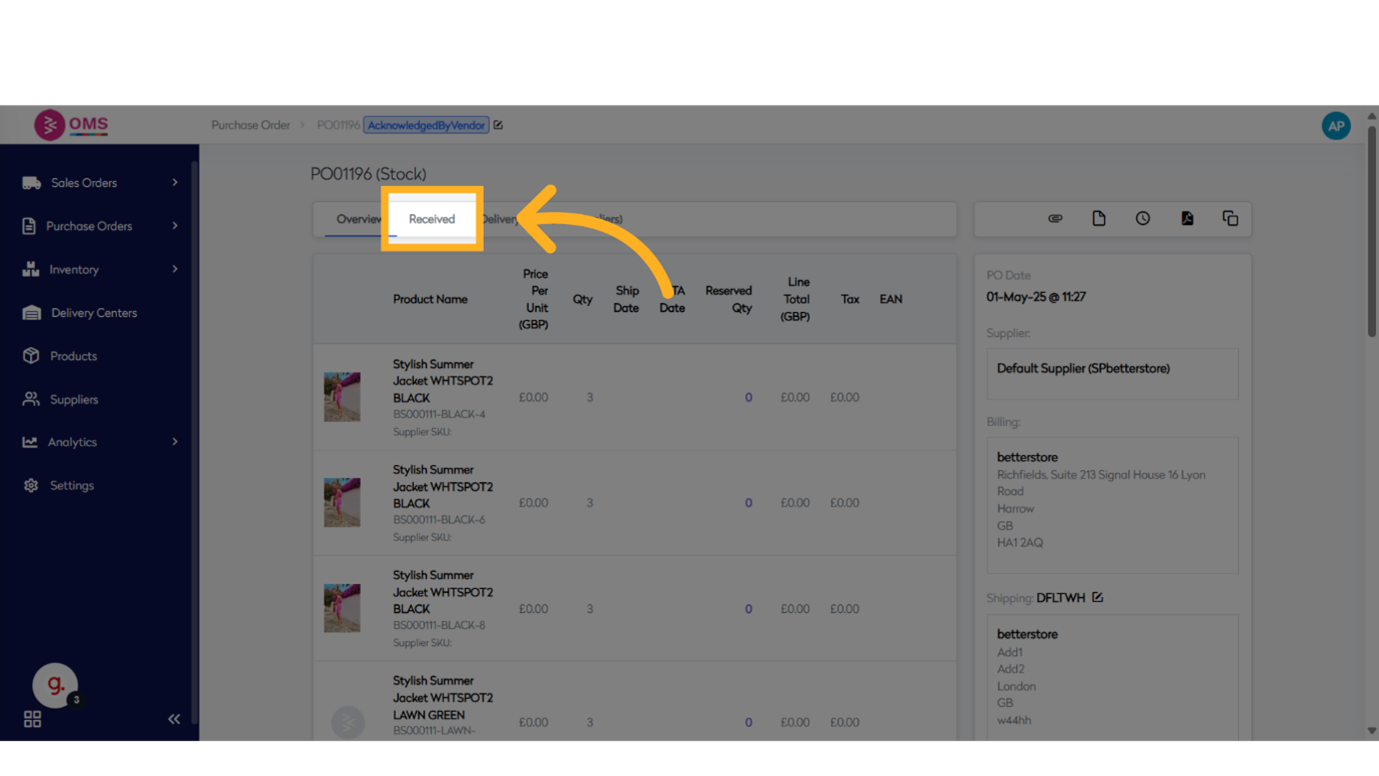
-
Receive Goods
Under the Received tab, begin the Receive Goods process.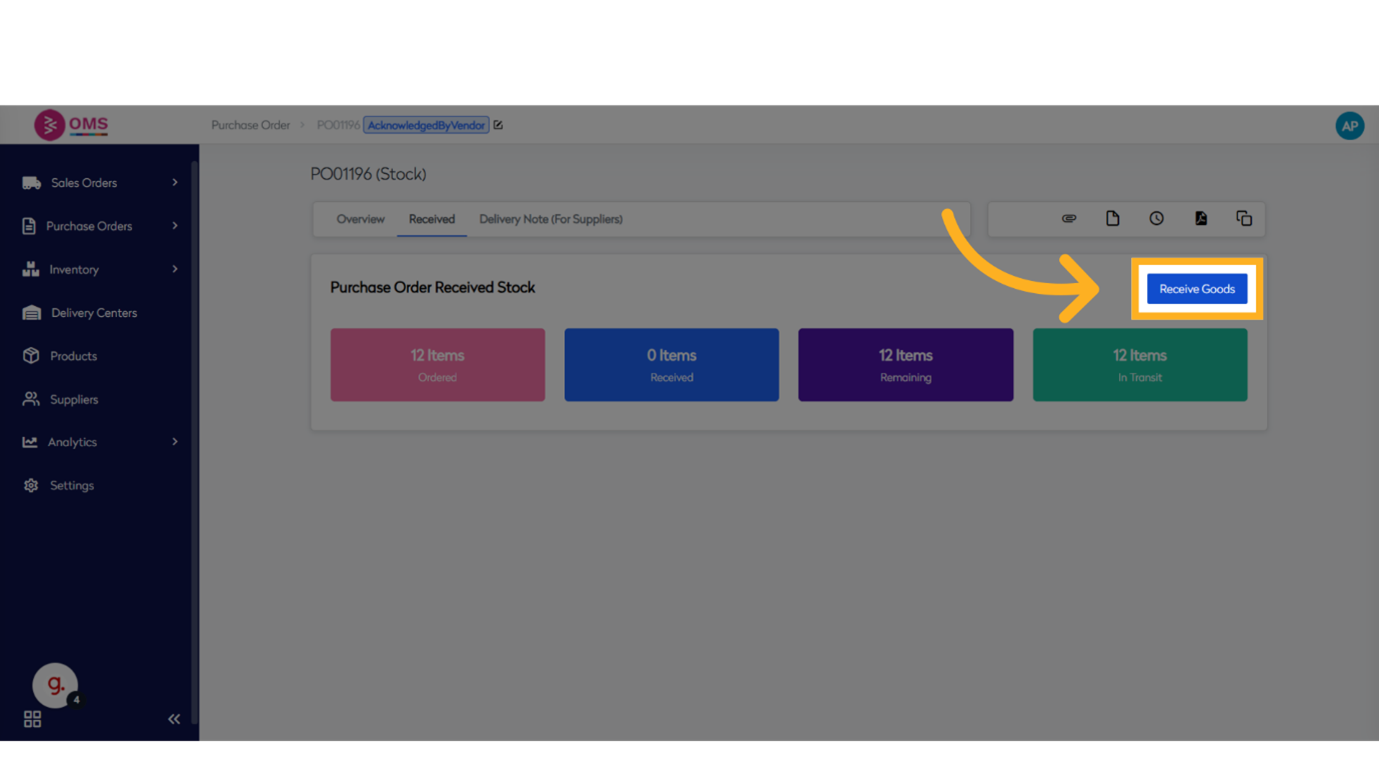
-
Click "Reserve"
Instead of only receiving to stock, choose the Reserve option to assign items to a specific sales order.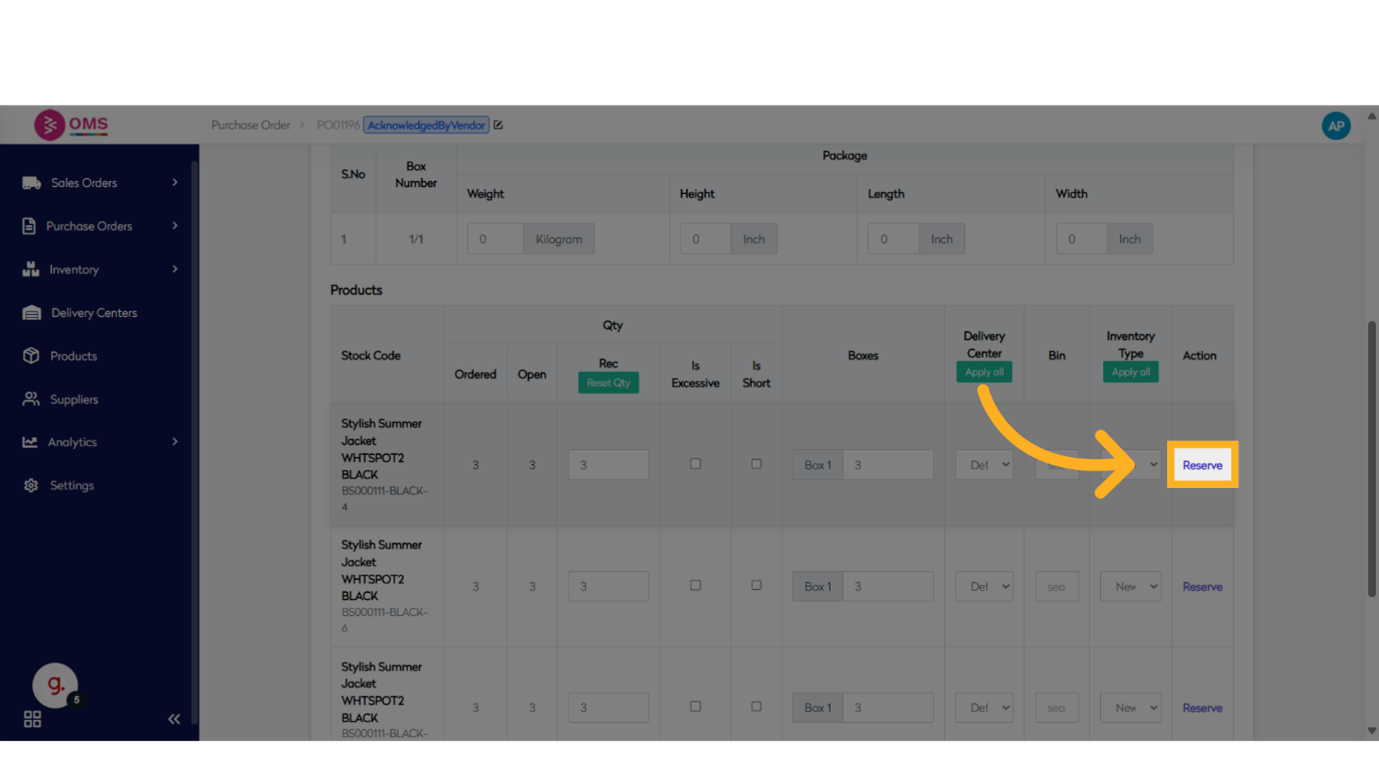
-
Search and Select Sales Order
Enter the order number and select it from the search results.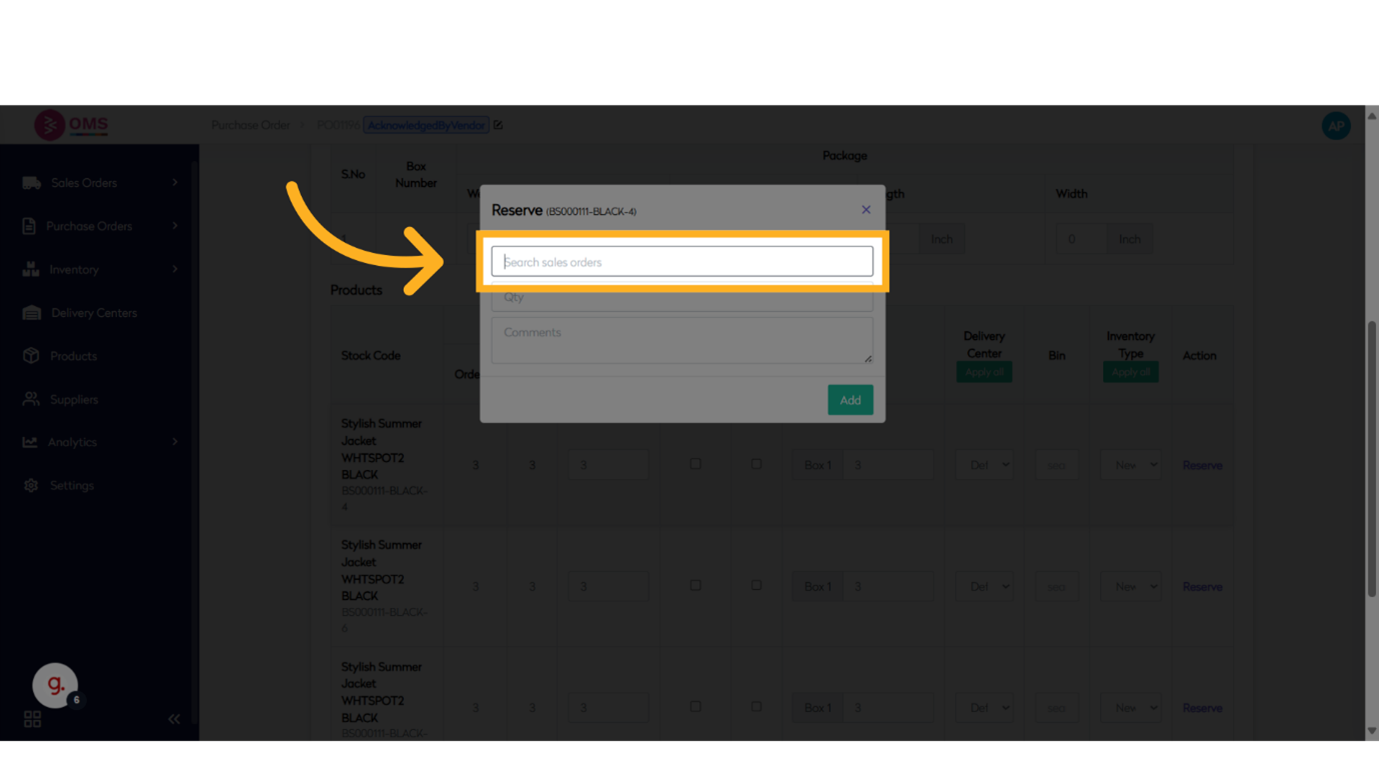
-
Enter Quantity
Specify how many units to reserve against the selected sales order.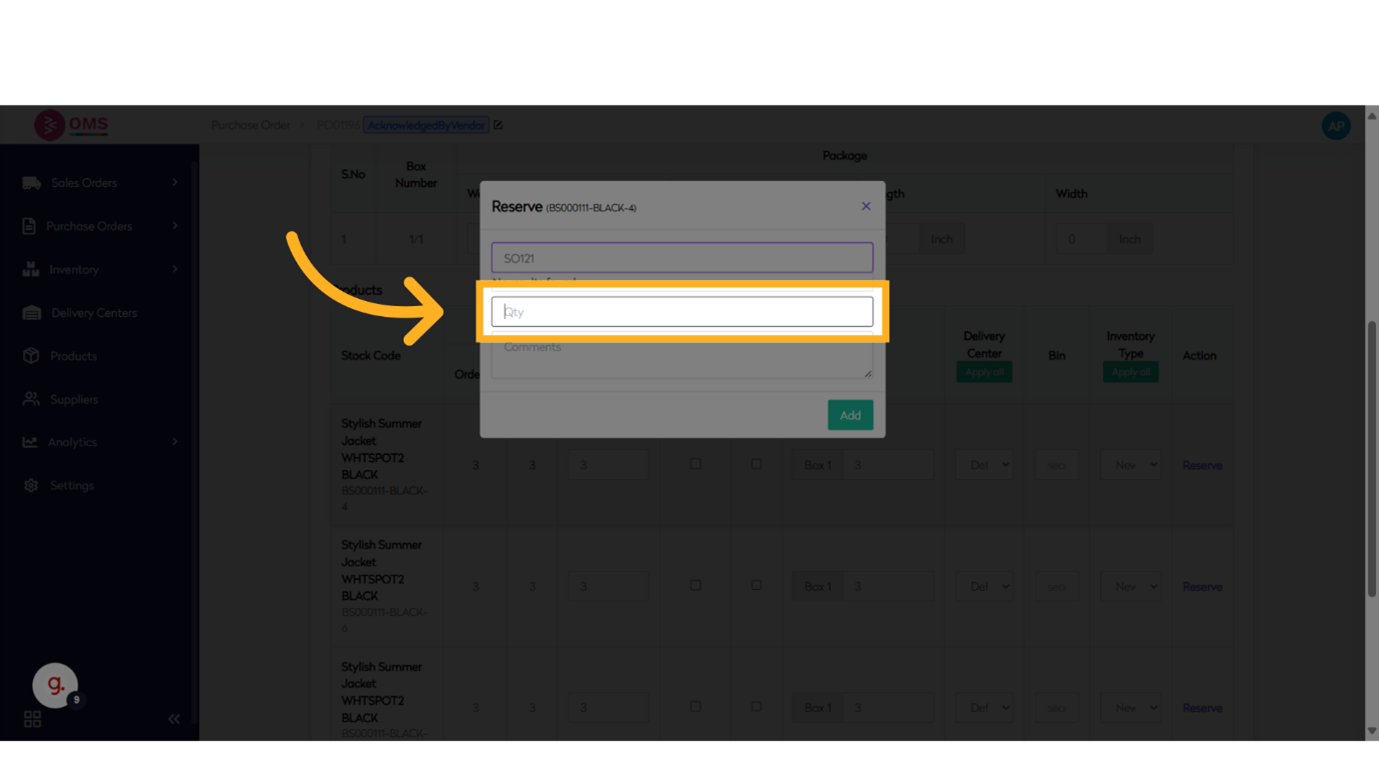
-
Add Comments (Optional)
Record any notes or context related to the reservation.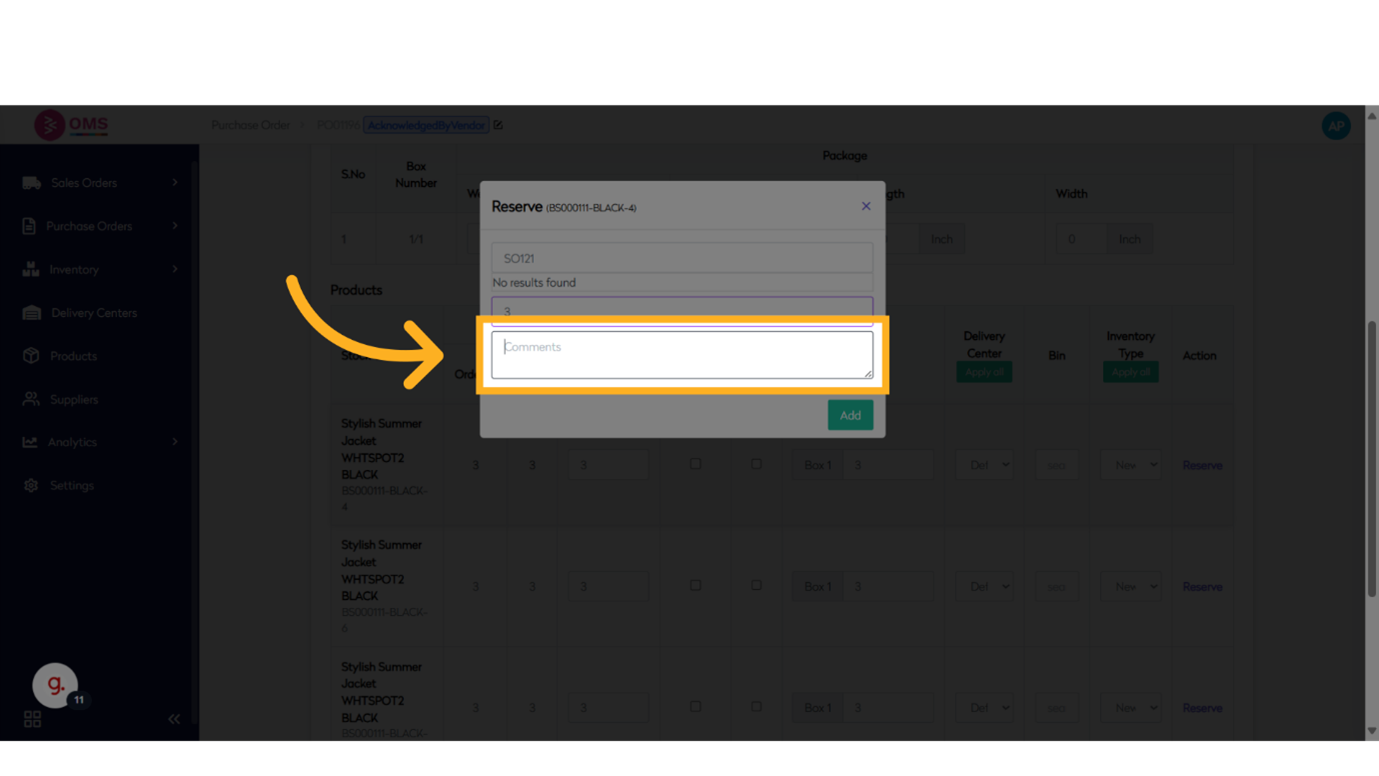
-
Add and Confirm
Click Add to confirm and then Reserve to complete the action.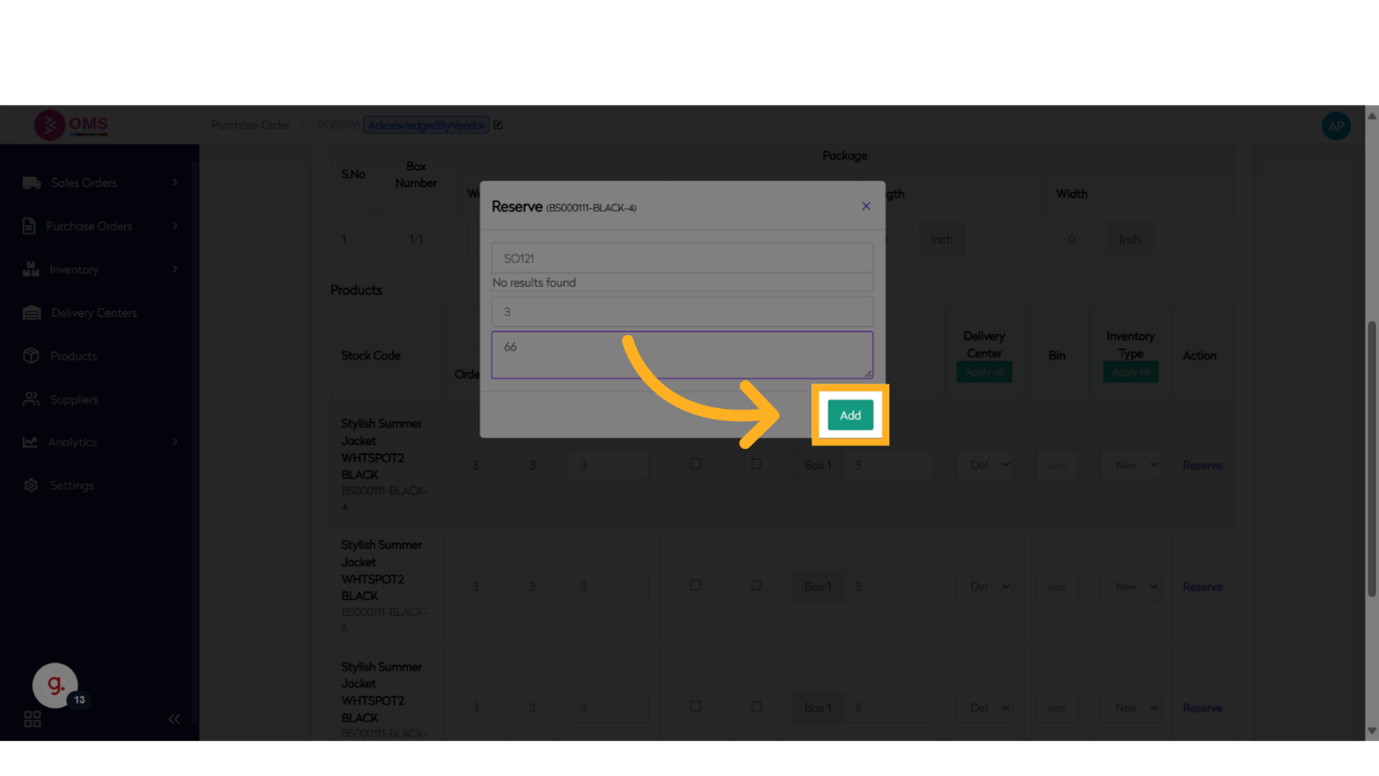
Benefits of Reserved Inventory
- Prevents stock conflicts between multiple orders
- Improves delivery accuracy for urgent or VIP orders
- Supports partial GRN allocation to sales orders
- Enhances warehouse planning by showing reserved stock separately
- Improves transparency across sales and warehouse teams
Summary
Reserved inventory ensures that you deliver the right products to the right customers, especially when inventory is tight or strategically allocated. BetterCommerce OMS provides an intuitive workflow to reserve stock during receiving or from existing on-hand inventory—keeping your fulfillment accurate and your customers happy.
Guarantee what matters — manage reserved inventory with precision in OMS.