
Adjusting Stock in OMS
Inventory accuracy is essential for successful order fulfillment, purchasing decisions, and customer satisfaction. Whether correcting errors, handling damaged goods, or updating physical stock counts, the Adjust Stock feature in BetterCommerce OMS helps keep your inventory records up-to-date and reliable.
What Is Stock Adjustment?
A stock adjustment is a manual correction made to inventory levels when the physical stock in the warehouse does not match what’s recorded in the system. This may be due to:
- Stocktaking discrepancies
- Damaged or expired products
- Lost or misplaced items
- Manual entry errors
- Returns or warehouse cleanups
How to Adjust Stock in OMS
-
Go to Inventory
Navigate to the Inventory section of OMS.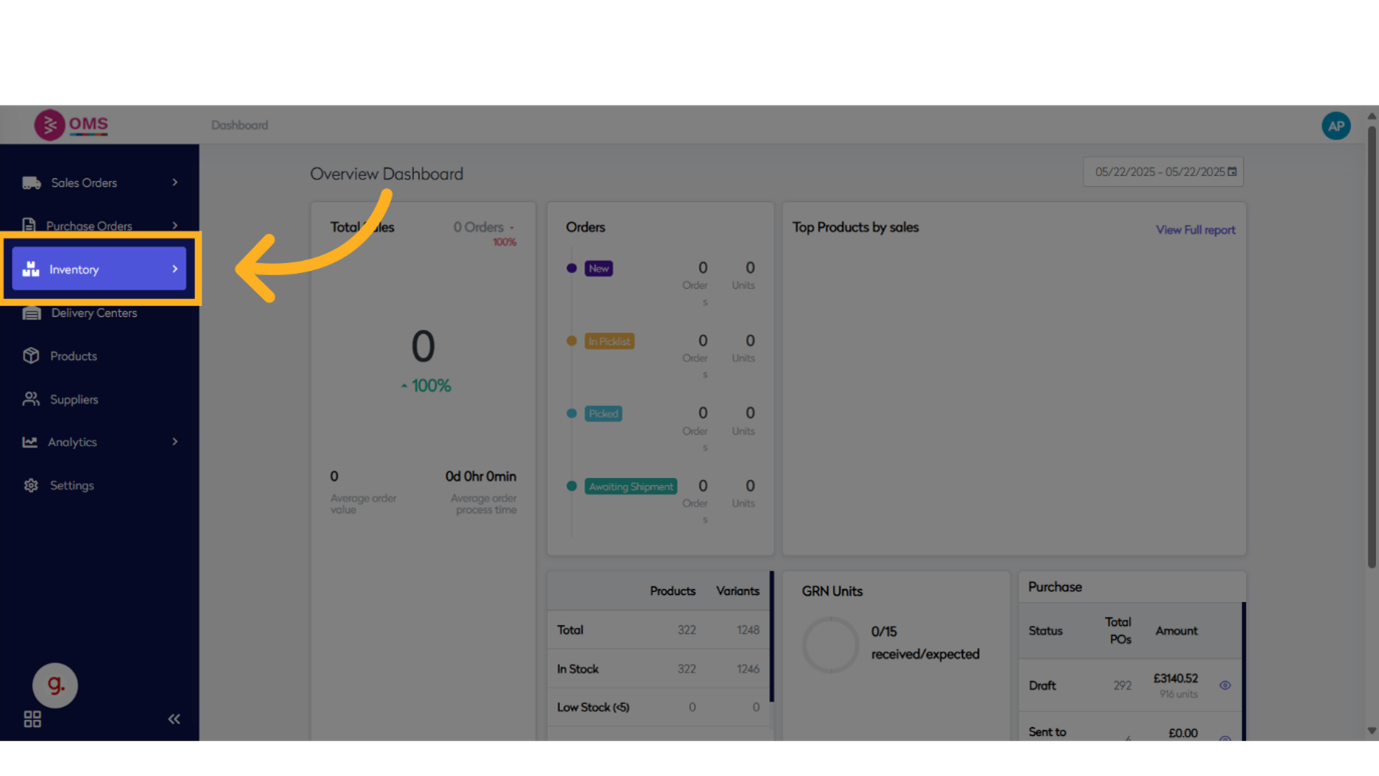
-
Click "All"
View all products available across delivery centers.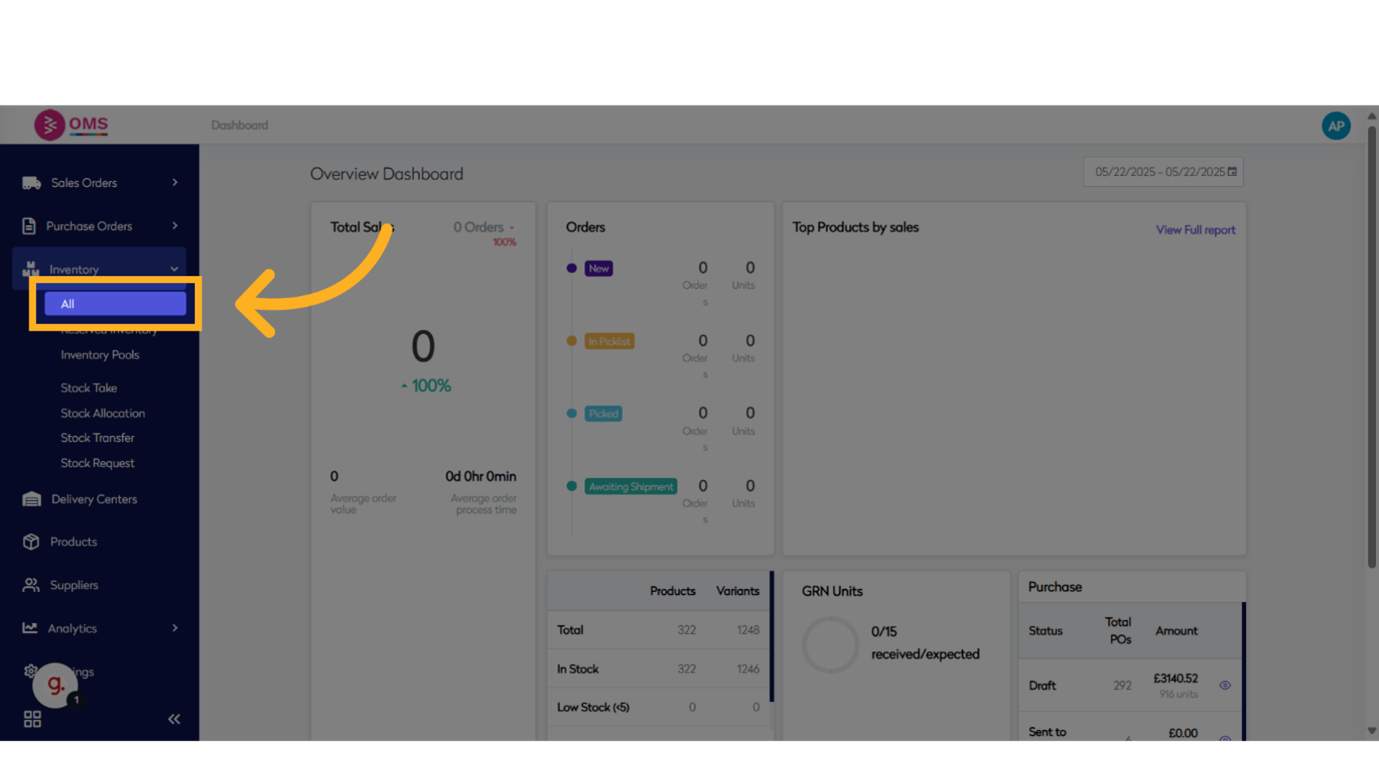
-
Click "Adjust Stock"
Open the adjustment module to begin modifying inventory levels.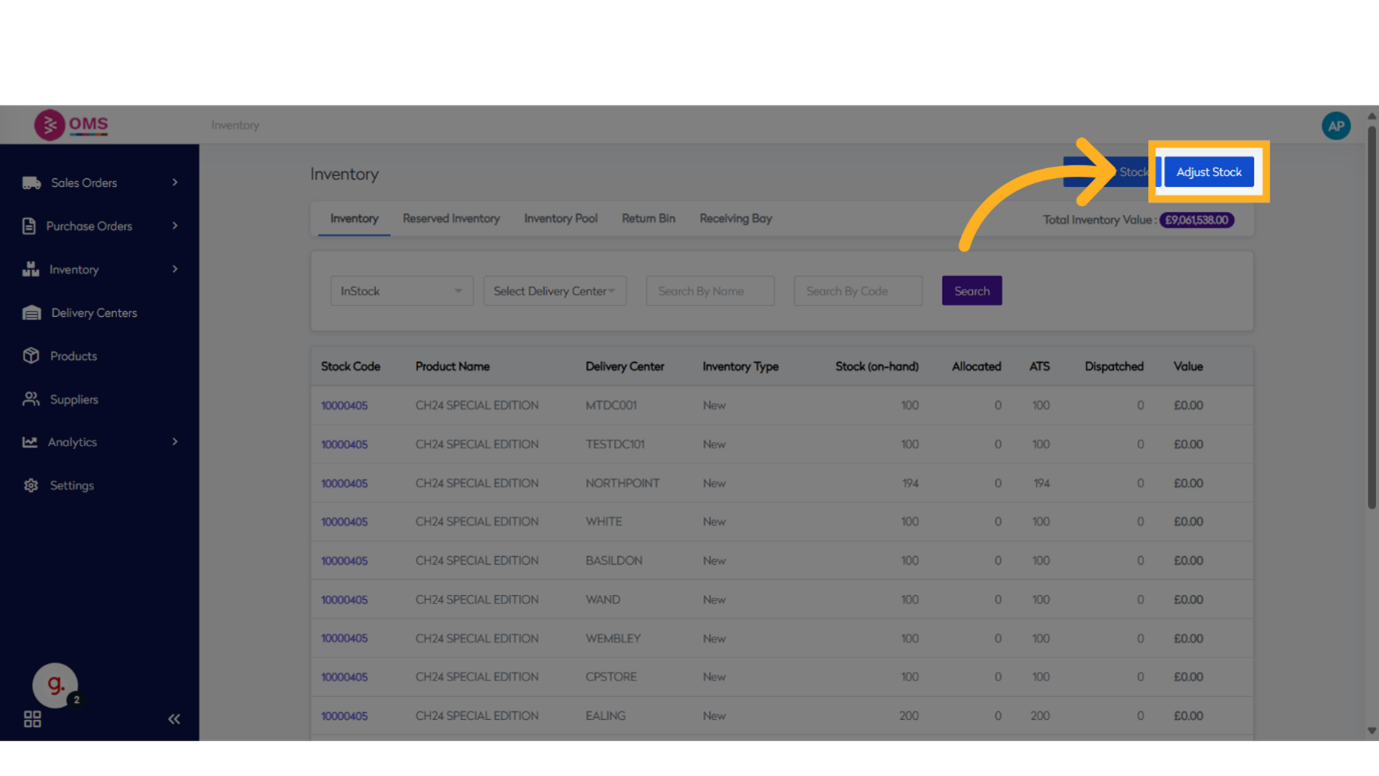
-
Search for Product
Use the product code or name to find the item whose stock needs correction.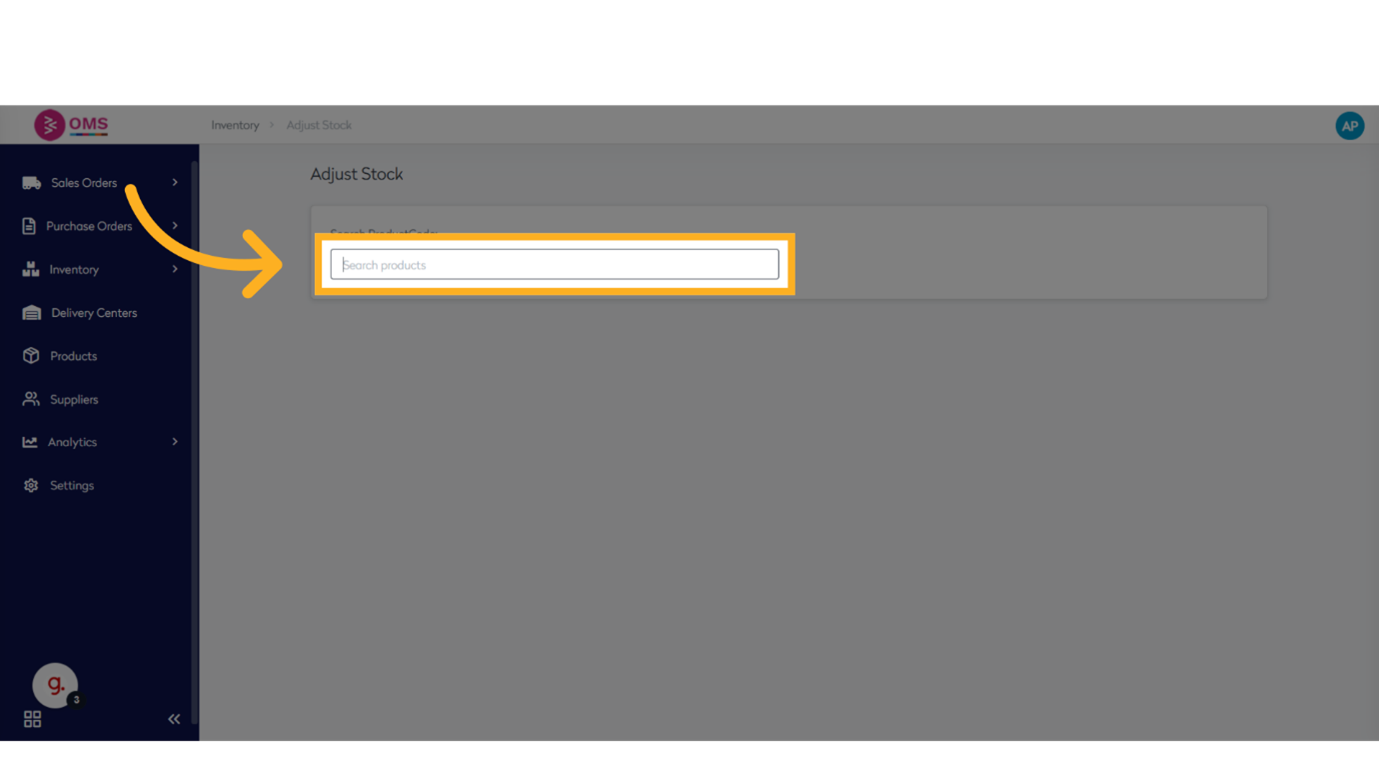
-
Select Product
Choose the specific SKU or variant to adjust.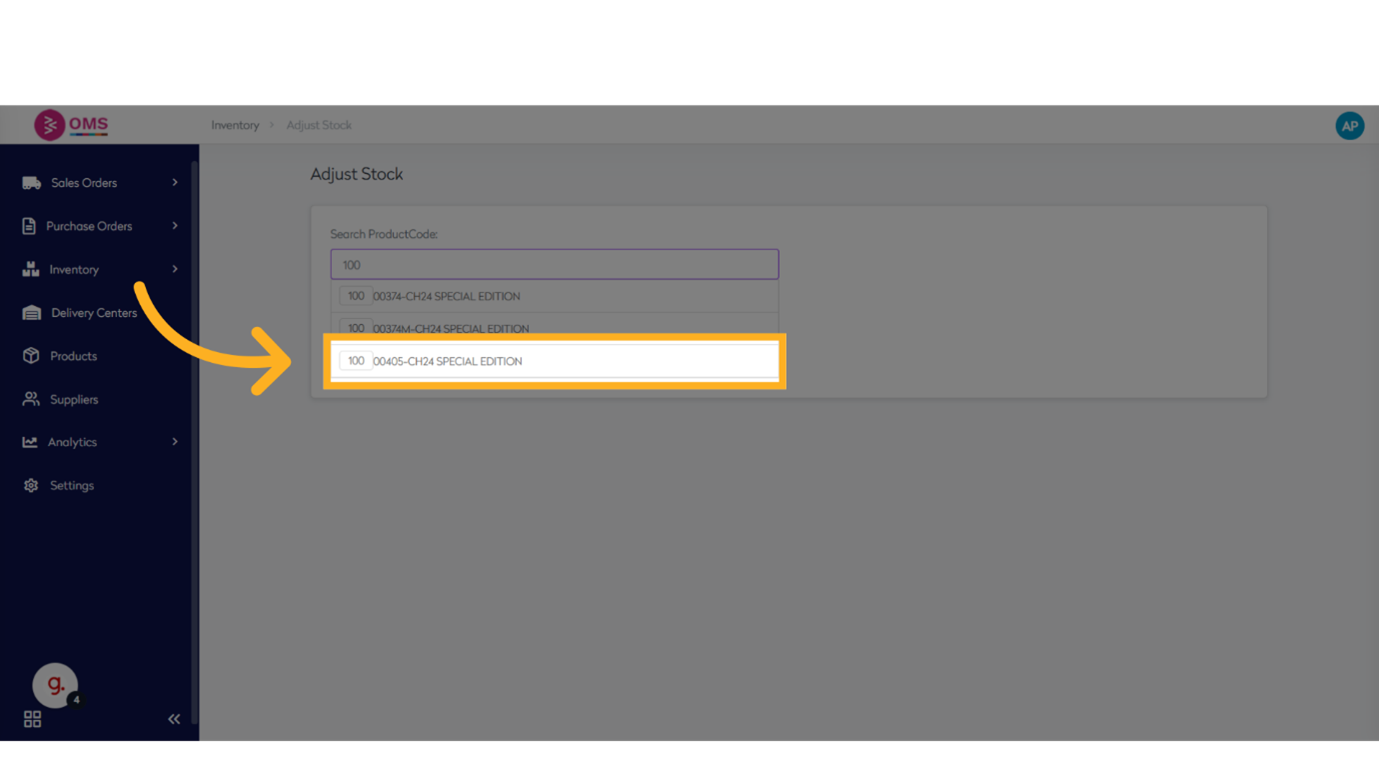
-
Edit Stock Quantity
Enter the correct stock number in the quantity field.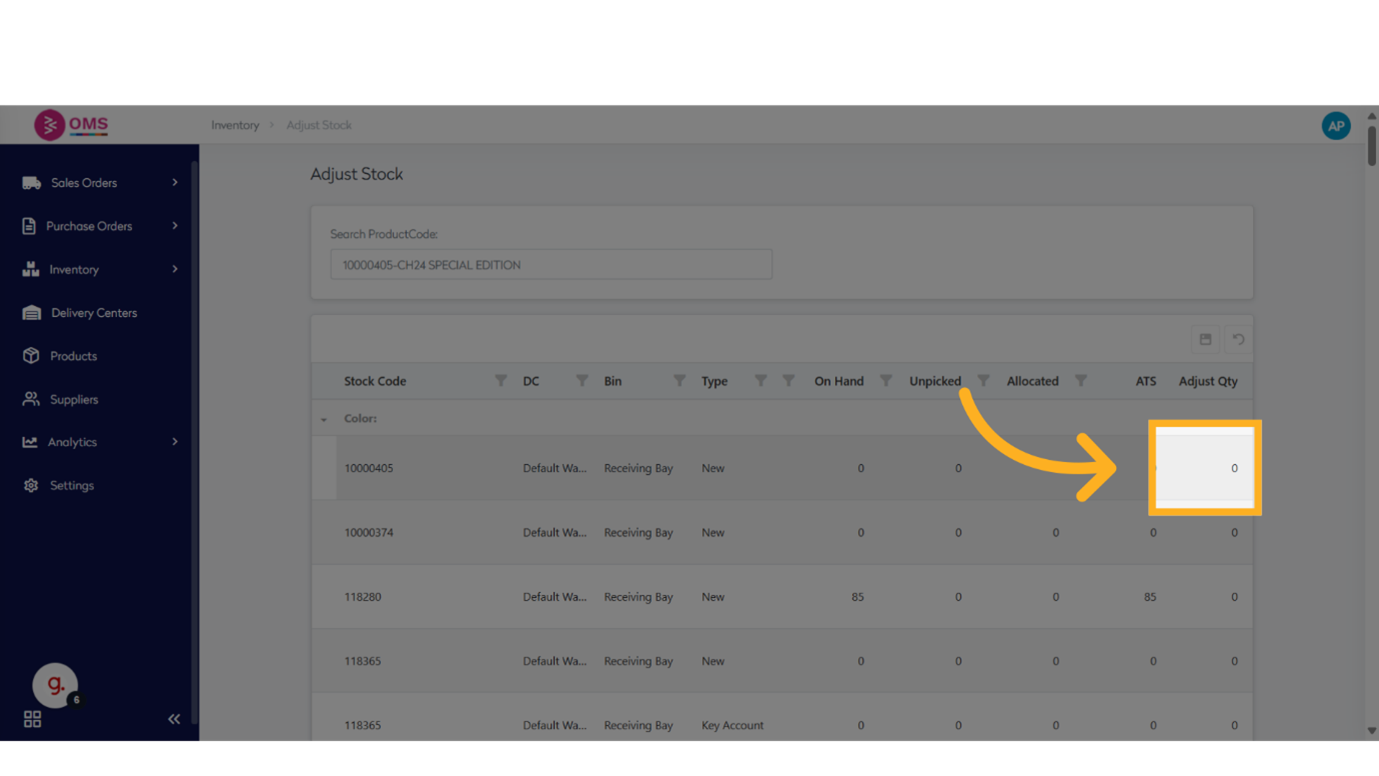
-
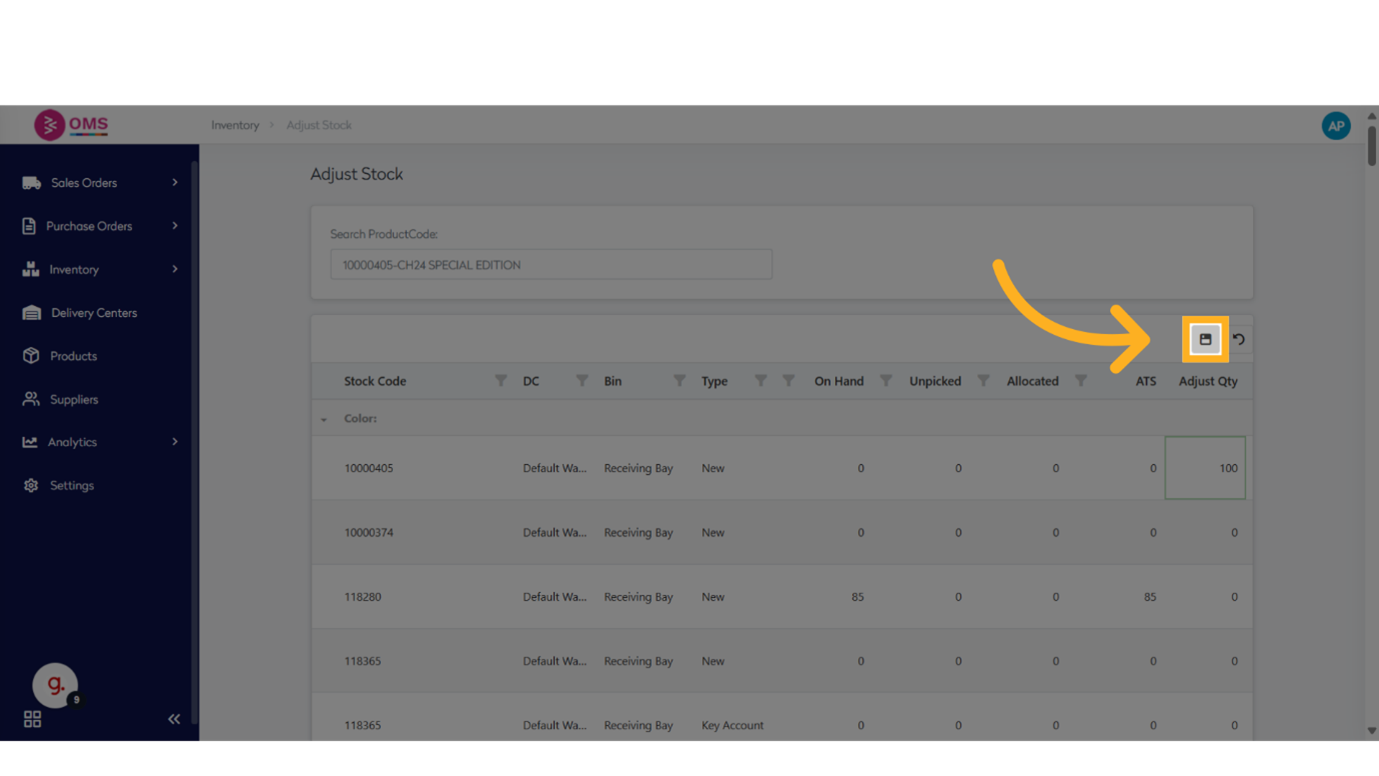
Click on Save To save the entered stock quantity.
-
Review Product Details
Confirm color, size, or other variants to avoid adjusting the wrong item.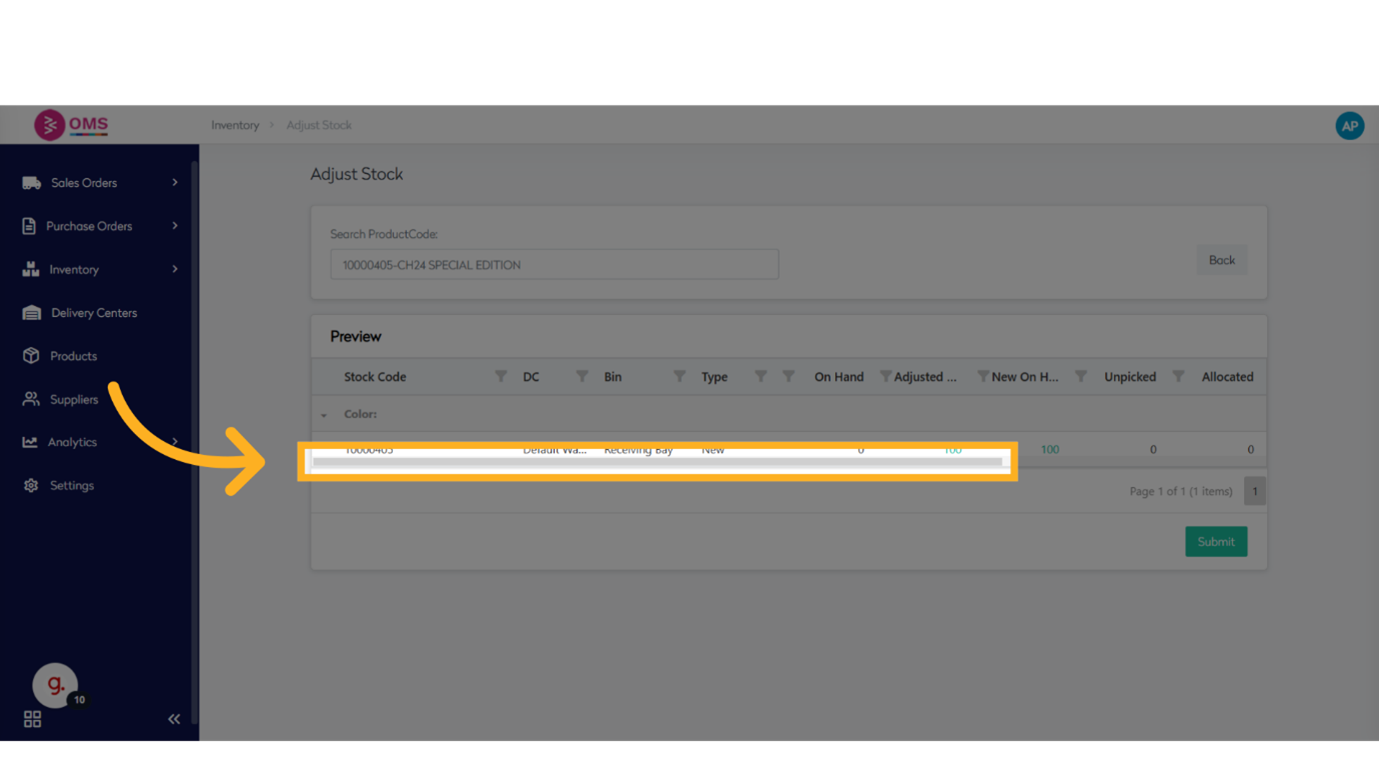
-
Submit
Click Submit to finalize the adjustment. The new quantity reflects instantly in OMS.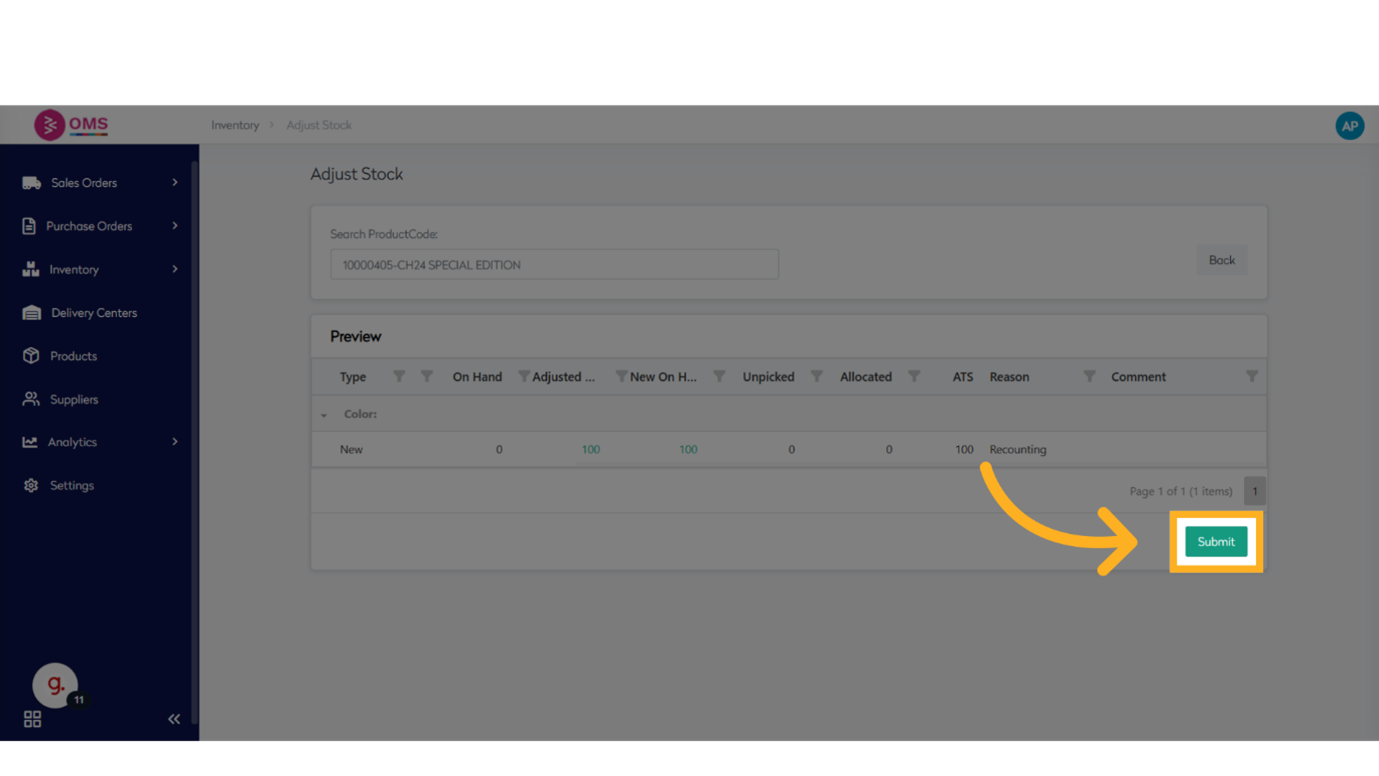
Best Practices for Stock Adjustments
- Record reasons for every adjustment for future audits
- Limit access to the adjustment feature to prevent misuse
- Perform regular cycle counts and reconcile discrepancies
- Review adjustment logs to identify recurring inventory issues
Why Stock Adjustment Matters
Accurate inventory prevents:
- Overselling or stockouts
- Incorrect replenishment orders
- Shipping delays and customer complaints
- Financial reporting errors
Stock adjustments ensure your OMS reflects reality—making operations smoother and data more trustworthy.
Summary
Adjusting stock in BetterCommerce OMS is a fast, secure, and effective way to align digital inventory with physical stock. It’s a key tool for maintaining accuracy and avoiding fulfillment issues.
Keep inventory in check—adjust smartly with OMS.