
Create/ Edit Price List
Purpose
The Price List section serves as the comprehensive pricing management system for all supplier products, enabling dynamic pricing strategies, cost analysis, and procurement optimization. This section is essential for maintaining competitive pricing, managing supplier negotiations, and ensuring accurate cost calculations across the organization.
How to update OR create a supplier price List
Step 1:
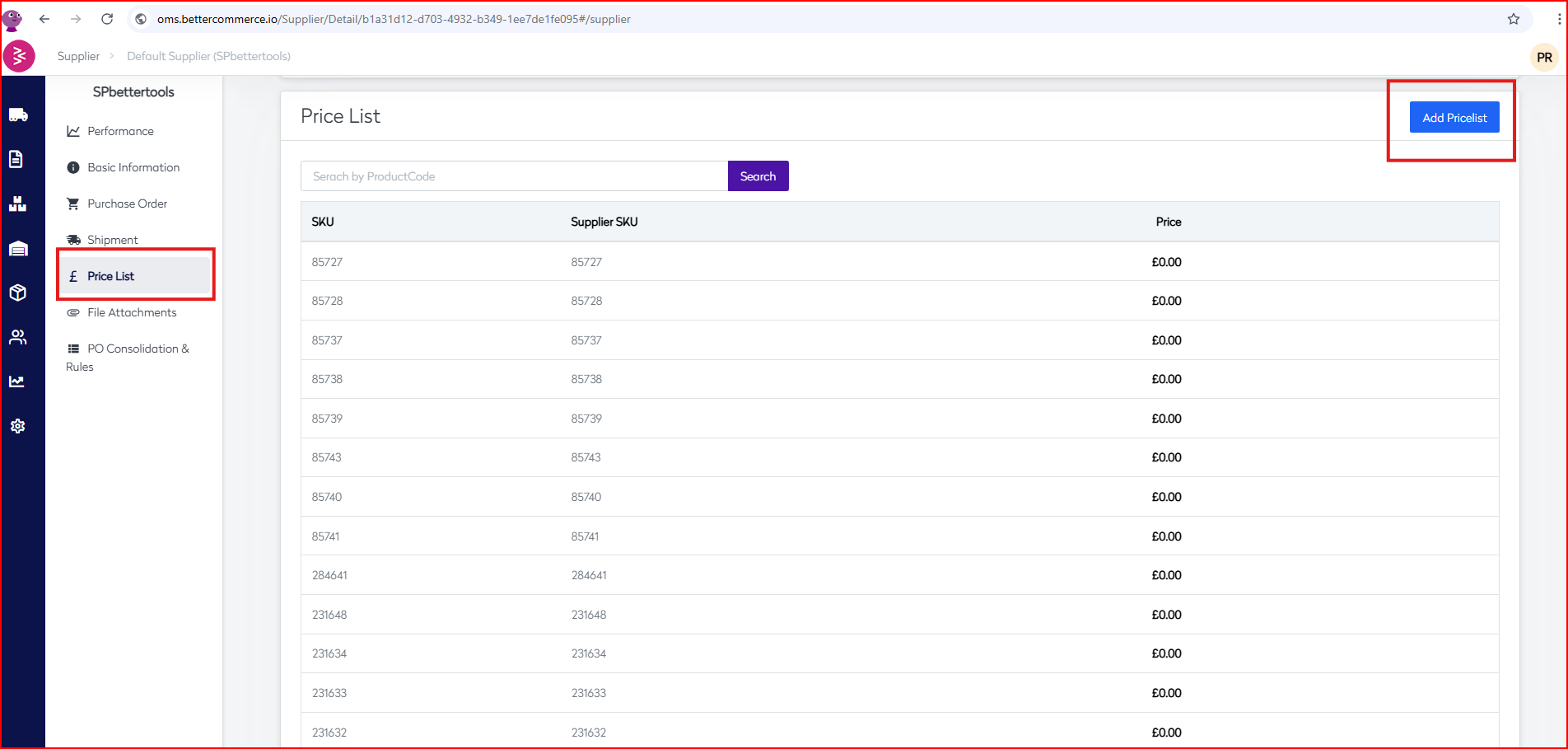
Chosse the supplier from the supplier listing screen and Got to Price list section from the left menu.
Step 2:
Select Add Pricelist button from the top left corner

Step 3 :
From here you can download the sample file and include all th stockcode for whom prices need to be updated
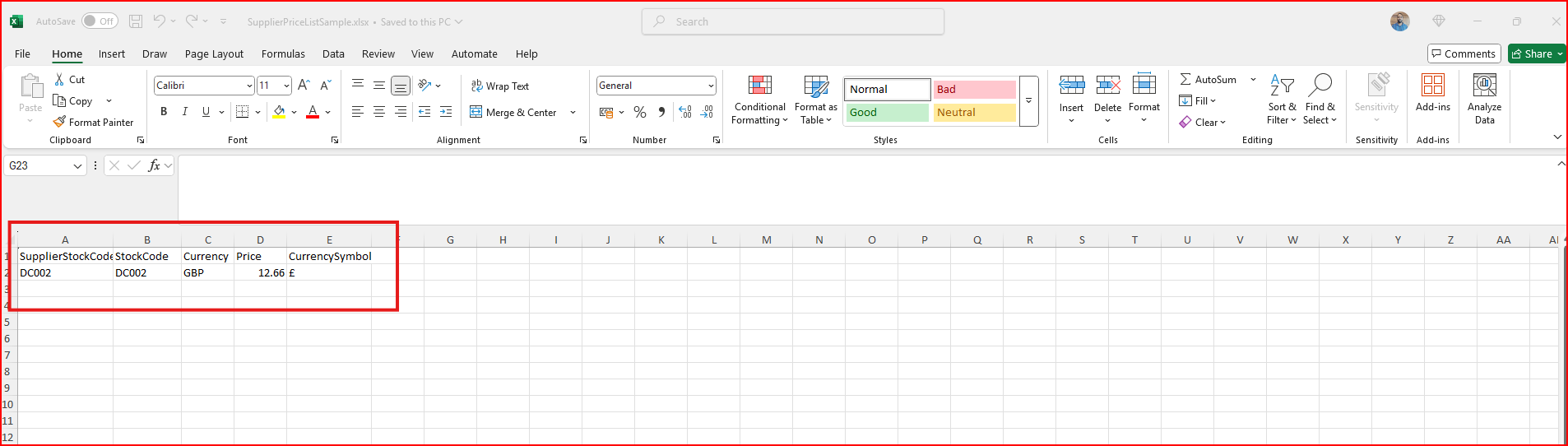
Once all the stockcodes are update in excel sheet you may upload it to update the prices.
Step 4 :
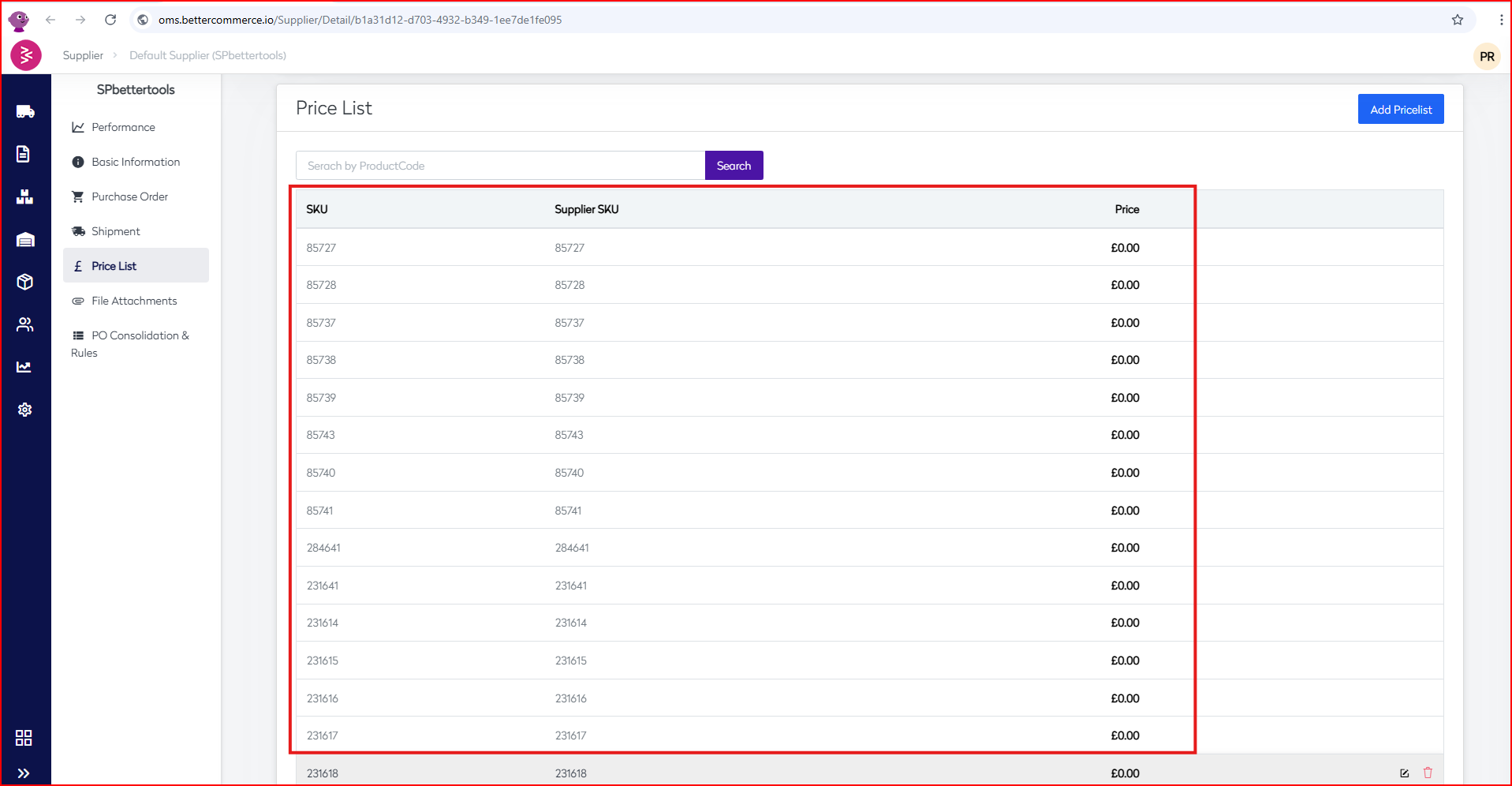
Once upload is finish screen again just go back to the Price list section and you can verify the price updates.
Supplier price List management Quick revision
- The Price List module enables centralized management of supplier product pricing to support cost optimization and procurement efficiency.
- Navigate to a supplier’s profile and access the Price List section from the left-hand menu.
- Click “Add Pricelist” to initiate a new entry; download the sample Excel template to update stock code pricing in bulk
- Upload the completed sheet to apply pricing changes across the supplier catalog.
- Revisit the Price List section to verify and confirm updated pricing data.