
Packing an Order in OMS
Packing is a crucial step in the order fulfillment process where picked items are safely prepared for shipment. In BetterCommerce OMS, the packing workflow ensures accuracy, reduces shipping errors, and improves customer satisfaction.
Overview of the Packing Process
Once items have been picked and confirmed in the system, the order status moves to "Pack". At this point, the warehouse team can begin the packing operation.
Steps to Pack an Order in OMS
-
Navigate to Sales Orders
Go to the Sales Orders section and locate the order with status marked as Picked.
-
Click “Pack”
Select the Pack Orders option to begin the packing process.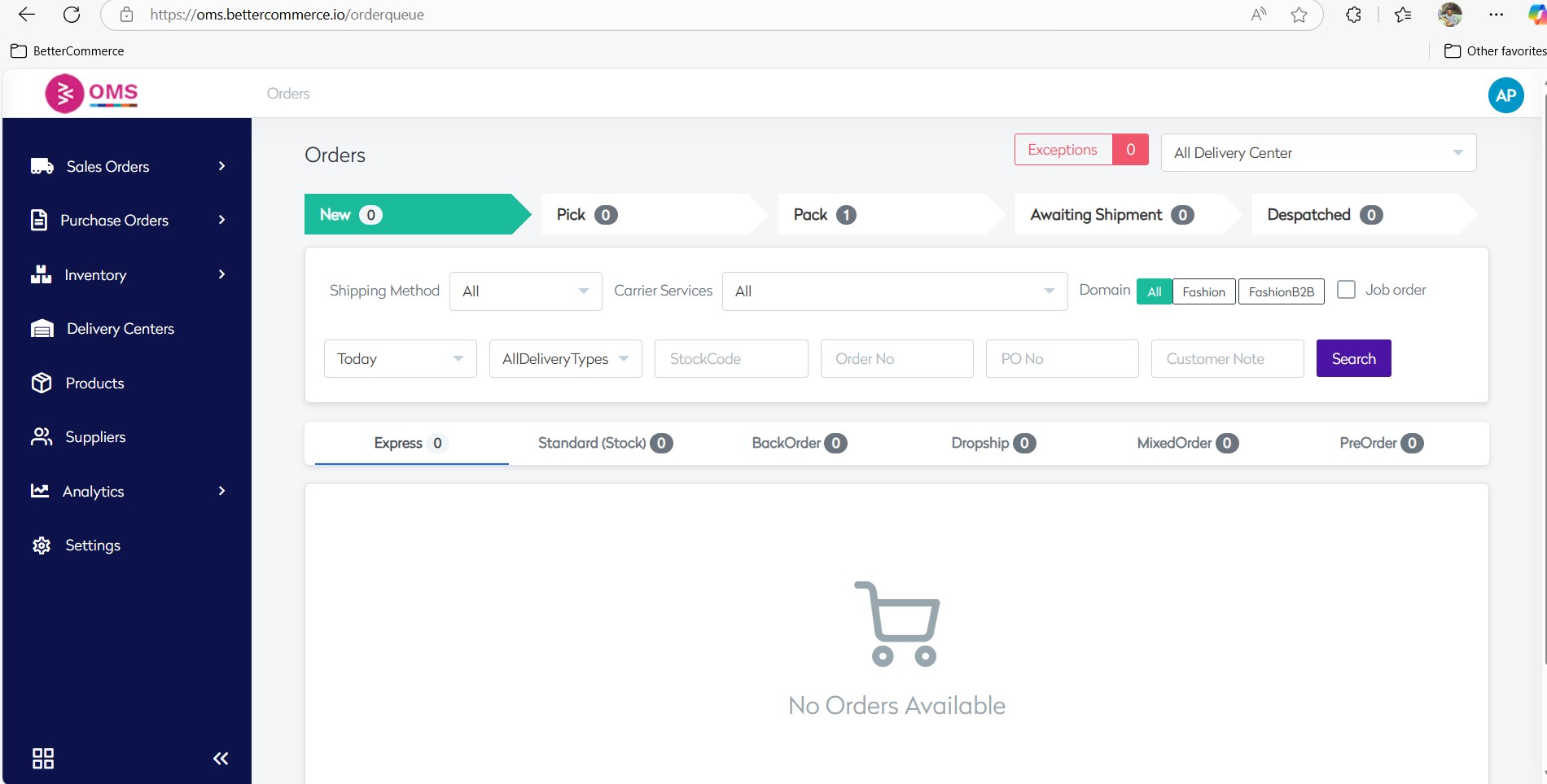
-
Verify Items
Ensure all picked items match the order details—product, quantity, and condition. OMS displays the items ready to be packed.
-
Assign Box or Container
If required, assign the items to a specific box, package, or shipping container. -
Print Shipping Label
Generate and print a packing slip to include in the shipment. This can help both warehouse and customer verify the order contents.
-
Add Tracking Number
After packing, go to the Tracking No field on the order detail screen.- Enter the shipping provider's tracking number (e.g.,
12345678) - Click Save to update the tracking info
- The system will associate the tracking number with the packed shipment and update the dispatch status accordingly

- Enter the shipping provider's tracking number (e.g.,
-
Click “Pack”
Finalize the packing step by clicking Pack in the system. The order will now move to the next status: Awaiting Shipment.
Benefits of OMS Packing Workflow
- Reduces packing errors with clear visibility into picked items
- Supports packing slips for internal and customer use
- Enables split or multi-box packaging
- Improves tracking and accountability in fulfillment
Best Practices
- Always verify item quantities before sealing the package
- Use barcode scanning for greater packing accuracy
- Include packing slips when required by business rules or customer expectations
- Update the system immediately after packing to trigger shipping label generation
Packing may be the last step before dispatch, but it’s one of the most important. With BetterCommerce OMS, you can make sure every package is accurate, traceable, and ready to deliver a great customer experience.
Pack with precision. Ship with confidence. Powered by OMS.