
Managing In-Stock Orders in OMS
The In-Stock Orders screen in the BetterCommerce OMS allows you to efficiently manage standard stock orders through a streamlined order processing workflow.
Key Features
-
View New Orders
Orders begin in the "New" status. The system groups orders by their fulfillment method (e.g., Standard Stock, BackOrder, Dropship, etc.).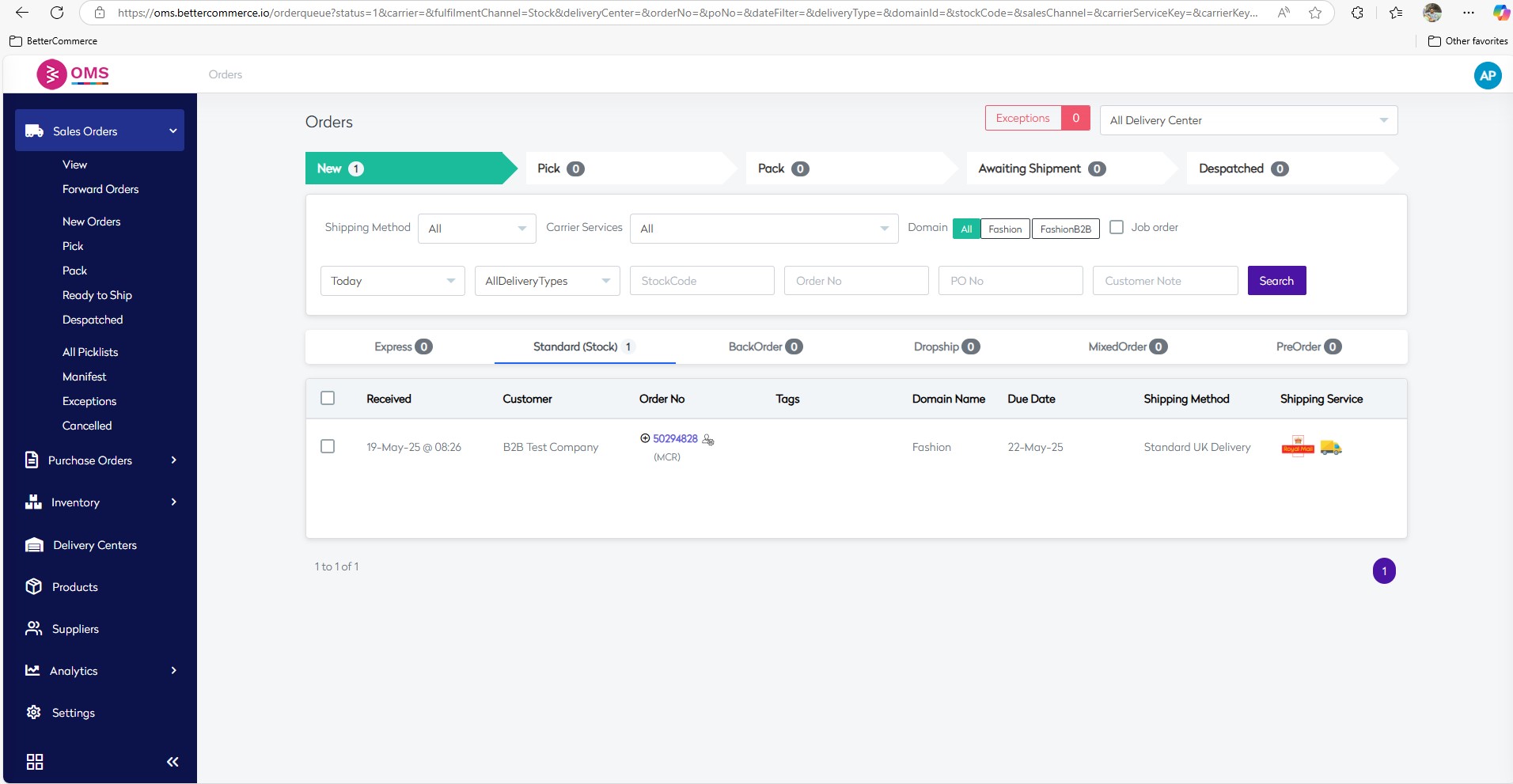
-
Filter Orders
Use filters like:- Shipping Method
- Carrier Services
- Delivery Center
- Stock Code
- Order No
- PO No
- Customer Notes
to quickly find specific orders.
-
Track Order Progression
Orders move through the following stages:New → Pick → Pack → Awaiting Shipment → Dispatched
This allows full visibility into the fulfillment process.
-
Order Details
View key order information including: -
Order Number & Customer
-
Tags
-
Domain Name
-
Due Date
-
Shipping Method
-
Shipping Service
Benefits
This centralized view ensures your warehouse or logistics team can:
- Identify pending tasks
- Act quickly on new orders
- Reduce delays
- Improve fulfillment accuracy and speed for in-stock items