
Creating a Supplier Return in OMS
Supplier returns are a crucial part of inventory and procurement management. When goods are damaged, over-delivered, or no longer needed, returning them to the supplier helps maintain stock accuracy and control costs. In BetterCommerce OMS, creating a Supplier Return is simple, traceable, and efficient.
What Is a Supplier Return?
A supplier return is the process of sending products back to the supplier after they’ve been received. Common reasons include:
- Damaged or defective goods
- Over-receipt of items
- Wrong items delivered
- Stock no longer required
How to Create a Supplier Return in OMS
-
Click "Purchase Orders"
Navigate to the Purchase Orders section to view all existing POs.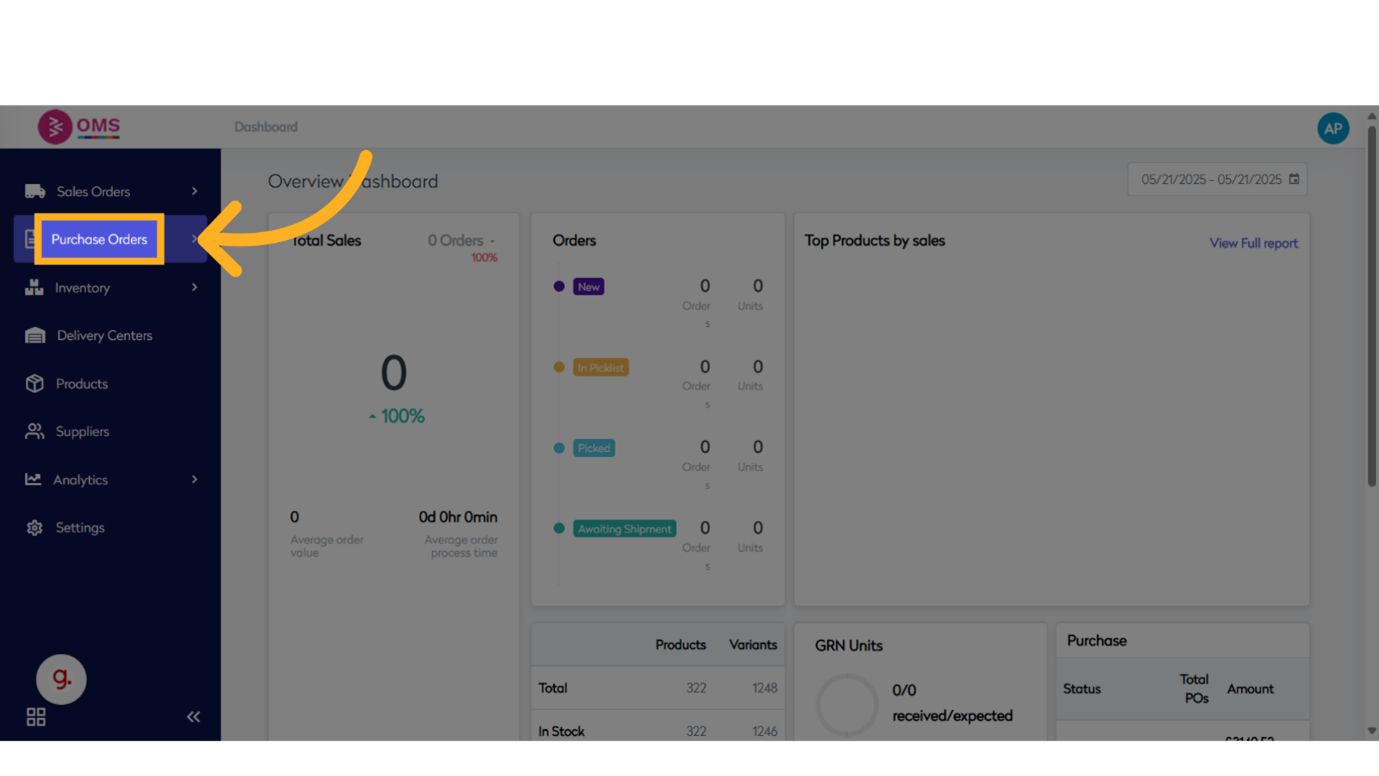
-
Click "View"
Click the View option to display the list of purchase orders.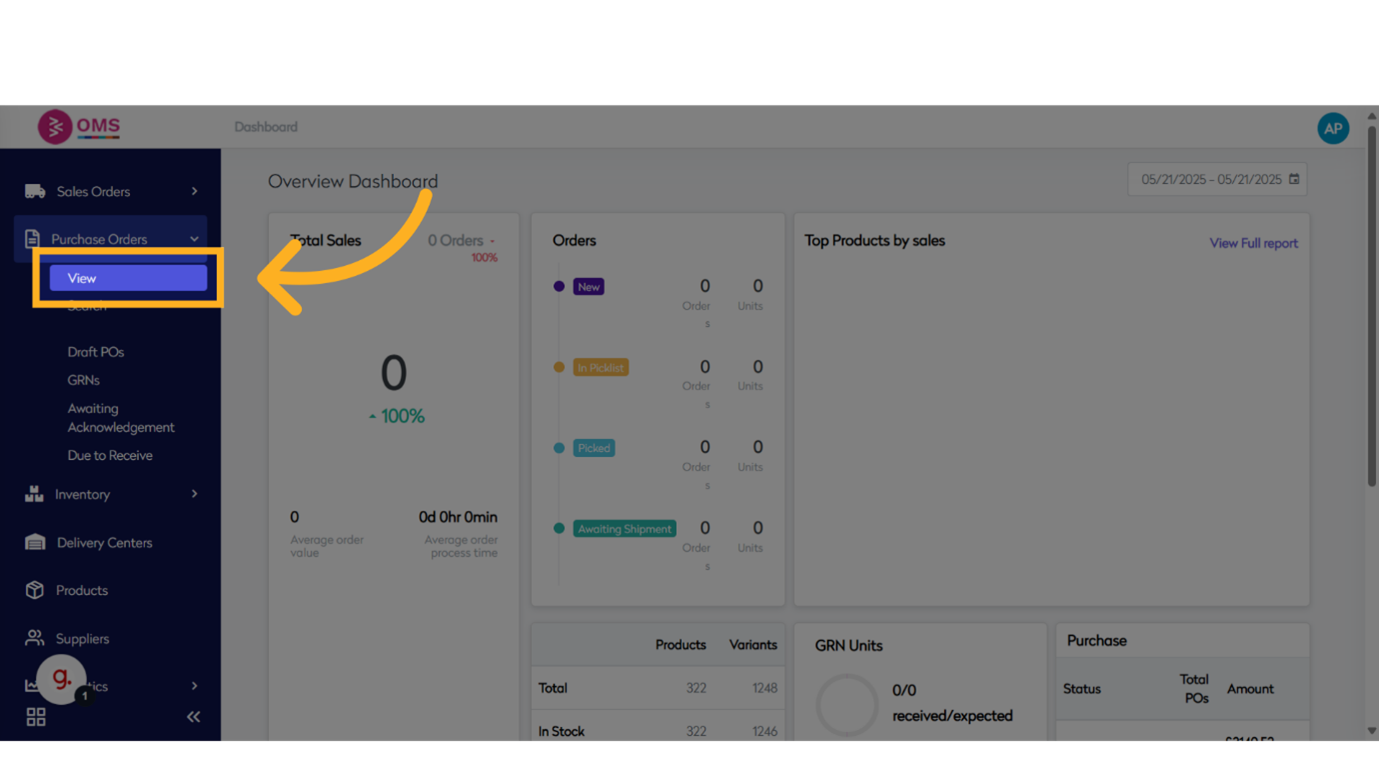
-
Click "Purchase Order"
Select the purchase order with ID for which you want to initiate a return.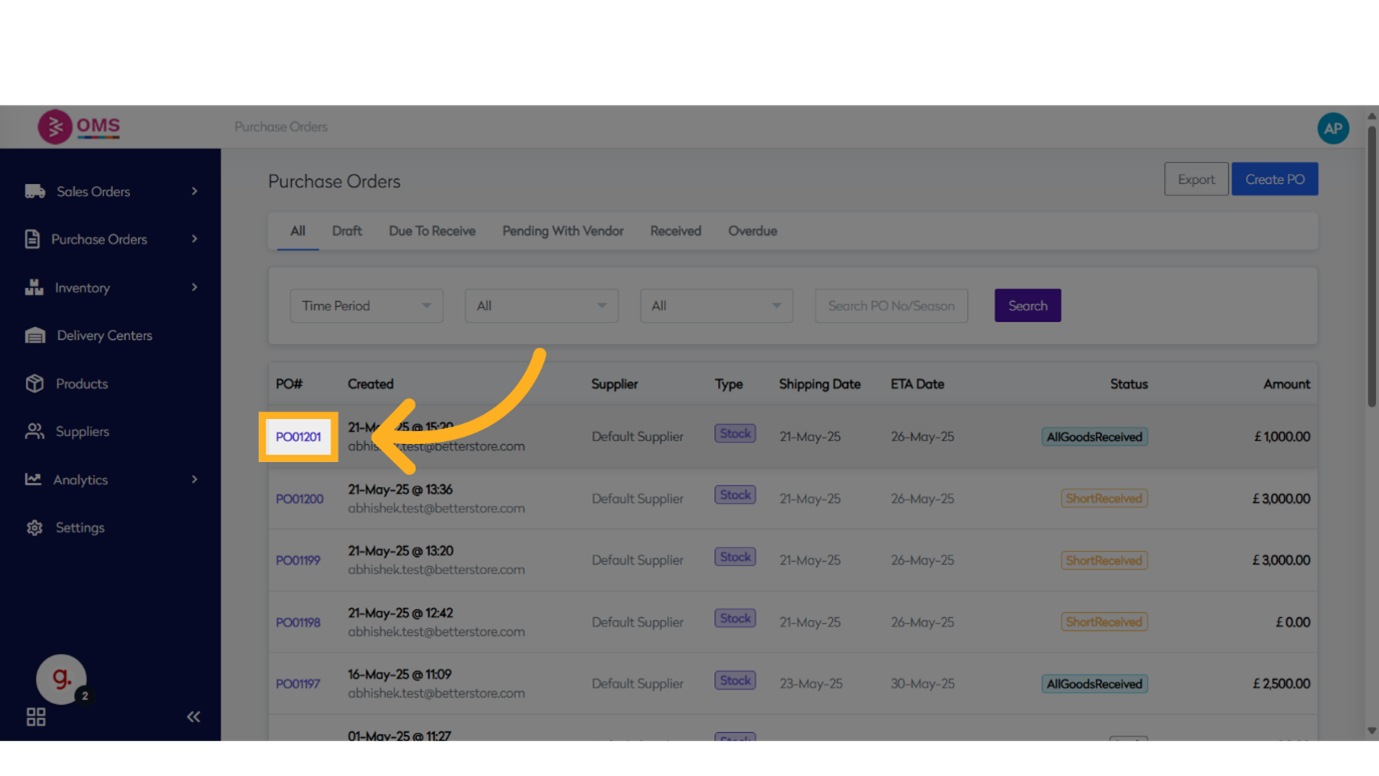
-
Click "Received"
Open the Received tab to view all goods that were received against this PO.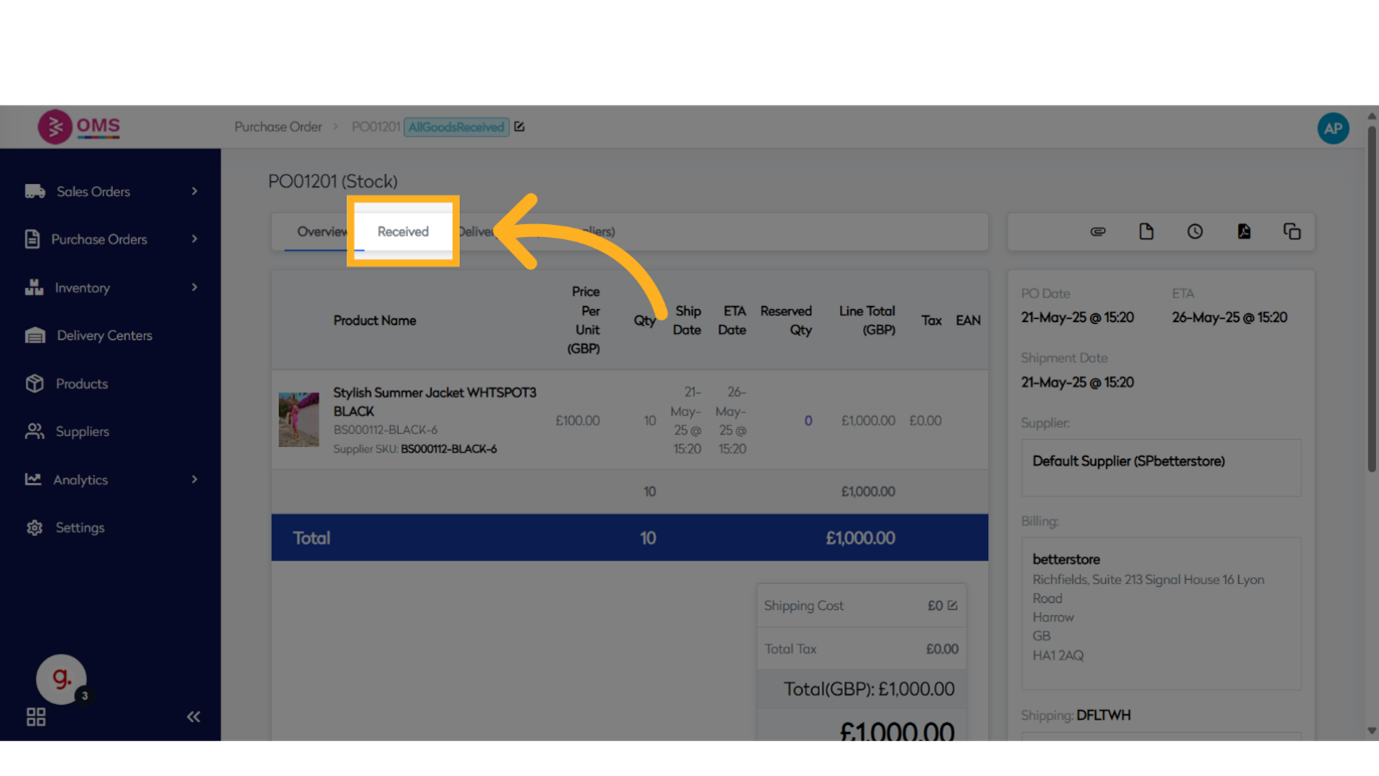
-
Click on "Product"
Select the relevant received item or line from the list for return.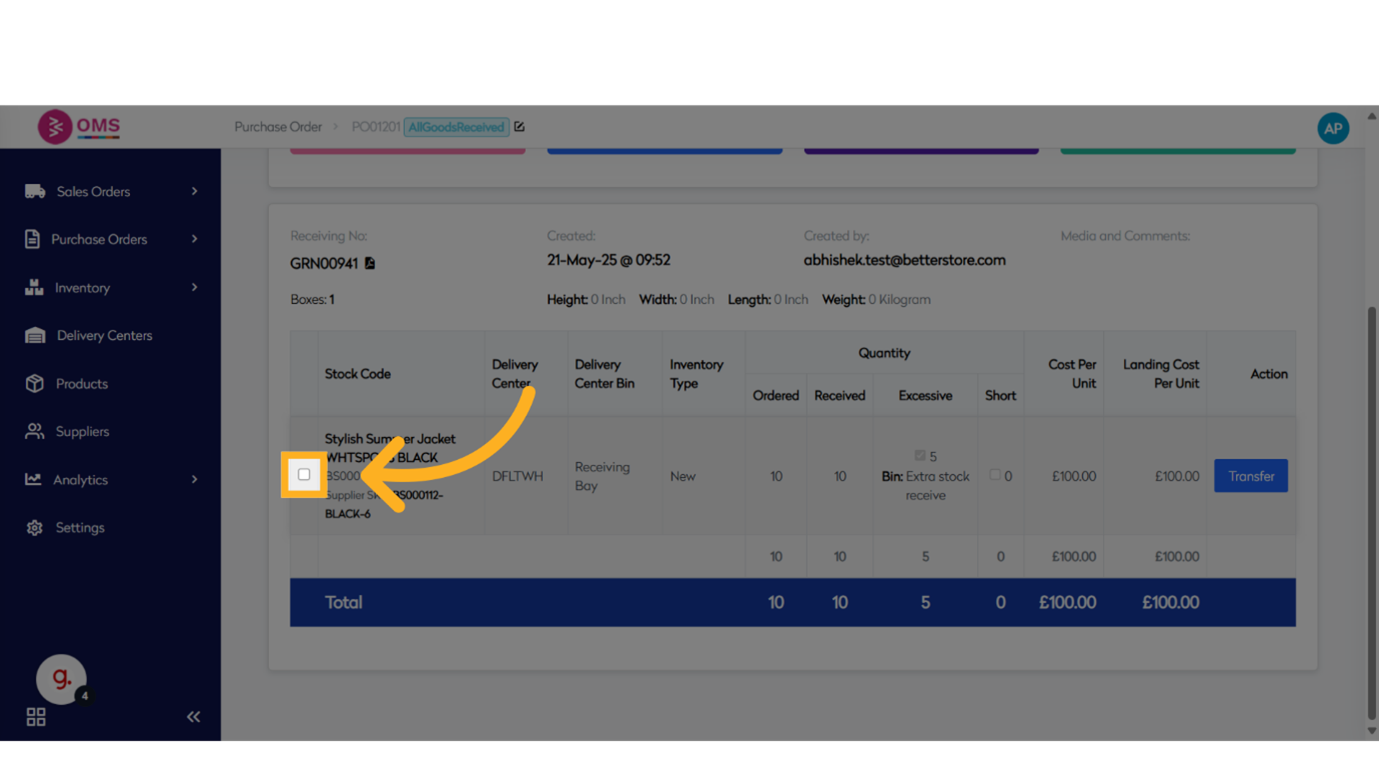
-
Click "Create Supplier Return"
Click the Create Supplier Return button to begin the return process.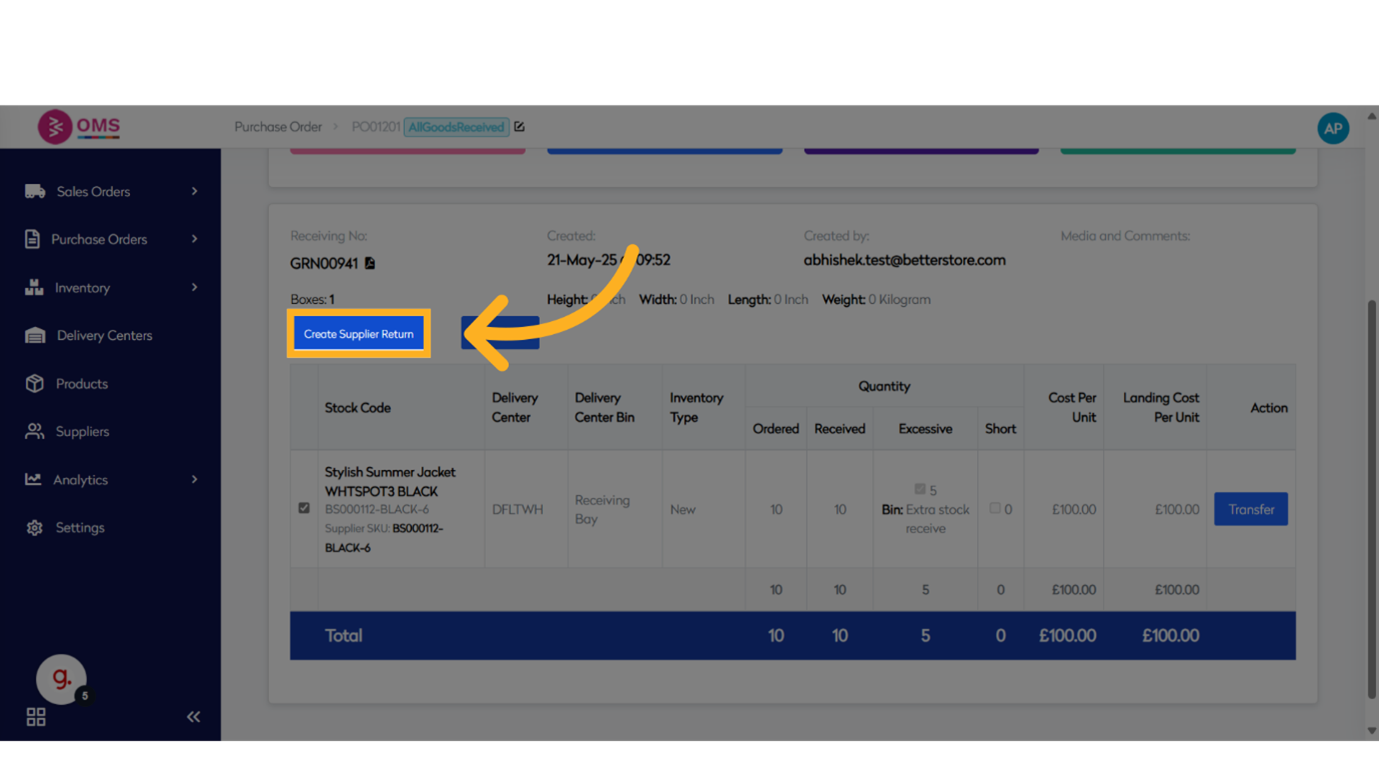
-
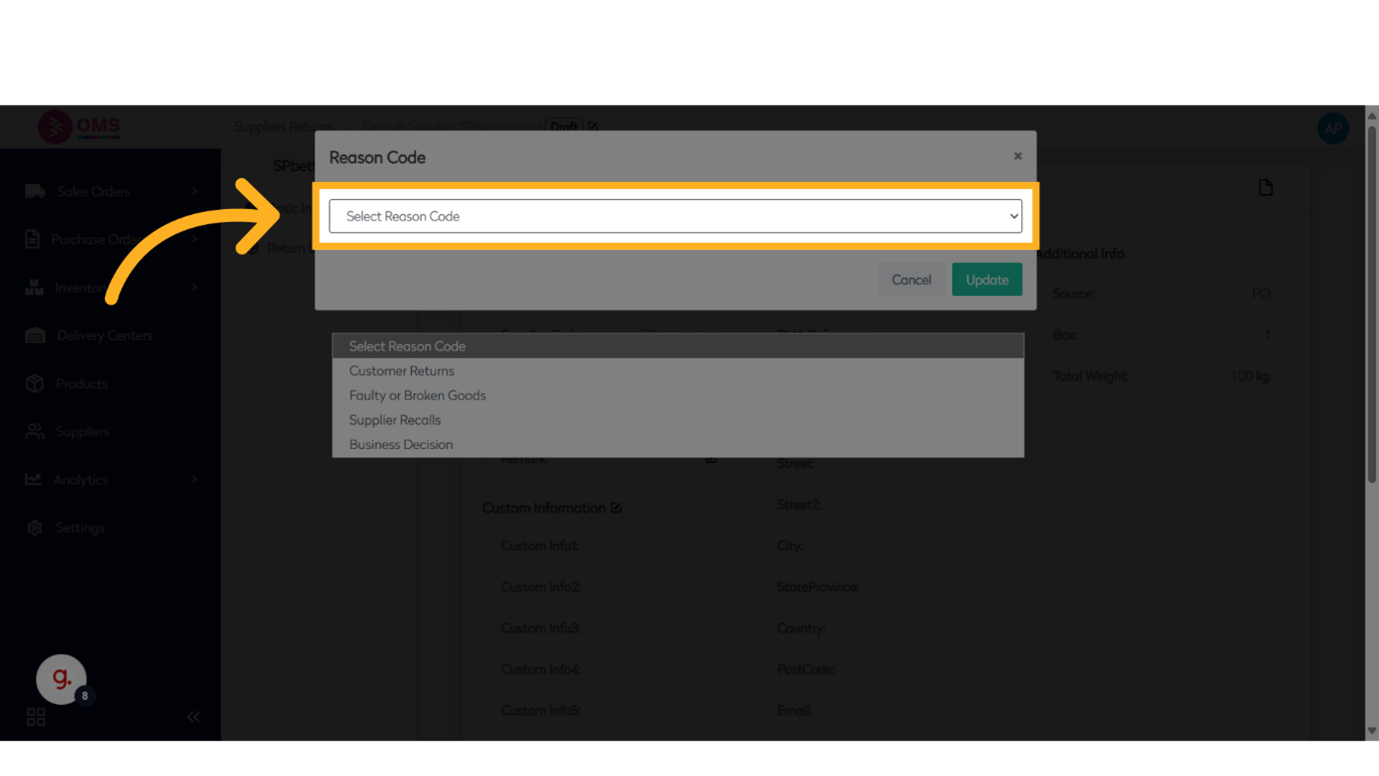
Click to "Select Reason for Returns"
Select an appropriate reason for the return from the list, such as:- Customer Returns
- Faulty or Broken Goods
- Supplier Recalls
- Business Decision
-
Click "Update"
Click Update to save your reason code and return details.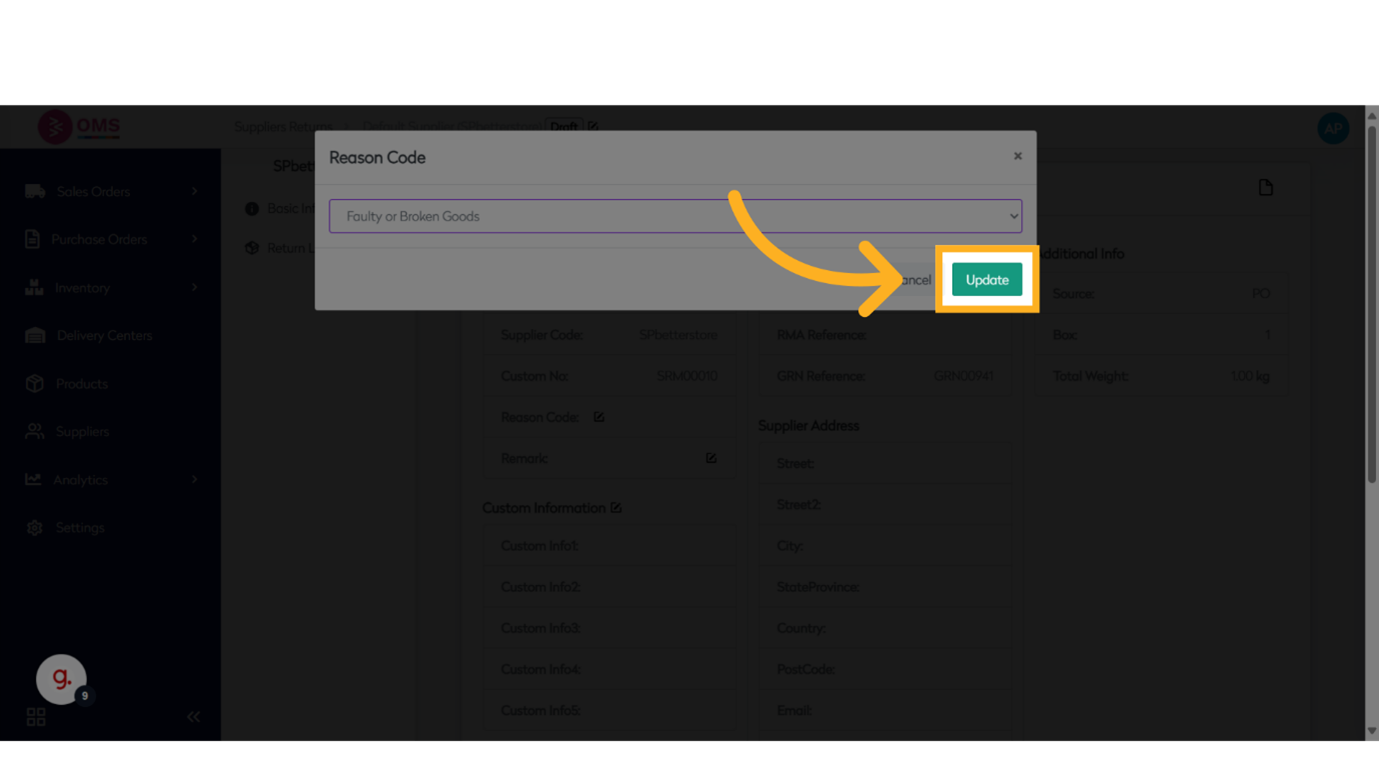
-
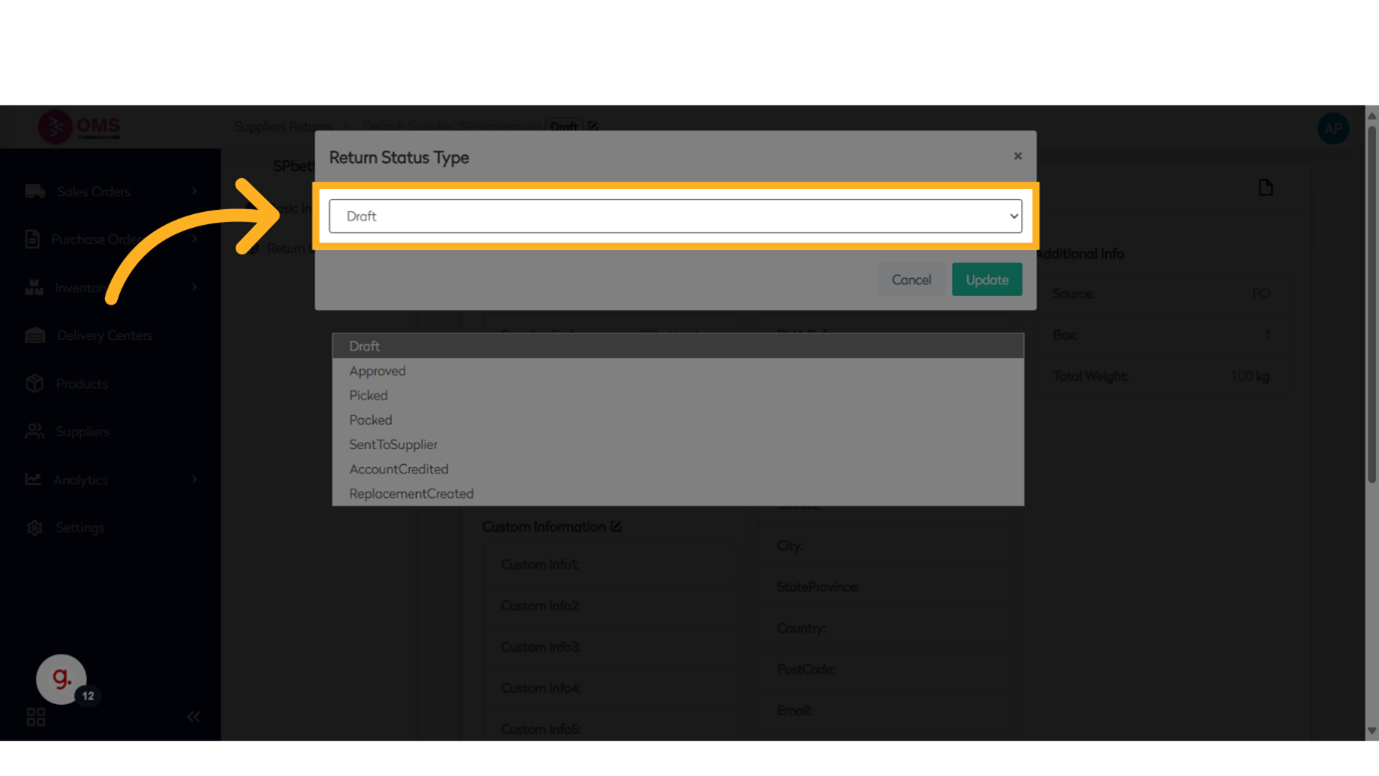
Click on "Status"
Select the appropriate Return Status, depending on the current stage:- Draft
- Approved
- Picked
- Packed
- Sent to Supplier
- Account Credited
- Replacement Created
What Happens Next?
- The returned quantity is deducted from available stock
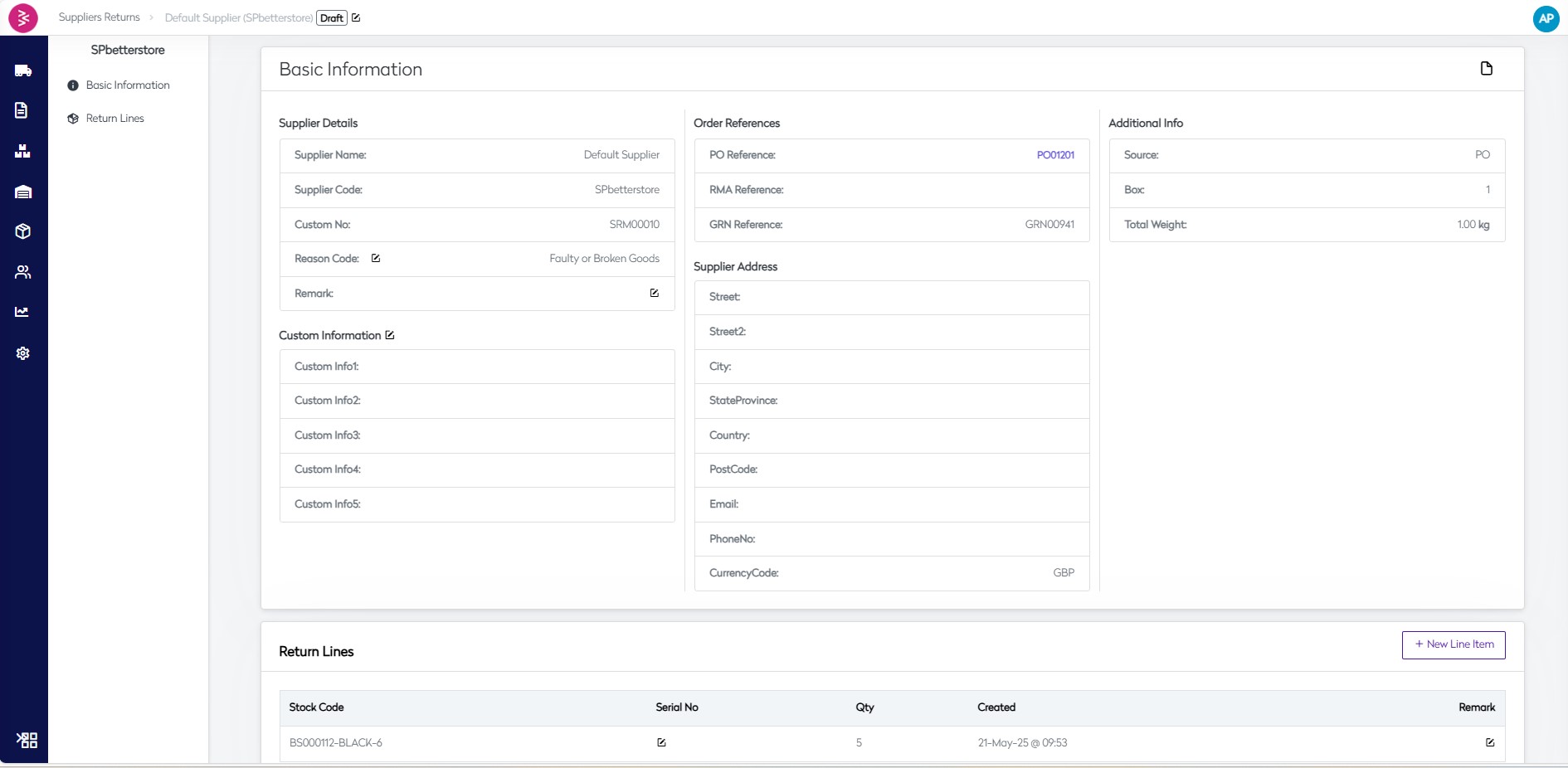
- Supplier return status can be tracked in the OMS
- Finance or procurement teams can reconcile credit notes or replacements
Best Practices
- Always verify quantities and conditions before initiating a return
- Keep records of photos or issues when returning defective items
- Use return notes for clear documentation with the supplier
- Monitor frequent return reasons to improve supplier selection or order accuracy
Summary
Creating a supplier return in BetterCommerce OMS is a key part of efficient inventory management. It ensures that incorrect or excess goods are properly accounted for and returned, helping you maintain clean stock levels and strong supplier relationships.
Send it back smart—manage supplier returns easily in OMS.